
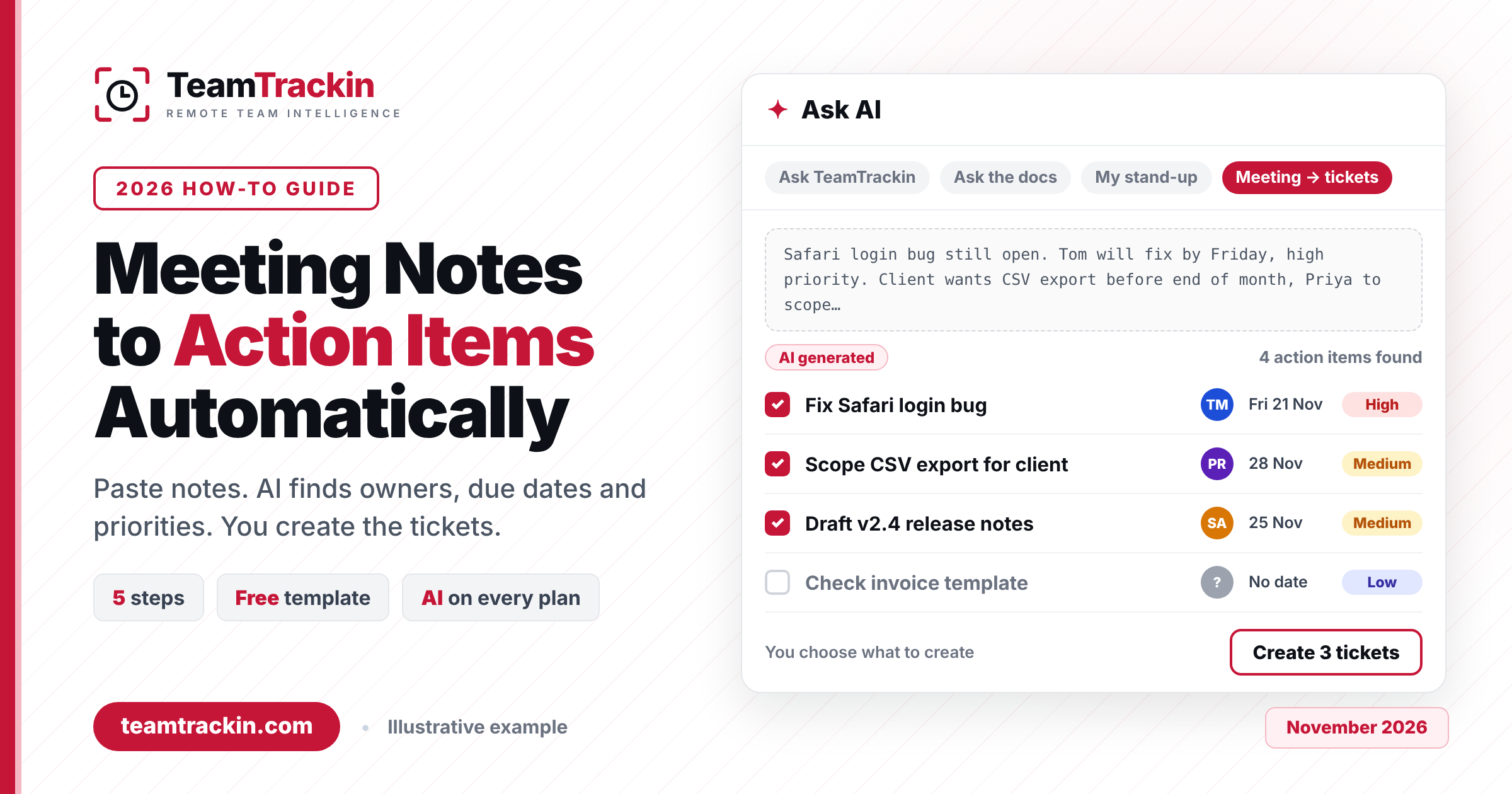
Turning meeting notes to action items automatically means letting AI read your notes or transcript, find every task someone agreed to do, and turn each one into a tracked ticket with an owner, a due date and a priority. This guide shows you how to do it in 5 steps with TeamTrackin AI, what every action item must include, a free meeting notes template, and how to write notes that AI can turn into work without mistakes.
To turn meeting notes into action items automatically, paste your notes or transcript into an AI tool that is connected to your project board, let it pull out each task with an owner, a due date and a priority, review the list, and create the ones you approve as tickets. In TeamTrackin, click ✦ Ask AI, open the Meeting → tickets tab, paste the notes, check the suggestions and choose which tickets to create.
A good action item always has a task that starts with a verb, one owner, a due date and a priority. TeamTrackin AI is included on every plan with monthly AI credits, and most AI actions use 1–2 credits. Meeting → tickets works on Standard and above (from $5.99 per user per month), where boards are included, and you can try it on a 14-day free trial with no credit card.
What Are Action Items From Meeting Notes?
An action item is a specific task that someone agreed to do during a meeting. It is the part of the meeting that has to happen afterwards. Meeting notes record everything that was said; action items are the small slice of those notes that turns into work.
Turning meeting notes to action items is the step between talking and doing. You read the notes, find every commitment, and rewrite each one so it is clear what has to happen, who will do it and by when. Then you put those tasks somewhere they will be tracked, such as a project board, instead of leaving them in a document nobody opens again.
Most meeting notes contain three kinds of lines, and only one of them is an action item:
- Discussion: what people talked about. "We looked at the Q4 numbers." Useful context, but nobody has to do anything.
- Decisions: what the group agreed. "We will launch on 2 December." Record these, but they are not tasks on their own.
- Action items: what someone will do next. "Priya will update the launch checklist by Friday." This is the line that needs an owner, a date and a ticket.
Doing this by hand works for one short meeting a week. It breaks down when a team has several meetings a day, notes are written by different people, and half the action items are hidden in the middle of a paragraph. That is why teams now use AI to do the extraction and keep a person in charge of the final list.
It means taking the notes or transcript from a meeting and pulling out every task someone agreed to do, then rewriting each one as an action item with a clear task, one owner, a due date and a priority. The action items are then added to a tracker, such as a project board, so the work actually gets done.
Why Do Action Items Get Lost After Meetings?
Action items get lost because the meeting ends before anyone writes them down properly. In Microsoft's 2023 Work Trend Index survey of 31,000 people, inefficient meetings were ranked the number one productivity disruptor, 55% said next steps at the end of a meeting are unclear, and 56% said it is hard to summarise what happened.
Look closely at a typical set of notes and the same five problems come up again and again:
No owner
"Someone should check the invoice template" is everyone's job, so it is nobody's job. An action item without a named owner almost never gets done.
No due date
"Soon" and "next week" slide. Without a date, the task never makes it into anyone's plan for the day.
Buried in the notes
Commitments sit in the middle of long paragraphs, mixed with discussion and decisions, so they are missed when people skim.
Stuck in the wrong place
Notes live in a doc, a chat thread or someone's notebook, while the team's work lives on a board. If an action item never becomes a ticket, it is invisible in planning and stand-ups.
Written up too late
By the time someone types up the notes, a day or two has passed and people have already forgotten what they agreed to.
In the same Microsoft study, 80% of people said they would be comfortable using AI to summarise their meetings and action items. Turning notes into tasks is one of the jobs workers most want to hand to AI, because it is repetitive and easy to check.
The rule of meeting follow-up: if an action item is not on a board with an owner and a date within 24 hours, treat it as lost.
How to Turn Meeting Notes Into Action Items Automatically (5 Steps)
The fastest way to turn meeting notes into action items is to use AI that already sits inside your project board. It can read the notes, suggest owners from your team, and create tickets in the right place, so nothing has to be copied from one tool to another. Here is how it works with the TeamTrackin AI assistant.
Capture the meeting notes or transcript
Take notes as usual, or export the transcript from Zoom, Google Meet or Microsoft Teams. Write names and dates where you can, because the AI uses them to fill in owners and due dates.
Click ✦ Ask AI and open Meeting → tickets
In TeamTrackin, click the ✦ Ask AI button in the top bar, or press Ctrl/⌘ K and pick Ask AI. Then open the Meeting → tickets tab.
Paste the notes and let AI find the action items
Paste the notes or transcript. TeamTrackin AI reads them and pulls out each action item with a suggested owner, due date and priority. Decisions and general discussion are left out.
Review owners, due dates and priorities
Check every suggestion. Fix any owner the notes did not name clearly, add missing due dates and drop anything that is not a real commitment. Every result is marked AI generated.
Choose which action items to create as tickets
Tick the action items you want and create them. They become tickets on your board, where the assignee is notified, time can be tracked against them and progress shows up in the next stand-up.
Worked example: from messy notes to action items
Here is an illustrative example of what the process looks like. These are typical notes from a weekly product sync, written quickly by whoever was in the meeting.
The AI reads these five lines and suggests four action items. The decision about the onboarding redesign is left out, because nobody has to do anything new yet.
| Action item | Owner | Due date | Priority | Review note |
|---|---|---|---|---|
| Scope CSV export for client | Priya | 28 Nov | Medium | Date taken from "end of month"; confirm |
| Fix Safari login bug | Tom | Fri 21 Nov | High | Ready to create |
| Draft v2.4 release notes | Sam | Not stated | Medium | Add a due date before creating |
| Check invoice template with finance | Not stated | Not stated | Low | Pick an owner, or drop it |
This is where the person reviewing earns their two minutes. The AI cannot know who "someone" is, or when Sam's release notes are needed. Fill in those gaps, tick the items you want, and create them. The result is four tickets on the board instead of five lines in a document.
Click ✦ Ask AI in the top bar (or press Ctrl/⌘ K and pick Ask AI) and open the Meeting → tickets tab. Paste your meeting notes or transcript. TeamTrackin AI suggests action items with owners, due dates and priorities. Review them, fix anything vague, and choose which ones to create as tickets on your board.
What Should an Action Item Include?
A good action item can be understood and done by someone who missed the meeting. That means it needs more than a few words in a bullet point. Use this checklist for every item, whether a person or AI wrote it.
| Field | Good example | Weak example | Why it matters |
|---|---|---|---|
| Task (starts with a verb) | Fix the Safari login bug | Safari login | A verb turns a topic into something someone can do |
| One owner | Tom | Dev team | Shared ownership usually means no ownership |
| Due date | Friday 21 Nov | ASAP | A real date puts the task into someone's plan |
| Priority | High | (none) | Helps the owner decide what to do first |
| Where it lives | Web app board, current sprint | Meeting doc | Work on a board shows up in planning and stand-ups |
| Context | Customers on Safari 17 cannot log in; see support ticket | (none) | Saves the owner a follow-up question |
How to write an action item, in one line
Use the pattern [Verb] [what] — [owner] — by [date] — [priority]. For example: "Draft v2.4 release notes — Sam — by 25 Nov — Medium." If you cannot fill in every part, the item is not ready yet. Either ask in the meeting or flag it for the person who reviews the list.
A good action item includes a clear task that starts with a verb, one named owner, a due date, a priority, and a link to the meeting or project it came from. Add a short note of context if the task will not make sense to someone who missed the meeting. If any of these are missing, the item is a note, not an action.
Meeting Notes Template With Action Items (Copy and Paste)
The easiest notes to turn into action items are notes that keep discussion, decisions and actions apart. Use this meeting notes template for any recurring meeting. It works on its own, and it also gives AI clean input, because every commitment is already on its own line with a name and a date.
Action item tracker template
If your team does not use a board yet, keep a single running list of action items from every meeting. Review it at the start of the next meeting so nothing quietly disappears.
Tip: a spreadsheet tracker works for a handful of items. Once you have more than one meeting a week, a board with tickets is easier, because owners get notified and the work shows up in their day.
Turn your next meeting into tickets in minutes.
Paste notes, review the action items, create tickets. TeamTrackin AI is included on every plan.
Manual vs AI Note-Taker vs AI in Your Project Board
There are three common ways to get from meeting notes to action items. They differ most in the last step: whether the action items end up where your team actually works.
| Write them up by hand | Standalone AI note-taker | AI inside your project board (TeamTrackin) | |
|---|---|---|---|
| Finds the action items | You read and pick them out | Yes, from the recording or transcript | Yes, from pasted notes or a transcript |
| Owners and due dates | You add them | Often listed as text in a summary | Suggested for each item, using your team |
| Where the action items end up | A doc or email | A summary you copy into another tool | Tickets on your board |
| Who approves | You | Varies by tool | You choose which tickets to create |
| Follow-through | Depends on someone checking the doc | Depends on someone copying it over | Tickets with time tracking, stand-ups and reports |
| Extra cost | Your time | Usually a separate subscription | AI included on every plan |
A standalone note-taker is useful if you need a full recording and transcript of every call. TeamTrackin does not record meetings. It works with whatever notes or transcript you already have, which means you can keep your meeting tool and still get the action items onto your board. Many teams combine the two: export the transcript, paste it into TeamTrackin, and create the tickets there.
The best way is to use AI that is built into the tool where your tasks live. It can read the notes, suggest an owner, due date and priority for each action item, and create tickets directly on your board after you approve them. This removes the copy-and-paste step where most action items get lost.
Can AI Create Tasks From Meeting Notes Safely?
Yes, as long as two things are true: the AI does not do anything without your approval, and it handles your notes privately. Meeting notes often mention clients, budgets and people, so it is worth checking how a tool treats them before you paste anything in.
Ask these four questions of any AI tool you use for meeting notes:
- Does it train on my data? TeamTrackin AI does not use your data to train AI models.
- What can it see? TeamTrackin AI only reads what the person asking can already see, so it respects the same permissions as the rest of your workspace.
- Does it change things on its own? TeamTrackin AI drafts and suggests; a person reviews and applies. In Meeting → tickets, you choose which tickets to create.
- Is AI output marked? Everything TeamTrackin AI writes is marked as AI generated, so your team can tell a draft from a decision.
TeamTrackin also does not store your prompts or answers, apart from your own Ask AI chats if your company keeps them. Those chats are private to you and deleted 30 days after the last message, and admins can turn saving off.
AI is very good at spotting sentences that sound like commitments. It is less reliable when notes say "someone", "soon" or "we", because the real owner and date were never written down. A two-minute review catches these gaps before they become tickets nobody owns.
It is safe when the tool does not train on your data, only reads what you are allowed to see, and lets you approve every change. Avoid pasting confidential notes into free public chatbots. TeamTrackin AI does not use your data to train AI models, does not store prompts or answers, and creates nothing until you choose to.
How to Write Meeting Notes AI Can Turn Into Action Items
The quality of the action items depends on the quality of the notes. These seven habits make the AI's suggestions more accurate and cut your review time to almost nothing.
Use names, not "someone" or "we"
"Tom will fix it" becomes an action item with an owner. "We should fix it" becomes an action item you have to chase.
Say a date, even a rough one
"By Friday" or "before the 28th" gives the AI a due date to suggest. "Soon" gives it nothing.
Put one commitment on one line
A line with three tasks in it is easy to misread. Split it so each action can become its own ticket.
Start actions with a verb
"Draft", "fix", "send", "review", "book". Verbs make commitments easy to spot, for people and for AI.
Label decisions as decisions
Write "Decided:" in front of decisions so they are recorded but not turned into tasks by mistake.
Mention urgency out loud
"This is blocking the release" or "high priority" helps the AI suggest the right priority for each ticket.
Turn notes into tickets before you leave the room
Spend the last two minutes of the meeting pasting the notes and creating the tickets together. Everyone sees their action items before the call ends.
The fastest follow-up email is no follow-up email: if every action item is already a ticket with an owner, the board is the follow-up.
How TeamTrackin Turns Meeting Notes Into Tickets
TeamTrackin is one platform for projects, time tracking, docs and passwords, with AI built in. Because your boards, tickets and team all live in the same place, TeamTrackin AI can turn meeting notes into action items and put them straight onto the scrum board your team already uses, with no copying between tools.
Open ✦ Ask AI from the top bar or the Ctrl/⌘ K palette and you get four tabs: Ask TeamTrackin, Ask the docs, My stand-up, and Meeting → tickets. Meeting → tickets turns pasted meeting notes into tickets with owners, due dates and priority, and you choose which to create. The full walkthrough is in the TeamTrackin AI user guide, and the board user guide explains what you can do with the tickets once they exist.
From action item to done
Creating the ticket is where most tools stop. In TeamTrackin it is where follow-through starts. The assignee gets an email when a ticket is assigned to them, time tracked on the desktop app can be logged against the ticket, and the ticket moves through your sprint with burndown and velocity reports. When the owner writes their stand-up with AI, the work from the meeting is already in it.
What it costs
TeamTrackin AI is included on every plan with a monthly allowance of AI credits, and most actions use 1–2 credits. Credits reset on the 1st of each month. If you need more, an admin with Payments access can buy credit packs, starting at £5 for 500 credits, and pack credits never expire. Meeting → tickets creates tickets on boards, so it works on Standard and above. See all plans on the pricing page.
| Plan | Price (monthly billing) | AI credits a month | Meeting notes to action items |
|---|---|---|---|
| Basic | $3.99 per user | 50 | Ask AI, writing help and stand-ups; no boards |
| Standard | $5.99 per user | 300 | Meeting → tickets, boards and ticket AI |
| Premium (Most Popular) | $7.99 per user | 1,000 | Everything in Standard, plus meeting notes documents |
| Enterprise | Custom | 3,000 | Large teams with custom terms |
Yearly billing saves 10%. Every plan starts with a 14-day free trial and no credit card.
TeamTrackin AI is included on every plan. Meeting → tickets creates tickets on boards, which start on the Standard plan at $5.99 per user per month with 300 AI credits a month. Premium adds meeting notes documents and 1,000 credits. You can try any plan free for 14 days with no credit card.
More from TeamTrackin
Frequently Asked Questions
- How do you turn meeting notes into action items?
Read through your notes and pull out every line where someone agreed to do something. Rewrite each one as a task that starts with a verb, then give it one owner, a due date and a priority. Put the action items where the work is tracked, such as a project board, and share them within a day. An AI tool can do the extraction for you so you only review it.
- What should an action item include?
A good action item includes a clear task that starts with a verb, one named owner, a due date, a priority, and a link to the meeting or project it came from. Add a short note of context if the task will not make sense to someone who missed the meeting. If any of these are missing, the item is a note, not an action.
- Can AI create action items from meeting notes?
Yes. AI can read pasted meeting notes or a transcript, find the lines that are commitments, and turn them into action items with suggested owners, due dates and priorities. The best tools show you the list first and only create tasks you approve, because AI can misread who owns what when the notes are vague.
- Is it safe to paste meeting notes into an AI tool?
It is safe when the tool does not train on your data, only reads what you are allowed to see, and lets you approve every change. Avoid pasting confidential notes into free public chatbots. TeamTrackin AI does not use your data to train AI models, does not store prompts or answers, and creates nothing until you choose to.
- Does TeamTrackin turn meeting notes into action items automatically?
Yes. In TeamTrackin, click ✦ Ask AI and open the Meeting → tickets tab, then paste your notes or a transcript. TeamTrackin AI pulls out action items with owners, due dates and priorities, and you choose which ones to create as tickets. TeamTrackin AI is included on every plan; Meeting → tickets works on Standard and above, where boards are included. Try it free for 14 days with no credit card.
Stop losing action items after meetings.
Turn notes into tickets with TeamTrackin.
Paste your meeting notes, review the action items, and create tickets with owners and due dates on the board your team already uses. TeamTrackin AI is included on every plan, from $3.99 per user per month. Try it free for 14 days.
Start Free Trial→14-day free trial · No credit card · AI included on every plan