
Time Tracking with Screenshots
A smarter way to monitor productivity, track work hours, and stay accountable
Automatic Time Tracking with Periodic Screenshots — Built for Remote Teams, Agencies, and Enterprises That Need Verified, Billable Work Hours
Built for remote teams, agencies and growing businesses, it makes time tracking simple and transparent, with screenshot settings you control. Plans from $3.99 per user per month.
What Is Time Tracking with Screenshots?
Time tracking with screenshots is an advanced employee monitoring method that records work hours while automatically capturing screenshots at set intervals. Unlike manual time tracking, which relies on self-reported entries, screenshot-based tracking provides visual context for how time is spent.
Screenshots are captured automatically in the background — usually every 5 to 10 minutes while employees work. This approach is widely used by remote teams, agencies billing clients by the hour, and companies conducting productivity reviews or audits.
How Time Tracking with Screenshots Works
Automatic Time Tracking
TeamTrackin runs automatically in the background, tracking work hours from the moment employees begin working. Manual start/stop timers are also available for teams that prefer more control.
Screenshot Capture
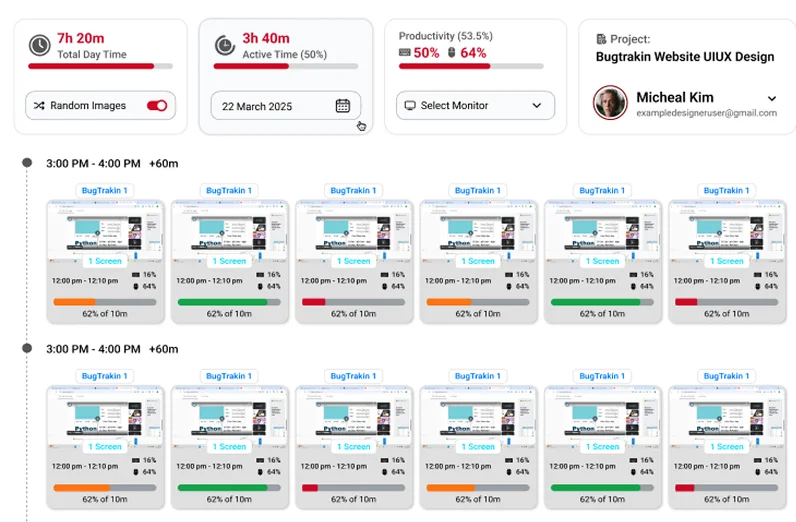
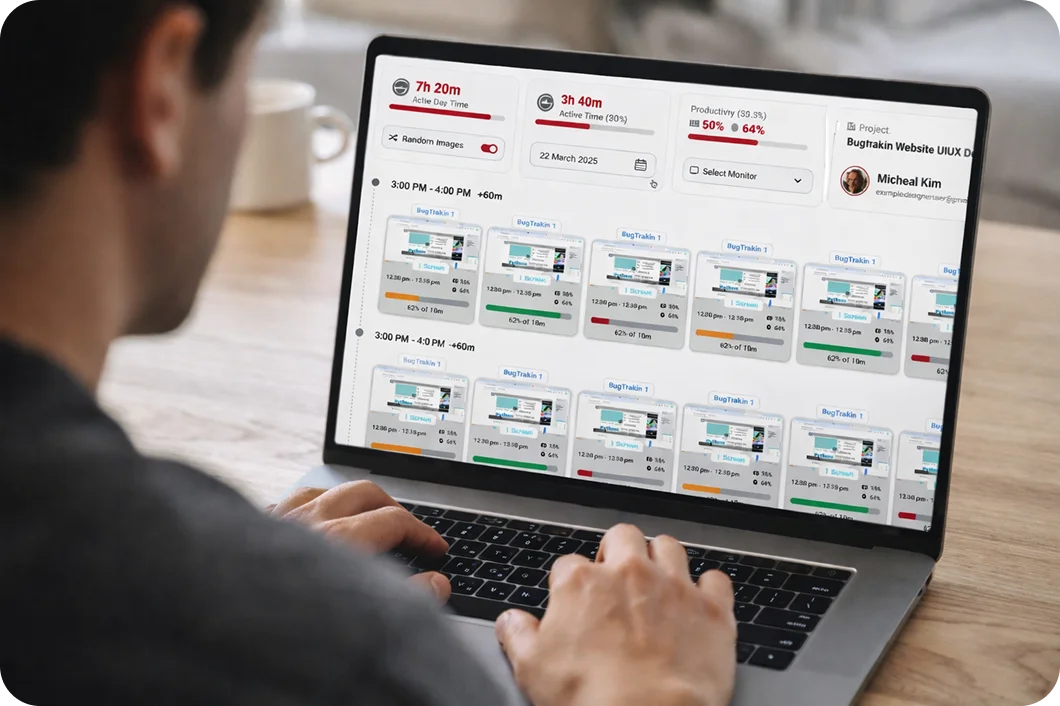
Screenshots are taken at customizable intervals throughout the workday. Sensitive information can be blurred to protect privacy while still maintaining accountability. Managers get visual proof of work progress without needing to interrupt or micromanage their teams.
Activity & Productivity Insights
The system tracks app usage, website activity, and idle versus active time, helping managers understand productivity trends clearly. Detailed reports highlight how work hours are distributed, making it easy to identify bottlenecks and optimize team performance.
Key Features of Time Tracking with Screenshots

Why It Matters
Benefits of Using Time Tracking with Screenshots
Screenshot-based time tracking creates a transparent work environment where both managers and employees benefit. Managers gain visibility into how hours are spent, while employees have clear proof of their contributions. This leads to more accurate invoicing for client work, fair performance evaluations, and reduced disputes over time records. Teams that adopt this approach often see improved focus, fewer distractions, and better project estimation over time.
Time Tracking with Screenshots for Remote Teams
Remote work introduces unique challenges around trust and accountability. Time tracking with screenshots bridges the gap by giving distributed teams a shared source of truth. Instead of relying on status updates or trust alone, managers can review visual snapshots of work in progress. This is especially valuable for agencies managing freelancers, companies with offshore teams, and organizations transitioning to hybrid work models where consistent oversight matters.
Employee Privacy & Data Security
TeamTrackin's screenshot monitoring operates in full compliance with UK GDPR and the Data Protection Act 2018. Employees are informed before monitoring begins, screenshots are taken transparently at set intervals, and all data is stored securely with role-based access controls. Sensitive information can be blurred to protect employee privacy.
Why Choose Our Time Tracking Software?
Trusted by 100+ businesses across the UK and United States — remote teams, agencies, and enterprises that need accurate, ethical employee monitoring without micromanagement.
- Effortless setup with no training required
- Real-time dashboards for managers and team leads
- Privacy-first design with employee-friendly controls
- Reliable cloud infrastructure behind Cloudflare
Screenshot settings and privacy controls
Screenshots are on by default while the timer runs. You decide who is captured, how much detail is kept and what people can remove.
On by default, only while tracking
Screenshots are taken at intervals while someone's timer is running. Nothing is captured when the timer is off.
- Tied to tracked time
- Shown on the person's timeline
- Visible to the employee too
Per-person on and off
Turn screenshots off for any person, for example a manager, a contractor or someone handling sensitive data.
- Change it at any time
- Time and activity still recorded
- No reinstall needed
Blur
Blur screenshots on the computer before they are saved or sent, so you see that work is happening without reading the detail.
- Blurred before upload
- Good for sensitive screens
- Keeps proof of work
Let staff delete a screenshot
Allow people to delete a screenshot before it is sent if something private was on screen. The tracked time is kept.
- Optional setting
- Time stays on the timesheet
- Builds trust with the team
Random screenshots on Premium
On the Premium plan, screenshots can be taken at unpredictable moments within each interval instead of on a fixed beat.
- Harder to game
- Same privacy controls
- Premium plan
Activity levels, never keystrokes
Each screenshot sits beside an activity level from keyboard and mouse use. Keystroke content is never captured.
- No typed text stored
- No microphone or webcam
- Apps and websites shown by name
Using screenshots fairly
Screenshots work best as proof of work and a coaching aid, not as a way to catch people out.
Tell people, and show them their own data
Before you switch on time tracking with screenshots, explain what is captured, how often, who can see it and how long it is kept. Every employee can see their own screenshots in TeamTrackin, the same ones their manager sees.
Laws such as the UK GDPR expect monitoring to be transparent and proportionate. This is general information, not legal advice, so check the rules where your team works.
Collect only what you need
Many teams keep screenshots on for client work that needs proof of hours, blur them for everyone else, and turn them off for roles that handle sensitive data. Activity levels and app and website use often give managers enough on their own.
Read our security page to see how screenshots and other data are stored and protected.
Set up time tracking with screenshots
From sign-up to the first screenshots on your team's timeline in minutes.
- STEP 01
Invite your team
Add people by e-mail and tell them what will be tracked.
- STEP 02
Choose screenshot settings
Keep screenshots on, blur them, turn them off per person or let staff delete their own.
- STEP 03
Install and track
People install the desktop app for Windows, macOS or Linux and start their timer.
- STEP 04
Review and approve
Check timelines and screenshots, then approve the week's timesheets.
Time tracking with screenshots from $3.99 per user per month
Screenshots, blur and per-person controls are included from the Basic plan, with the built-in AI assistant on every plan. Random screenshots come with Premium. Try it free for 14 days, no card needed.
Related TeamTrackin features
Screenshots are one part of TeamTrackin.
Frequently Asked Questions (FAQ'S)
Get Started with Time Tracking with Screenshots
Take control of productivity, accuracy, and accountability without micromanaging. Start capturing visual proof of work, generating accurate time reports, and building trust across your entire team.