
Jumping from emails to creative work to meetings and back to emails again? You're not alone. The constant ping-ponging between different types of tasks is one of the biggest productivity killers in modern work environments. Each time you switch between different activities, your brain needs time to refocus, a phenomenon that can drain your mental energy and leave you feeling exhausted by midday. Enter task batching: a powerful time management technique that groups similar tasks together and tackles them in dedicated time blocks. Instead of scattered multitasking, you focus on one type of work at a time, allowing your brain to maintain momentum and dive deeper into each activity. This approach isn't just about better organization, it's rooted in neuroscience and supported by productivity experts worldwide. When you batch similar tasks, you reduce cognitive load, minimize context switching, and create space for the kind of deep work that produces your best results. Task batching is a time management technique where you group similar tasks together and complete them during dedicated time blocks. Rather than switching between different types of work throughout the day, you focus on one category of tasks at a time. The concept leverages your brain's natural preference for routine and consistency. When you perform similar tasks in sequence, you maintain the same mental framework, tools, and thinking patterns. This workflow optimization reduces the mental effort required to constantly readjust between different types of work. Interestingly, many professionals use time tracking tools to measure batching effectiveness and identify patterns. By understanding where time goes, it becomes easier to create productive batching blocks. While task batching and time blocking are often mentioned together, they serve different purposes in your productivity toolkit. Time blocking involves scheduling specific time slots for any type of work, regardless of similarity. You might block 9-10 AM for a client call, 10-11 AM for writing, and 11 AM-noon for administrative tasks. Task batching, however, specifically groups similar activities together. You might batch all your communication tasks (emails, calls, messages) into one block, then tackle all your creative work (writing, designing, brainstorming) in another. These techniques work beautifully together. You can use time blocking to schedule your batched tasks, similar to how an automated attendance system structures workflows for better consistency. Calendar blocking becomes even more powerful when combined with batching. Instead of generic "work time" blocks, you create specific categories like "Communication Block" or "Deep Work Session." This approach supports single-tasking while maintaining the structure that time blocking provides. The effectiveness of task batching lies in how our brains process information and maintain focus. Neuroscience research shows that multitasking is actually task-switching—rapidly moving attention between different activities. Each switch creates what psychologists call a "switching cost," requiring mental energy to refocus. When you batch similar tasks, you minimize these switching costs. Your brain maintains the same neural pathways, thought patterns, and problem-solving approaches throughout the batch. This consistency reduces cognitive load and prevents the mental fatigue that comes from constantly readjusting your thinking. This approach aligns with findings from employee monitoring studies, which suggest that structured workflows significantly increase productivity by reducing distractions. Task batching also enables what psychologist Mihaly Csikszentmihalyi termed "flow state", periods of deep focus where you become fully absorbed in your work. Flow states are difficult to achieve when you're constantly interrupted or switching between different types of tasks. Batching creates the sustained attention necessary for these highly productive mental states. The technique particularly supports deep work, a concept popularized by productivity expert Cal Newport. Deep work requires extended periods of focused attention on cognitively demanding activities. By batching similar tasks and protecting these blocks from interruption, you create the conditions necessary for your most valuable work. Task batching delivers measurable improvements across multiple areas of work performance. Increased focus: Eliminates constant task switching, allowing deeper concentration and longer periods of attention. Improved efficiency: Tasks get done faster, what takes 30 minutes when interrupted may only take 15–20 minutes when batched. Higher quality work: Sustained focus enables thoughtful analysis, creative solutions, and better attention to detail. Reduced decision fatigue: Following a batching schedule minimizes constant choices about what to work on next. Lower stress levels: Brings order and progress by replacing chaos with structured task flow and accomplishment. Burnout prevention: Reduces mental exhaustion from context switching and fosters steady progress on key tasks. Organizational benefits: When paired with biometric attendance systems, batching enhances task management and accountability. Successfully implementing task batching requires a systematic approach that starts with understanding your current workload and gradually builds more focused work habits. Begin by capturing all your tasks in a comprehensive list. Tools like TeamTrackin can help centralize your workflow and keep tasks organized. Don't worry about organization yet, simply document everything you need to accomplish over the next week or two. Include both recurring responsibilities and one-time projects. This brain dump serves two purposes: it prevents important tasks from slipping through the cracks and gives you raw material for creating batches. Spend a few minutes each morning or the evening before adding new items to ensure your list stays current. Once you have a comprehensive task list, start categorizing items by similarity. The productivity app Sunsama suggests four main categories that work well for most professionals: Creative tasks include writing, designing, brainstorming, and strategic planning. These activities require sustained attention and benefit from uninterrupted time blocks. Administrative tasks cover routine maintenance work like filing, organizing, updating systems, and processing paperwork. While less mentally demanding, these tasks can be efficiently completed when batched together. Communication tasks encompass emails, phone calls, text messages, and brief check-ins. Batching these prevents the constant interruption of new messages throughout the day. Decision-making tasks involve evaluating options, making choices, and providing approvals. These require focused mental energy but can be streamlined when handled consecutively. Use your calendar to block specific time slots for each batch category. Use calendar blocking, similar to scheduling semi-monthly payroll tasks, to ensure consistency. Treat these blocks as seriously as you would any important meeting. Colour coding can help distinguish between different types of batches at a glance. Consider the natural rhythm of your day when scheduling. Many people find morning hours ideal for creative work when mental energy is highest. Administrative tasks might fit better in the afternoon when focus naturally wanes. Time bands, recurring daily or weekly blocks for specific categories—create predictable structure. You might designate 9-11 AM daily for deep creative work, or batch all communication tasks from 2-3 PM. Match your most demanding batches to your periods of highest energy and alertness. If you're sharpest in the morning, reserve that time for complex creative work or important decisions. Save routine administrative tasks for when your energy naturally dips. Pay attention to your personal energy patterns over several weeks. Some people experience peak focus mid-morning, while others hit their stride in early evening. Align your batching schedule with these natural rhythms for maximum effectiveness. Define clear objectives for each batching session. Rather than vague goals like "work on project," specify "complete market research section" or "draft three blog post outlines." Concrete goals make it easier to maintain focus and measure success. Use productivity tools or simple time tracking to monitor how long different types of batches take. This data helps you schedule more realistic time blocks and identify which categories might need adjustment. Consider using consultant-focused time tracking software to monitor batch efficiency. Understanding task batching becomes clearer when you see how it applies to common work scenarios. These examples demonstrate how different professionals might structure their batching approach. Instead of checking email throughout the day, designate specific times for all communication tasks. A typical schedule might include a 20-minute morning session to address urgent items, a 30-minute midday block for responses, and a brief evening review. During communication batches, handle emails, return phone calls, respond to messages, and update team members. Keep other applications closed to maintain focus on communication tasks only. Creative work benefits enormously from batching. Set aside 2-3 hours for writing, during which you focus solely on content creation. This might include drafting blog posts, developing marketing copy, or working on reports. Many writers find they can produce significantly more content in a single focused session than through scattered 30-minute intervals throughout the week. The sustained creative flow often leads to better ideas and more cohesive writing. Batch administrative tasks like expense reports, data entry, file organization, and system updates. These activities require similar mental energy and often use the same tools or systems. Consider weekly or bi-weekly batches for recurring administrative work. This prevents these necessary but routine tasks from interrupting higher-value creative or strategic work. Group meetings by type when possible. Schedule all client calls on specific days, batch internal team meetings, or designate certain days as meeting-free for deep work. Project work can also be batched by phase—spend one session on research, another on analysis, and a third on implementation. This approach maintains momentum within each project phase. Even well-intentioned batching efforts can backfire if you fall into these typical pitfalls that reduce effectiveness rather than enhance it. Overplanning represents one of the most common mistakes. Some people spend more time creating elaborate batching systems than actually working. Keep your approach simple, especially when starting out. A basic categorization system works better than a complex framework you won't consistently follow. Analysis paralysis can prevent you from getting started. Don't wait until you have the perfect batching system mapped out. Begin with obvious groupings and refine your approach based on actual experience. Trying to batch incompatible tasks creates frustration rather than flow. Creative brainstorming and detailed data analysis both require focused attention, but they engage different parts of your brain. Keep creative and analytical tasks in separate batches. Similarly, don't batch urgent tasks with routine maintenance work. High-priority items need immediate attention, while routine tasks can be scheduled more flexibly. Mixing them creates unnecessary stress and may delay important work. Failing to allow for interruptions and flexibility makes your batching system fragile. Real work includes unexpected requests, urgent issues, and changing priorities. Build buffer time into your schedule and have a plan for handling interruptions without derailing your entire system. Some professionals become so rigid about their batching schedule that they sacrifice adaptability for structure. The goal is improved productivity, not perfect adherence to a predetermined plan. Adjust your approach based on what actually works in your environment. Several proven strategies can significantly improve your batching effectiveness and help you maintain the discipline required for long-term success. The Pomodoro Technique works exceptionally well within task batches. Use 25-minute focused work periods followed by 5-minute breaks, all within the same batch category. This approach prevents mental fatigue while maintaining the benefits of sustained focus on similar tasks. Communication with your team becomes crucial when implementing batching. Let colleagues know about your focus hours and when you'll be available for questions or collaboration. This prevents interruptions while ensuring you remain accessible for truly urgent matters. Schedule breaks and small rewards between different batches. These transitions help your brain reset for the next category of work. A brief walk, healthy snack, or few minutes of stretching can refresh your mental energy. Work management software can significantly support your batching efforts. Tools like Asana allow you to organize tasks by category and schedule focused work blocks. This digital support makes it easier to maintain your system consistently. The right tools can make the difference between a batching system that sticks and one that falls apart after a few weeks. Focus on simple, reliable options that enhance rather than complicate your workflow. To-do list apps provide the foundation for effective batching. Look for applications that allow easy categorization and scheduling. Basic features matter more than advanced functionality you may never use. Calendar applications become your primary scheduling tool for batching blocks. Most standard calendar apps support color coding and recurring events, which are essential for maintaining consistent batching schedules. Kanban boards visually represent your batched tasks and their progress. Tools like TeamTrackin combine Kanban functionality with time tracking, making it easy to see both your task categories and how long different batches typically take. Specialized productivity tools can further streamline your approach. Motion uses AI to automatically schedule your tasks within appropriate time blocks. Sunsama focuses specifically on daily planning with built-in batching features. Time tracking applications help you understand how long different types of batches actually take. This data improves your scheduling accuracy and helps identify which categories might need adjustment. The key is choosing tools that match your existing workflow rather than requiring complete system overhauls. Start with simple options and gradually add functionality as your batching practice matures. If you often feel scattered between Slack messages, video calls, and constant notifications, task batching might be your game-changer. It’s a simple remote focus technique that groups similar tasks together so you can stay in one mental zone, instead of jumping between emails, chats, and meetings all day. Imagine checking Slack only twice a day instead of every few minutes, or scheduling all your video calls in one cluster before diving into async work sessions. This small shift can dramatically boost productivity for remote workers by cutting down distractions and helping your brain stay focused longer. For remote teams across US and UK time zones, batching also improves collaboration. Shared work blocks for meetings and feedback, followed by solo focus sessions, help everyone stay aligned without overloading schedules. In short, task batching for remote work isn’t just about time management, it’s about energy management. By structuring your day around focus, not interruptions, you create a smoother, calmer, and more productive work rhythm. While task batching offers significant benefits for most work scenarios, certain situations call for different approaches or modifications to standard batching principles. Urgent tasks: Customer service issues, emergency requests, or time-sensitive decisions require immediate attention and don’t fit into predetermined batches. Build flexibility into your system to handle these without guilt or breakdown. Creative work: Some creative tasks thrive on varied stimulus. If long creative batches feel stagnant, alternate between different creative activities or mix them with other task types. Collaborative environments: Roles requiring frequent interaction with team members may struggle with strict batching. Instead, try shorter time blocks or set collaboration hours. Unexpected events: Disruptions and shifting priorities are common. Instead of abandoning batching, adapt with shorter batches on chaotic days or reschedule when higher priorities arise. Task batching is a powerful method to enhance focus, efficiency, and job satisfaction. It reduces context switching and helps you work in alignment with your brain’s natural rhythm. Whether managing creative projects, business tasks, or admin work, batching saves energy. Pair it with tools like time and attendance management for maximum productivity. Start small by batching simple categories like communication or administrative duties. Once comfortable, expand into creative projects and strategic planning for greater impact. Don’t aim for perfection, experiment with time blocks and tools until it fits your role. Over time, batching builds clarity, reduces stress, and delivers lasting productivity. Task batching groups similar activities together, while time blocking simply schedules specific time slots for any type of work. Batching focuses on task similarity, while time blocking emphasizes time management. They work well together. You can use time blocking to schedule your batched tasks. The optimal batch size depends on the complexity and duration of your tasks. For simple administrative tasks, you might batch 10-15 items in a single session. For complex creative work, 2-3 major tasks might be sufficient. Focus on maintaining quality and avoiding mental fatigue rather than hitting specific numbers. Generally, no. Creative tasks require different mental energy and thinking patterns than administrative work. Mixing them reduces the benefits of batching by forcing your brain to constantly switch between different types of processing. Keep creative and administrative tasks in separate batches for maximum effectiveness. Begin with one simple batch category, such as communication tasks. Designate specific times for checking and responding to emails instead of throughout the day. Once this becomes a habit, gradually add other categories like administrative tasks or creative work. Starting small increases your chances of long-term success.What Is Task Batching?
Task Batching vs. Time Blocking
Why Task Batching Works
Benefits of Task Batching
How to Task Batch? Step-by-Step Process
Step 1: List Your To-Dos
Step 2: Group and Split Tasks
Step 3: Schedule Batching Time
Step 4: Assign Peak Energy Slots
Step 5: Set Goals and Track Progress
Practical Task Batching Examples
Email and Communication Sessions
Content Writing or Creative Blocks
Routine Admin or Reporting
Project and Meeting Structuring
Common Mistakes to Avoid
Tips for Effective Task Batching
Tools and Techniques to Support Task Batching
Task Batching for Remote Workers
When Task Batching Isn't Ideal
Final Words
Frequently Asked Questions
What's the difference between task batching and time blocking?
How many tasks should be in one batch?
Can I batch creative and administrative tasks together?
How do I start if I'm new to batching?
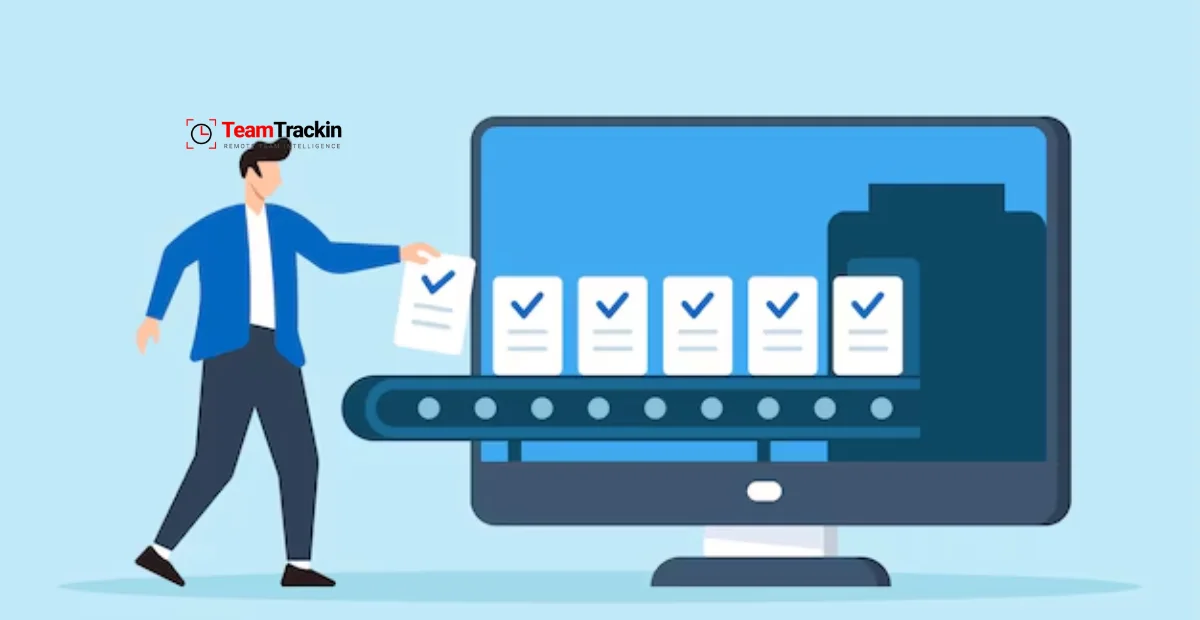
Master Task Batching: Simple Strategy to Double Your Productivity
Ready to see what accurate, automated time tracking looks like for your team?
Start your free 14-day trial of TeamTrackin today — no credit card required, full access from day one.
Start Free Trial