
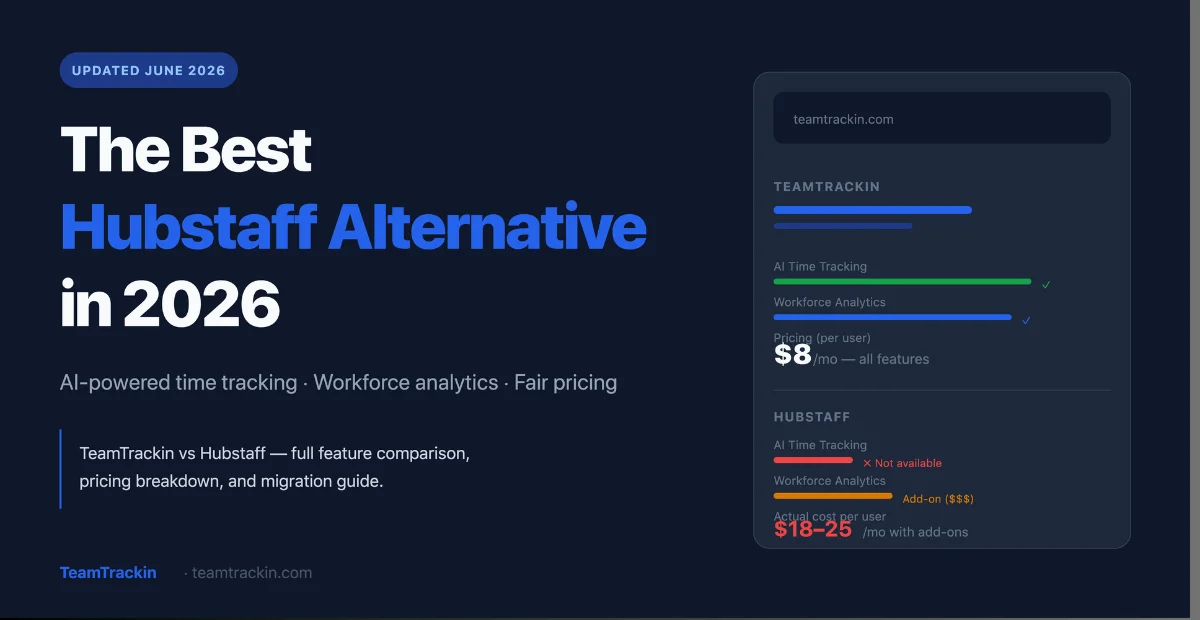
TeamTrackin is a modern, AI-powered alternative to Hubstaff — combining employee time tracking software, workforce management, and workforce analytics in one platform built for how distributed teams actually work today.
TeamTrackin is the best Hubstaff alternative in 2026 for teams that want AI-powered time tracking, smarter workforce analytics, and fair transparent pricing — without invasive screenshot monitoring or seat-based billing traps.
Hubstaff is a capable time tracking tool, but it has well-documented limitations: no free plan, screenshot-heavy monitoring that erodes employee trust, add-on costs for basic features, and a rigid billing system that frustrates growing teams. TeamTrackin solves all of these — with an AI-first approach to employee time tracking software that focuses on outcomes over surveillance.
Whether you need staff time tracking software, a complete workforce management system, or a better way to handle remote workforce visibility — TeamTrackin covers it all in one platform, at a price that scales fairly.
of Hubstaff users cite cost as the #1 reason they switch
TeamTrackin average rating across G2 and Capterra
of U.S. businesses now use employee time tracking software
Free trial — no credit card. Hubstaff offers zero free plan.
Why Teams Are Leaving Hubstaff in 2026
Hubstaff built its reputation as a solid time tracking tool for remote teams. It combines employee time tracking software, GPS monitoring, basic workforce analytics, and payroll in one platform — and for years, it was a go-to choice for businesses managing distributed workforces.
But in 2026, teams are leaving at an accelerating rate. The reasons are consistent across G2, Capterra, and GetApp reviews — and they all point to the same core problems.
- Costs escalate aggressively as teams growHubstaff's base plan looks affordable at first glance — but critical features like automated payroll, scheduling, and advanced workforce analytics are locked behind expensive higher tiers. Teams that start small often discover their actual cost is 3–4× the entry price once they enable the features they actually need. The billing model also charges a full month for mid-cycle seat additions.
- Invasive monitoring damages employee trustHubstaff's default approach — random screenshots, activity percentage tracking, keystroke logging — is designed around surveillance rather than insight. Employees resent it. Managers end up spending more time defending their monitoring approach than using the data. In 2026, the most effective staff time tracking software tracks outcomes, not activity for activity's sake.
- Reliability and sync issues disrupt workflowsG2 and Capterra are filled with reports of timer sync failures, login crashes, and report download errors. For software time tracking tools that feed directly into payroll and billing, these are not minor inconveniences — they are operational risks. 68% of negative Capterra reviews specifically mention bugs and sync inconsistencies.
- Limited workforce management depthHubstaff is built primarily as a time tracker with workforce management features bolted on. For businesses that need a true workforce management system — with scheduling, capacity planning, predictive analytics, and a unified workforce login dashboard — Hubstaff's feature set runs shallow fast.
- No free plan whatsoeverUnlike leading time management software competitors, Hubstaff offers zero free tier — only a 14-day trial. Competitors like TeamTrackin offer full-featured trials. This makes evaluation and team adoption significantly harder, especially for SMBs weighing employee software investments carefully.
- No meaningful AI integrationIn 2026, AI-powered time management tools are the standard, not the exception. Hubstaff offers basic reporting but lacks AI-driven insights, predictive scheduling, automated time categorization, and smart workforce analytics. Teams want software for time tracking that surfaces actionable intelligence — not just raw hours data.
What is TeamTrackin? The Modern AI-Powered Hubstaff Alternative
TeamTrackin is a modern, AI-powered employee time tracking software and workforce management system built for remote, hybrid, and in-office teams. It combines time tracking, staff time tracking, workforce analytics, and a complete workforce management system — in one platform that uses AI to surface insights instead of surveillance to monitor activity. It is the direct Hubstaff alternative for teams that want visibility without micromanagement.
Unlike traditional software for time tracking that simply logs hours, TeamTrackin uses AI to understand how your workforce operates — identifying productivity patterns, predicting scheduling gaps, flagging potential burnout risks, and generating actionable workforce analytics reports automatically.
The result is a workforce management system that gives managers the visibility they need while giving employees the autonomy and trust that drives performance. It's the balance that Hubstaff — with its surveillance-first design — consistently fails to strike.
AI-Powered Time Tracking
Automatic time categorization, smart idle detection, and AI-suggested time entries — so employees spend less time logging and more time working.
Workforce Analytics
Real-time dashboards that surface productivity trends, team utilization rates, and workforce insights — without needing to build manual reports.
Employee Time Tracking Software
Flexible time tracking across web, desktop, and mobile — with one-click timers, manual entries, project-based tracking, and timekeeping software built for how modern teams work.
Remote Workforce Management
Built for distributed teams from day one. Asynchronous-friendly tracking, timezone-aware scheduling, and remote workforce dashboards that don't require in-person supervision.
Workforce Management System
Scheduling, capacity planning, attendance tracking, leave management, and workforce login controls — all integrated into a single workforce management platform.
Fair, Transparent Pricing
Flat per-seat pricing with no hidden add-ons. Every plan includes the features your team actually needs — not a stripped-down base locked behind expensive upgrades.
TeamTrackin vs Hubstaff: Complete Feature Comparison (2026)
Here is a full head-to-head comparison of TeamTrackin and Hubstaff across all major features — from time tracking and employee software to workforce management and workforce analytics:
| Feature | TeamTrackin | Hubstaff |
|---|---|---|
| AI-Powered Time Tracking | ✓ Built-in AI automation | ✗ No AI features |
| Employee Time Tracking Software | ✓ Web, desktop, mobile | ✓ Web, desktop, mobile |
| Time Management Tools | ✓ Smart scheduling + AI suggestions | ~ Basic scheduling only |
| Staff Time Tracking Software | ✓ Unlimited projects & tasks | ✓ Unlimited projects & tasks |
| Timekeeping Software | ✓ Auto timesheets + approvals | ✓ Auto timesheets |
| Time Management Software | ✓ AI-driven productivity insights | ~ Manual reports only |
| Workforce Management System | ✓ Full system included | ~ Add-on required (extra cost) |
| Workforce Analytics | ✓ Real-time AI dashboards | ~ Basic reporting — Insights add-on extra |
| Remote Workforce Management | ✓ Built-in async & timezone tools | ~ Available but limited |
| Workforce Login Dashboard | ✓ Centralized, real-time | ~ Basic activity view |
| Employee Software (Monitoring) | ✓ Trust-first, outcome-based | ! Screenshot & keystroke surveillance |
| Software Workforce Management | ✓ HR + scheduling + payroll unified | ~ Payroll requires higher plan |
| Free Plan | ✓ 14-day free trial, no card needed | ✗ No free plan — paid only |
| Integrations | ✓ 50+ integrations, all plans | ~ 35+ integrations, higher plans only |
| Pricing Transparency | ✓ Flat rate, no hidden add-ons | ✗ Multiple add-ons, 2-seat minimum |
| GPS Tracking | ✓ Included on Pro+ | ✓ Available |
| Payroll Integration | ✓ All plans | ~ Premium plan only |
| Customer Support | ✓ 24/7 live chat, all plans | ✗ Limited on lower tiers |
💡 Bottom line: TeamTrackin beats Hubstaff on AI features, workforce analytics depth, pricing transparency, remote workforce tools, and employee trust — while matching it on core time tracking and employee time tracking software features. For most teams, TeamTrackin delivers more value at a lower total cost.
Time Tracking: How TeamTrackin Outperforms Hubstaff
Both TeamTrackin and Hubstaff offer employee time tracking software with web, desktop, and mobile apps — but the philosophy behind each product is fundamentally different.
TeamTrackin's approach to time tracking
TeamTrackin treats software time tracking as the foundation of a broader intelligence layer. The platform doesn't just record hours — it understands them. AI-powered automatic time categorization assigns tracked time to the right projects based on app usage and context. Smart idle detection distinguishes genuine breaks from distractions. And AI-suggested time entries help employees capture work they forgot to log — reducing errors without adding manual overhead.
As timekeeping software, TeamTrackin generates automatic timesheets that are ready for manager review without the back-and-forth correction cycles that plague manual logging tools. Employees use one-click timers, keyboard shortcuts, or fully automatic background tracking — whichever fits their workflow.
What Hubstaff does differently — and where it falls short
Hubstaff's software for time tracking is robust on the basics: timer-based tracking, automated timesheets, project and task tracking, and activity monitoring. But it is anchored to an activity-level metric that reduces complex work to a percentage — "you were 72% active during this hour" — which is both inaccurate for knowledge workers and demoralizing for employees.
Hubstaff also has no AI layer. Reports are static. Time categorization is manual. And the experience of logging time — especially for remote teams using it across time zones — is frequently described in reviews as clunky and unreliable, with sync issues that cause hours to go missing from timesheets.
The verdict on time tracking
For staff time tracking software that simply records hours, both tools work. But for teams that want their time management software to actively help them understand and improve how work gets done — TeamTrackin is the clear winner.
Workforce Management System & Workforce Analytics: Where TeamTrackin Leads
This is where the gap between TeamTrackin and Hubstaff becomes most pronounced. Hubstaff is, at its core, time tracking software with workforce management features added at the edges. TeamTrackin is, at its core, a workforce management system with time tracking as one of its foundational inputs.
TeamTrackin's workforce management system
The TeamTrackin workforce management system unifies employee scheduling, capacity planning, attendance tracking, leave management, and real-time workforce login monitoring in a single platform. Managers get a live view of who is working, on what, for how long — and the platform's AI layer surfaces patterns and anomalies automatically.
Workforce analytics in TeamTrackin goes beyond counting hours. The platform tracks utilization rates by team and individual, flags workers at risk of burnout based on overwork patterns, compares productivity across projects and time periods, and generates weekly workforce analytics reports that managers can act on — not just archive.
Hubstaff's workforce management limitations
Hubstaff's software workforce management capability is functional but shallow. Advanced workforce analytics require the Insights add-on — an additional paid tier on top of the base plan. Capacity planning features are limited. And the workforce management system lacks the AI-driven intelligence that makes the data genuinely actionable.
For businesses that just need basic scheduling and payroll, Hubstaff can work. For businesses that need a true workforce management system that helps them plan, optimize, and scale their team — Hubstaff runs out of road quickly.
Remote Workforce Management: Built for Distributed Teams
Managing a remote workforce in 2026 requires more than a time tracker. It requires a platform that handles asynchronous work patterns, multiple time zones, outcome-based accountability, and team visibility without surveillance.
TeamTrackin was designed with the remote workforce as the primary use case — not an afterthought. Every feature is built to work across time zones and work styles. The workforce login dashboard gives managers a live, timezone-aware view of their distributed team without requiring employees to be synchronously available.
TeamTrackin's remote workforce tools include: timezone-aware scheduling, async check-in workflows, real-time workforce login tracking, AI-powered productivity insights for distributed teams, automatic timesheet generation across locations, and workforce analytics that compare performance across remote, hybrid, and in-office employees — all without screenshot surveillance.
Hubstaff's approach to the remote workforce relies heavily on monitoring features — screenshots, activity levels, GPS — that work well for field-based or hourly workers but create friction and resentment in knowledge-work remote teams. Many of the teams switching from Hubstaff to TeamTrackin cite this mismatch as the primary driver: they manage knowledge workers, not factory floors, and they need employee software that reflects that.
Pricing Comparison: TeamTrackin vs Hubstaff
Hubstaff's pricing is one of the most frequently cited reasons teams switch. The base plan looks low — but the real cost emerges once you need features that are locked behind higher tiers or add-ons.
Annual billing · No seat minimum · No hidden add-ons
- AI-powered time tracking
- Full workforce management system
- Workforce analytics — included
- Employee time tracking software (all platforms)
- Payroll integration — included
- 50+ integrations — all plans
- 24/7 support — all plans
- 14-day free trial, no card needed
Annual billing · 2-seat minimum required
- Standard time tracking
- Basic workforce management (limited)
- Workforce analytics — Insights add-on ($)
- Staff time tracking software (all platforms)
- Payroll — premium plan only ($)
- Integrations — limited on lower tiers
- Support — limited on lower plans
- No free plan — trial only
When you add Hubstaff's Insights add-on for workforce analytics, payroll features, and additional scheduling capabilities, the real per-seat cost for a growing team using Hubstaff can reach $18–25/user/month. TeamTrackin's flat Pro plan delivers all of these at $8/user — a difference that compounds significantly at scale.
Who Should Switch from Hubstaff to TeamTrackin?
✅ Teams that should switch to TeamTrackin
Remote and hybrid teams managing knowledge workers who need outcome-based visibility without surveillance. Growing companies frustrated by Hubstaff's add-on pricing. Teams that want AI-driven workforce analytics, not just raw time data. Businesses that need a complete workforce management system in one platform. HR and operations teams tired of stitching together multiple tools for time management software, scheduling, and payroll.
⚠️ Teams where Hubstaff still works
Field service and construction teams that need GPS geofencing and job-site clock-ins as the primary use case. Small freelancer teams that only need basic timekeeping software and invoicing. Organizations with strong compliance needs that specifically require Hubstaff's screenshot audit trail for contractor billing verification.
How to Migrate from Hubstaff to TeamTrackin in 5 Steps
Switching your employee software platform sounds daunting — but with the right plan, most teams complete the migration in under a week with zero data loss and zero downtime.
- 1Export your Hubstaff data before cancellingDownload your complete time tracking history as CSV exports from Hubstaff — including all timesheet records, employee data, and project reports. Store these locally. Once you cancel Hubstaff, access to historical data may be restricted. Do this step before you start your TeamTrackin trial.
- 2Start your TeamTrackin free trialSign up at teamtrackin.com — no credit card required. Use the 14-day trial to set up your workspace, configure your projects, and import your historical time data. TeamTrackin's onboarding team will help you map your Hubstaff data structure to the TeamTrackin system.
- 3Set up your workforce management system configurationConfigure your workforce login settings, team structure, projects, billing rates, and payroll integrations. This is also the time to set your workforce analytics dashboard — choose which KPIs and metrics your managers need to see at a glance. Most configurations take 1–2 hours.
- 4Run TeamTrackin and Hubstaff in parallel for one weekHave your team use both platforms simultaneously for 5–7 days. This validates that your time tracking data in TeamTrackin is accurate and complete before you rely on it for payroll or billing. It also gives team members time to familiarize themselves with the new employee software without pressure.
- 5Go full TeamTrackin, cancel HubstaffOnce your team is comfortable and your data is validated, switch fully to TeamTrackin. Cancel Hubstaff before your next billing cycle. Export a final copy of your Hubstaff data for archiving — and start experiencing the difference of AI-powered workforce analytics and fair transparent pricing.
Frequently Asked Questions
- What is the best Hubstaff alternative in 2026?
TeamTrackin is the best Hubstaff alternative in 2026 for teams that need AI-powered time tracking, smarter workforce analytics, and a complete workforce management system — without invasive screenshot monitoring or unpredictable add-on pricing. It offers all the core features of employee time tracking software and staff time tracking software that Hubstaff provides, plus an AI intelligence layer and fairer pricing that Hubstaff lacks.
- Why do teams switch from Hubstaff?
The most common reasons are: cost escalation as teams grow (essential features locked behind expensive tiers), invasive screenshot and activity monitoring that damages employee trust, sync and reliability bugs that disrupt payroll and billing workflows, limited AI-powered workforce analytics, and a rigid billing system that charges full months for mid-cycle seat additions. TeamTrackin solves all six of these problems.
- Is TeamTrackin a free Hubstaff alternative?
TeamTrackin offers a 14-day free trial with no credit card required — giving teams full access to test all time tracking, workforce management, and workforce analytics features before committing. Hubstaff has no free plan, only a trial. TeamTrackin's paid plans start at $8/user/month, which includes features that Hubstaff charges extra for as add-ons.
- Does TeamTrackin have AI-powered time tracking?
Yes. TeamTrackin uses AI throughout the platform: automatic time categorization assigns tracked hours to the right projects based on context, smart idle detection differentiates genuine breaks from inactivity, AI-suggested entries help employees capture forgotten work, and AI-generated workforce analytics reports surface productivity patterns and workforce insights without manual report-building. Hubstaff has no AI features in its current platform.
- How does TeamTrackin handle remote workforce management?
TeamTrackin is built for remote workforce management from the ground up. It includes timezone-aware scheduling, async check-in workflows, centralized workforce login dashboards, real-time productivity tracking across distributed teams, and AI-powered workforce analytics that work equally well regardless of where employees are located — all without the screenshot surveillance that makes Hubstaff problematic for remote knowledge workers.
- What features does TeamTrackin have that Hubstaff doesn't?
TeamTrackin includes AI-powered time categorization and workforce analytics, a more complete workforce management system with capacity planning, transparent flat-rate pricing with no hidden add-ons, 24/7 support on all plans, 50+ integrations on all plans (vs Hubstaff's restriction to higher tiers), and an outcome-focused monitoring approach that builds employee trust rather than eroding it. These are not available in Hubstaff without paying for expensive additional tiers or add-ons.
- Can I import my Hubstaff data into TeamTrackin?
Yes. TeamTrackin supports CSV import of historical time tracking data from Hubstaff. The TeamTrackin onboarding team provides migration assistance to help you map your existing project structure, employee records, and historical timesheet data into TeamTrackin — so you don't lose any historical workforce analytics or billing records during the switch.