
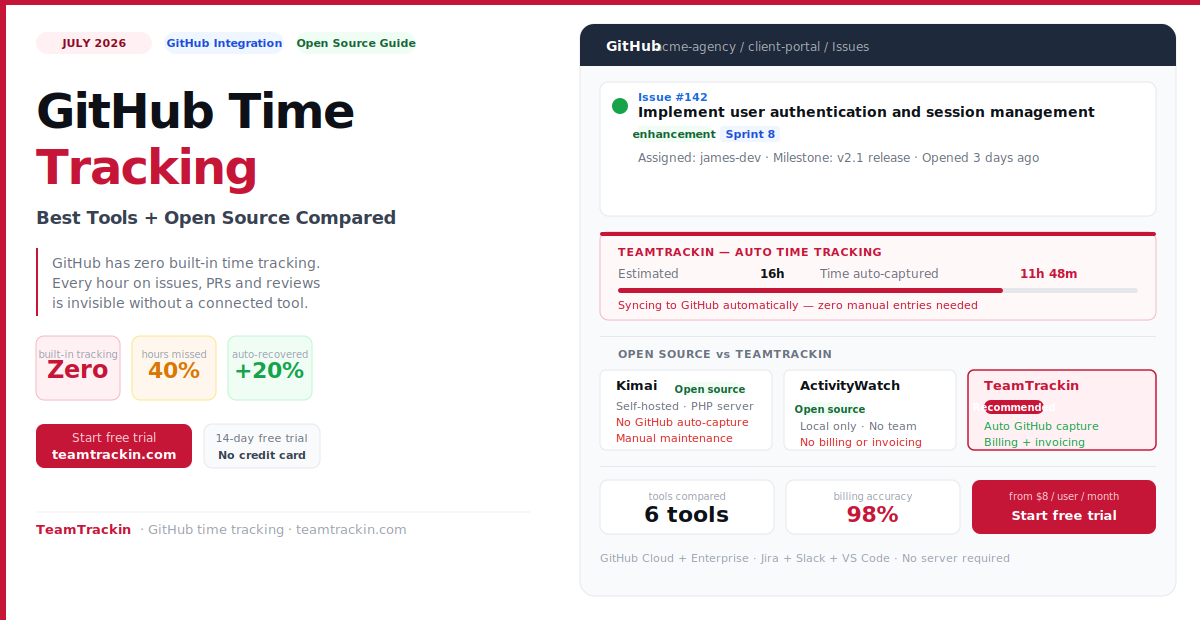
GitHub has no built-in time tracking. That means every hour your team spends on issues, pull requests, and code reviews is invisible — until you connect a tracking tool. This guide covers GitHub issue time tracking, the best open source time tracking options, and how TeamTrackin captures GitHub hours automatically without any manual entries.
GitHub time tracking means logging work hours against specific GitHub issues, pull requests, and repositories using a third-party integration — since GitHub has no native time tracking. The best approach is automatic capture: a tool that detects which GitHub issue is active and logs time without requiring manual timer management.
For open source options, Kimai is the best self-hosted team timesheet tool, ActivityWatch is the best automatic personal tracker, and Super Productivity combines GitHub integration with local-first task management. However, all open source tools require self-hosting, technical setup, and ongoing server maintenance.
TeamTrackin delivers the same GitHub issue time tracking, team timesheets, and billable hour reporting as the best open source tools — as a managed cloud service, with no server to maintain, no updates to apply, and full client billing and invoicing built in.
What Is GitHub Time Tracking?
GitHub time tracking is the practice of recording how much time is spent on specific GitHub issues, pull requests, code reviews, and repository work — and attributing that time to the right project, client, or sprint for billing and capacity planning purposes.
GitHub itself has no native time tracking. There is no built-in Time Spent field, timer, or worklog system in GitHub Issues or Pull Requests. Teams that need to track development time against GitHub work must connect a third-party integration — either a browser extension, a GitHub App, or a standalone time tracking tool with GitHub sync.
GitHub time tracking requires a third-party tool because GitHub has no built-in time tracking. The best integrations detect which GitHub issue or pull request is currently open and log time automatically — without requiring developers to start or stop a manual timer. Time entries are then attributed to the issue, repository, and linked client or project for billing, sprint analytics, and capacity reporting.
Issue-level attribution
Every logged hour is tied to the specific GitHub issue being worked on — not just a vague project name. Time rolls up from issue to repository to client automatically.
Pull request tracking
Code review time on pull requests is captured alongside feature development time — closing one of the biggest gaps in most developer time tracking setups.
Sprint and milestone analytics
Actual hours vs story estimates, per issue and per milestone — the data that improves sprint planning accuracy with every cycle.
Billable hour reporting
GitHub hours classified as billable or non-billable flow into client invoices — so all your GitHub work becomes revenue, not undocumented overhead.
How GitHub Issue Time Tracking Works
There are three ways to do GitHub issue time tracking — ranging from fully manual to fully automatic. The right approach depends on how disciplined your team can be and how much revenue is at stake if hours go untracked.
Method 1 — Manual comments and labels (free, inaccurate)
The simplest approach: developers leave comments on GitHub issues with time estimates, or add custom labels like /spent 2h that a bot converts into a time log. This requires zero external tooling but has serious accuracy problems — teams that log time this way consistently under-report by 30–50% because the logging step competes with the actual work for developer attention.
Method 2 — Browser extension with timer button (manual, better)
Tools like Clockify and Toggl Track offer browser extensions that add a timer button directly inside GitHub issues. Developers click to start and stop the timer without leaving the page. This is more accurate than comments but still requires the developer to remember to start and stop the timer — which fails during context switches, deep focus sessions, and quick PR reviews.
Method 3 — Automatic issue detection and capture (best)
The most accurate method. A tool like TeamTrackin monitors the active browser tab and application context, detects when a GitHub issue is open, and logs time automatically against that issue. When the developer switches to a different issue, the timer switches too. No start button. No stop button. No forgotten sessions. Time is captured correctly even during rapid context switching — which is exactly when manual methods fail.
GitHub issue time tracking works by connecting a third-party tool to GitHub that adds a time logging layer to issues and pull requests. Three methods exist: manual time comments or labels on issues (free but inaccurate), browser extension timer buttons added to GitHub issues (more accurate but requires manual start/stop), and automatic background tracking that detects which issue is active and logs time without any developer action (most accurate, no manual overhead). TeamTrackin uses the third method.
Best Open Source Time Tracking Tools in 2026
If data ownership, self-hosting, or avoiding per-seat pricing are your priorities, these are the most capable open source time tracking options available in 2026 — with honest assessments of what each one does well and where it falls short.
The most mature open source time tracking platform for teams. Supports multiple users, projects, clients, invoicing, exports, and a plugin ecosystem. PHP-based, deployable on any web server.
- Full team timesheet management
- Invoice generation built-in
- LDAP / SAML authentication
- REST API for custom integrations
- MIT license — fully open
- Requires PHP server to self-host
- No automatic time capture
- No native GitHub or Jira integration
- Updates and maintenance are manual
The best open source employee monitoring software for automatic activity tracking. Records app and window usage locally on each device — the most privacy-respecting monitoring approach available.
- Fully automatic activity capture
- No server required — runs locally
- Complete data privacy — nothing leaves the device
- Cross-platform (Linux, Mac, Windows)
- No billing or invoicing features
- No team management or approvals
- No GitHub issue attribution
- Personal use only — not a team tool
Task management and time tracking combined, with native Jira, GitHub, GitLab, and OpenProject integrations. Local-first — data stays on your device unless you configure sync.
- GitHub and Jira integration built-in
- Tasks, timers, and Pomodoro in one app
- MIT license — completely open
- Cross-platform including mobile
- Individual tool — no team features
- No billing, invoicing, or client management
- No manager approval workflow
- No payroll or HR integration
A simple open source employee time clock desktop application. Start/stop timer, manual entries, and basic reports exportable as CSV, PDF, and Excel. Minimal setup required.
- Zero server setup — desktop app only
- Free with no restrictions
- Export to Excel, CSV, PDF
- No GitHub integration
- No team or multi-user support
- No invoicing or billing
- Limited development activity since 2022
IDE-native coding time tracker with plugins for VS Code, JetBrains, Vim, and 50+ editors. Tracks time per language, file, project, and repository automatically from inside the editor.
- Automatic capture inside every major IDE
- Language and file-level analytics
- GitHub repository integration
- Free tier for personal use
- Code metrics only — no billing or invoicing
- No client management or team timesheets
- No GitHub issue attribution (repository only)
- Team features require paid plan
Open source project management with built-in time tracking and issue management. Popular in enterprise environments. GitHub integration available via plugins.
- Full project and issue management
- Time tracking built into issues
- Active community and plugin ecosystem
- Heavy to self-host and maintain
- Outdated UI by modern standards
- No automatic time capture
- GitHub integration requires third-party plugins
Want GitHub time tracking without the self-hosting?
TeamTrackin gives you everything open source tools offer — plus billing, invoicing, and zero maintenance.
The Real Disadvantages of Open Source Time Tracking
Open source time tracking tools are genuinely good options for certain teams. But the trade-offs are often understated in comparison articles written by people who have never actually run a self-hosted Kimai instance under production load with 30 users.
You own the infrastructure
Self-hosting means provisioning a server, configuring the web environment, setting up a database, managing SSL certificates, and handling backups. This is a meaningful technical project — not a 10-minute setup. For PHP-based tools like Kimai, expect 2–4 hours of initial setup and 1–3 hours of maintenance per month thereafter.
Security is your responsibility
When a security vulnerability is found in an open source time tracking tool, the vendor does not push an update to your server. You must monitor security advisories, apply patches, and update dependencies — or run exposed. Time tracking data includes client names, project details, and employee hours — sensitive information you cannot afford to expose.
No support when things break
Open source tools have community forums and GitHub issue trackers — not a support team. When your self-hosted Kimai breaks the night before a client invoice run, you are debugging it yourself or waiting for community help. For business-critical time tracking, this risk is often underestimated until it materialises.
Integrations require custom work
Most open source time tracking tools have REST APIs but limited pre-built integrations with payroll systems, invoicing tools, and HR platforms. Connecting Kimai to QuickBooks, Xero, or Sage requires custom development — adding cost and complexity that commercial tools absorb through built-in integrations.
Billing and invoicing are limited
Open source tools like ActivityWatch and Super Productivity have no billing features at all. Even Kimai's invoicing — the strongest in this category — requires significant configuration and is less polished than dedicated billing tools. For agencies billing multiple clients, the gap between open source and commercial tools in invoicing quality is substantial.
No automatic GitHub capture
None of the leading open source time tracking tools offer automatic GitHub issue detection and time capture. Super Productivity has GitHub integration for syncing issue lists, but time must still be manually started and stopped per task. The 15–40% billable hour gap that automatic capture closes remains open with every open source option.
💡 The honest calculus: For a solo developer who is comfortable with self-hosting and does not need billing features, open source time tracking is a genuinely good option. For a team of 5+ people billing clients, the hidden costs of self-hosting — in developer time, maintenance overhead, and lost invoicing sophistication — typically exceed the cost of a commercial cloud alternative within 6 months.
Open Source vs Cloud: Which Is Right for Your Team?
- You control all data — nothing stored on third-party servers
- No per-seat monthly cost once deployed
- Fully customisable if you have developer resources
- Good for regulated industries with strict data residency requirements
- Requires a server, SSL, database, and ongoing maintenance
- Security patches are your responsibility
- No dedicated support — community forums only
- Limited automatic time capture — mostly manual timers
- Billing and invoicing require additional tools or custom work
- Updates must be applied manually
- Zero infrastructure to set up or maintain
- Automatic GitHub issue and PR time capture — no manual timers
- Billable/non-billable tracking with direct invoicing built in
- Jira, Slack, VS Code, and GitHub integrations included
- Timesheet approval workflows for billing accuracy
- AI-powered utilisation and sprint analytics
- 24/7 support on all paid plans
- GDPR-compliant EU data residency available
- Updates and security patches automatic
- From $8/user/month — 14-day free trial, no credit card
How TeamTrackin Tracks GitHub Time Automatically
TeamTrackin integrates with GitHub at the issue and pull request level — detecting which issue your developer is working on and logging time automatically, without requiring any manual input.
Automatic issue detection
TeamTrackin monitors open browser tabs and detects when a GitHub issue URL is active. Time logging starts automatically against that issue — no start button, no slash command, no manual timer.
PR and code review capture
Pull request review time is captured separately from feature development time — giving you visibility into the true cost of code review across your team.
VS Code + IDE integration
When a developer works in VS Code on a file linked to a GitHub repository, time is captured and attributed to the relevant issue — bridging the gap between coding time and GitHub issue tracking.
Weekly review and approval
Auto-captured GitHub hours appear in each developer's weekly timesheet for review and correction before being approved and synced to billing or Jira worklogs.
Billable classification and invoicing
GitHub hours are classified as billable or non-billable at the moment of capture. Approved billable entries flow directly into client invoices — no manual transfer to a separate billing tool.
Sprint and milestone analytics
Actual hours per issue vs original estimates, milestone burn rates, and team velocity data — all generated from complete, automatic GitHub time data, not partial manual worklogs.
GitHub Time Tracking Tools Compared (2026)
| Feature | TeamTrackin | Kimai (OS) | ActivityWatch (OS) | Super Productivity (OS) | WakaTime |
|---|---|---|---|---|---|
| Type | Cloud SaaS | Self-hosted open source | Local open source | Local open source | Cloud (freemium) |
| Auto GitHub issue capture | ✓ Fully automatic | ✗ Manual only | ✗ App tracking only | ~ Manual timer per issue | ~ Repo-level, not issue-level |
| GitHub PR time tracking | ✓ Automatic | ✗ Not available | ✗ Not available | ✗ Not available | ~ Repo only |
| Team timesheets + approvals | ✓ All plans | ✓ Self-hosted | ✗ Individual only | ✗ Individual only | ~ Paid plans |
| Client billing + invoicing | ✓ Direct invoicing | ✓ Basic invoicing | ✗ None | ✗ None | ✗ None |
| Open source employee monitoring | Outcome-based, no surveillance | Manual entry only | Full activity monitoring — local | Task-based monitoring | Coding activity monitoring |
| Self-hosting required | ✗ No — fully managed | ✓ Yes — PHP server | ✓ Yes — local app | ✓ Yes — local app | ✗ No |
| Jira integration | ✓ Sprint-aware | ✗ Not available | ✗ Not available | ✓ Issue sync | ✗ Not available |
| AI analytics | ✓ Full AI insights | ✗ None | ✗ None | ✗ None | ~ Basic charts |
| Cost | $8/user/mo — 14-day free trial | Free (hosting costs extra) | Free (local only) | Free (local only) | Free–$9/user/mo |
Frequently Asked Questions
- What is GitHub time tracking?
GitHub time tracking is the practice of recording how much time is spent on specific GitHub issues, pull requests, and repositories using a third-party integration — since GitHub has no native time tracking feature. The best tools automatically detect which GitHub issue is active and log time without requiring developers to start or stop a manual timer.
- Does GitHub have built-in time tracking?
No. GitHub has no native time tracking. There is no built-in Time Spent field, timer, or worklog in GitHub Issues or Pull Requests. All GitHub time tracking requires a third-party integration — either a browser extension, a GitHub App from the Marketplace, or a standalone time tracking platform with a GitHub sync integration like TeamTrackin.
- What is the best open source time tracking software?
The best open source time tracking tools in 2026 are Kimai for self-hosted team timesheets and invoicing, ActivityWatch for automatic local activity monitoring, and Super Productivity for GitHub and Jira integration with a local-first approach. All require self-hosting or local installation and have no billing or invoicing features beyond Kimai's basic invoice generation.
- What are the disadvantages of open source time tracking software?
The main disadvantages are: self-hosting requires server setup, technical configuration, and ongoing maintenance of 1–3 hours per month; security patches must be applied manually; there is no dedicated support team; billing and invoicing integrations are limited or require custom development; and no open source tool offers automatic GitHub issue time capture — the feature that closes the 15–40% billable hour gap that manual tracking leaves open.
- What is an open source employee time clock?
An open source employee time clock is a free, self-hosted application that records when employees start and finish work. The most capable option is Kimai, which supports web-based clock-in and clock-out, team management, project tracking, and basic invoicing. Baralga is a simpler desktop-only option. Both require technical setup and offer no automatic time capture — time must be manually started and stopped for each work session.
- How does TeamTrackin compare to open source employee monitoring software?
TeamTrackin takes an outcome-based monitoring approach — it tracks time spent on work, not surveillance data like screenshots or keystroke counts. This is the same philosophy as the best open source tools. The difference is that TeamTrackin adds automatic GitHub issue detection, team timesheet approvals, client billing and invoicing, and AI-powered analytics — without requiring any server to self-host or maintain. It is the managed cloud alternative to open source team time tracking.