
Most companies that try time tracking software don't abandon it because the tool was bad. They abandon it because the rollout broke trust before the software ever got a fair chance. Here's what actually causes time tracking software to fail, and how to introduce it in a way your team will stick with.
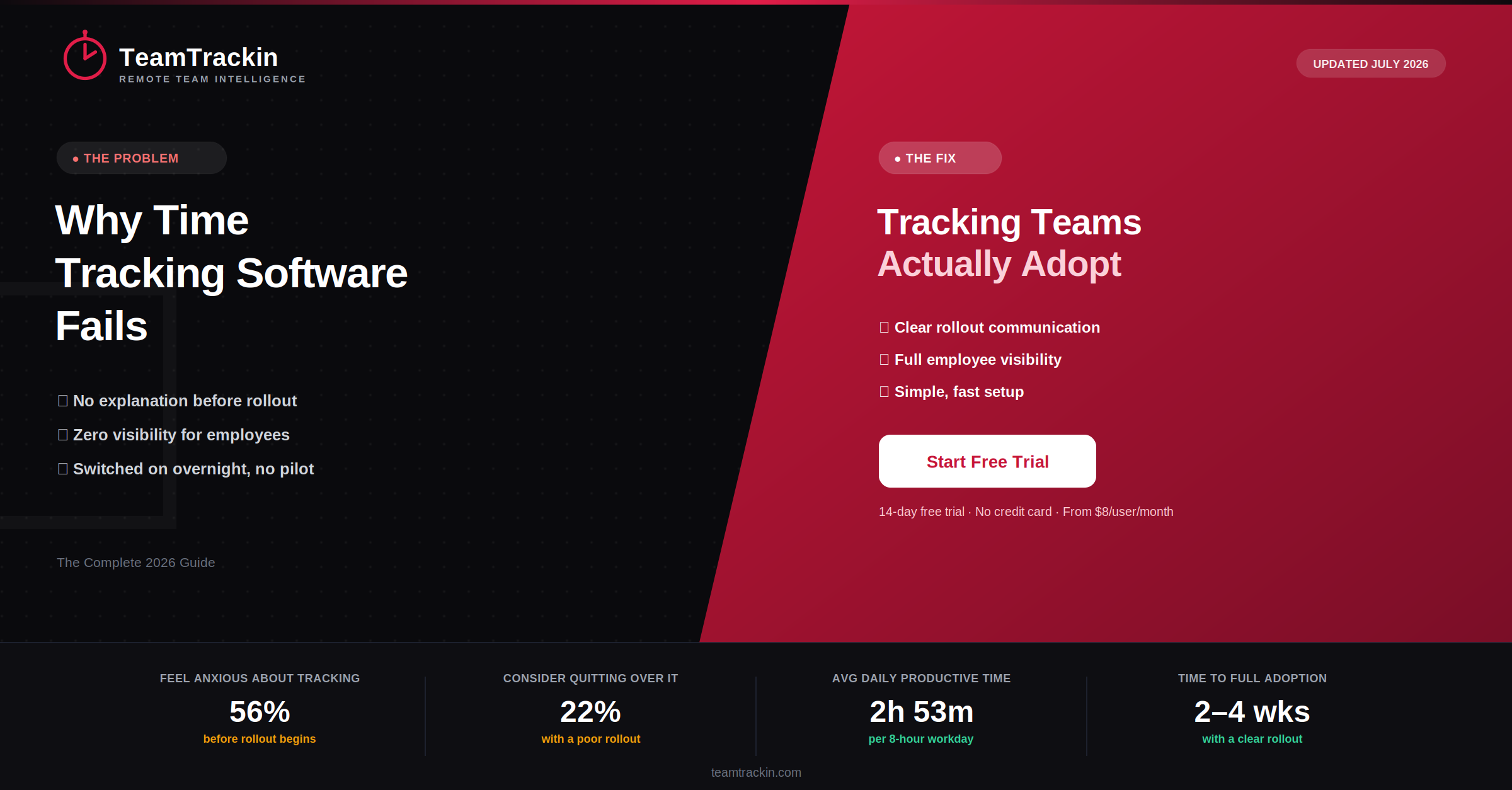
of employees feel anxious about being monitored at work before rollout even begins
Apploye workplace research, 2026
of employees say they'd quit or seriously consider leaving over a poorly handled tracking rollout
TMetric employee sentiment report, 2026
average time full-time employees report being genuinely productive in an 8-hour workday
Widely cited workplace productivity research
typical time for a team to reach comfortable adoption when tracking is rolled out with a clear "why"
Apploye rollout research, 2026
Time tracking software most often fails because of how it's rolled out, not because of the tool itself. When a company switches tracking on without explaining why, gives managers all the visibility while employees see none of their own data, and skips a pilot period, trust breaks down and people either avoid the tool or log inaccurate hours.
The fix isn't a "better" piece of software — it's picking work time tracking software simple enough that people actually use it, pairing it with a short written policy, and giving every employee access to their own tracked time from day one.
Why Time Tracking Software Actually Fails
Ask most managers why a tracking rollout failed and they'll blame the software — it was too clunky, employees found workarounds, adoption never stuck. Ask the employees, and a different story usually comes out: nobody explained why the tool showed up, nobody could see their own data, and the whole thing felt like it appeared overnight with no warning.
That gap is the real problem. Employee time tracking fails at the trust layer long before it fails at the product layer. A tool can have every feature a team needs and still get abandoned within a month if the rollout itself feels like surveillance rather than support.
This isn't a fringe issue — research consistently shows that a majority of employees feel some level of anxiety about being monitored before any tracking system even launches, which means the burden is on the rollout to prove the tool is fair, not the other way around.
Time tracking software fails mainly because of trust, not technology — when employees aren't told why it's being introduced, can't see their own data, and are switched onto it overnight, they disengage from the system regardless of how good the underlying software is.
Failed Rollout vs a Rollout That Sticks
The difference between a time tracking software rollout that gets abandoned and one that becomes routine usually comes down to a handful of decisions made before launch day.
- Tool is switched on for everyone at once, with no warning or explanation
- Only managers can see tracked data — employees see nothing
- No written policy on what's tracked, when, and why
- Complex software that takes a training session just to start a timer
- No pilot group — the whole company is the test run
- Tracking data used punitively the first time a number looks off
- Team is told why tracking is being introduced before it starts
- Every employee can see their own hours, tasks, and reports
- A short, clear policy explains scope and how data is used
- Software simple enough to start tracking within seconds
- A small pilot team tests the tool for 2–3 weeks first
- Tracking data used to rebalance workload, not assign blame
Employee resistance to time tracking is rarely about the concept of tracking hours — it's about fairness. When employees are given the same visibility into their own data that managers have, tracking tends to be treated as a shared record rather than a one-way judgment, and pushback fades within a few weeks.
6 Most Common Reasons Time Tracking Fails
These six patterns show up again and again in failed time tracking rollouts, across companies of every size and industry.
Roll out time tracking your team won't resist.
TeamTrackin gives every employee visibility into their own data, from day one.
How to Roll Out Time Tracking Software Without Resistance
Fixing rollout failure isn't complicated — it just has to happen in the right order.
Rule of thumb: If an employee can't answer "why is this happening and what happens to my data" within one sentence, the rollout isn't ready yet — no matter how good the software is.
Privacy & Trust: What Makes Tracking Feel Fair
Given that a majority of employees report feeling anxious about monitoring before a rollout even starts, closing that trust gap has to be treated as part of the software decision, not an afterthought.
Disclosure first: Tracking is announced before it starts, with a plain explanation of what's collected — this is both best practice globally and, in many regions including under GDPR and UK GDPR, a legal expectation.
- Scope:Tracking is limited to working hours and work-related tasks
- Self-access:Employees can view their own tracked data at any time
- Proportionality:Only data relevant to the work is collected
- Written policy:A short document defines use before rollout begins
- Security:Time and activity data is encrypted and access-controlled
TeamTrackin is built around this by default — every employee gets visibility into their own hours and tasks, with monitoring scope that admins can configure rather than a fixed, all-or-nothing setting.
Choosing the Best Time Tracking Software for Your Team
Once the rollout plan is right, the software itself still matters — mostly for how little friction it adds to a person's day. A handful of criteria separate online time tracking software that survives the first three months from software that quietly gets abandoned.
Time Tracking Software Compared (2026)
| Feature | TeamTrackin | Hubstaff | Toggl Track | Clockify | Time Doctor |
|---|---|---|---|---|---|
| Employee self-visibility | ✓ Full access | ✓ Included | ✓ Included | ✓ Included | ~ Limited on lower plans |
| Setup time | Under 1 hour | 1–2 hours | Under 1 hour | Under 1 hour | 1–2 hours |
| Small-business pricing | ✓ From $8/user/mo | ✓ From $9/user/mo | ✓ From $9/user/mo | ✓ Free–$9.99 | ~ From $7/user/mo |
| Configurable monitoring scope | ✓ Included | ~ Paid plans | ✗ Not available | ✗ Not available | ~ Paid plans |
| Payroll integration | ✓ Included | ~ Paid plans | ✗ Not available | ~ Paid plans | ~ Paid plans |
Frequently Asked Questions
- Why does time tracking software usually fail?
Time tracking software usually fails because of how it's introduced, not because of the tool itself. When employees aren't told why tracking is happening, don't see their own data, or are rolled onto a new system overnight with no pilot period, trust breaks down before the software is even given a fair chance — leading to inaccurate logs, avoidance, and eventual abandonment.
- Are employees usually against time tracking software?
Not inherently. Employees generally resist tracking that feels one-sided or unexplained, not the concept of tracking time itself. Research shows a large share of employees would accept time tracking, including GPS-based tracking, when employers introduce it transparently and give employees visibility into their own data — the resistance is a reaction to how it's rolled out, not a rejection of the tool.
- How long does it take for a team to adopt time tracking software?
With a well-structured rollout — a clear explanation of why tracking is being introduced, a small pilot group, and employee access to their own data from day one — most teams reach comfortable adoption within two to four weeks. Rollouts that skip these steps and switch tracking on for everyone at once tend to see far slower, more resistant adoption.
- What should I look for in the best time tracking software for a small business?
For a small business, the best time tracking software is one that's simple enough to set up in under an hour, gives employees visibility into their own logged hours, supports task and project-level tracking, and includes reporting that's ready for payroll or client invoicing without extra manual work. Overly complex, enterprise-heavy tools are one of the most common reasons small teams abandon tracking within the first few months.
- Does online time tracking software violate employee privacy?
Online time tracking software does not violate employee privacy when it's used transparently — tracking is disclosed in advance, limited to working hours, and employees can see their own records. Privacy concerns typically arise from monitoring that is hidden, disproportionate to the work being done, or collects data unrelated to job performance, not from time tracking itself.