
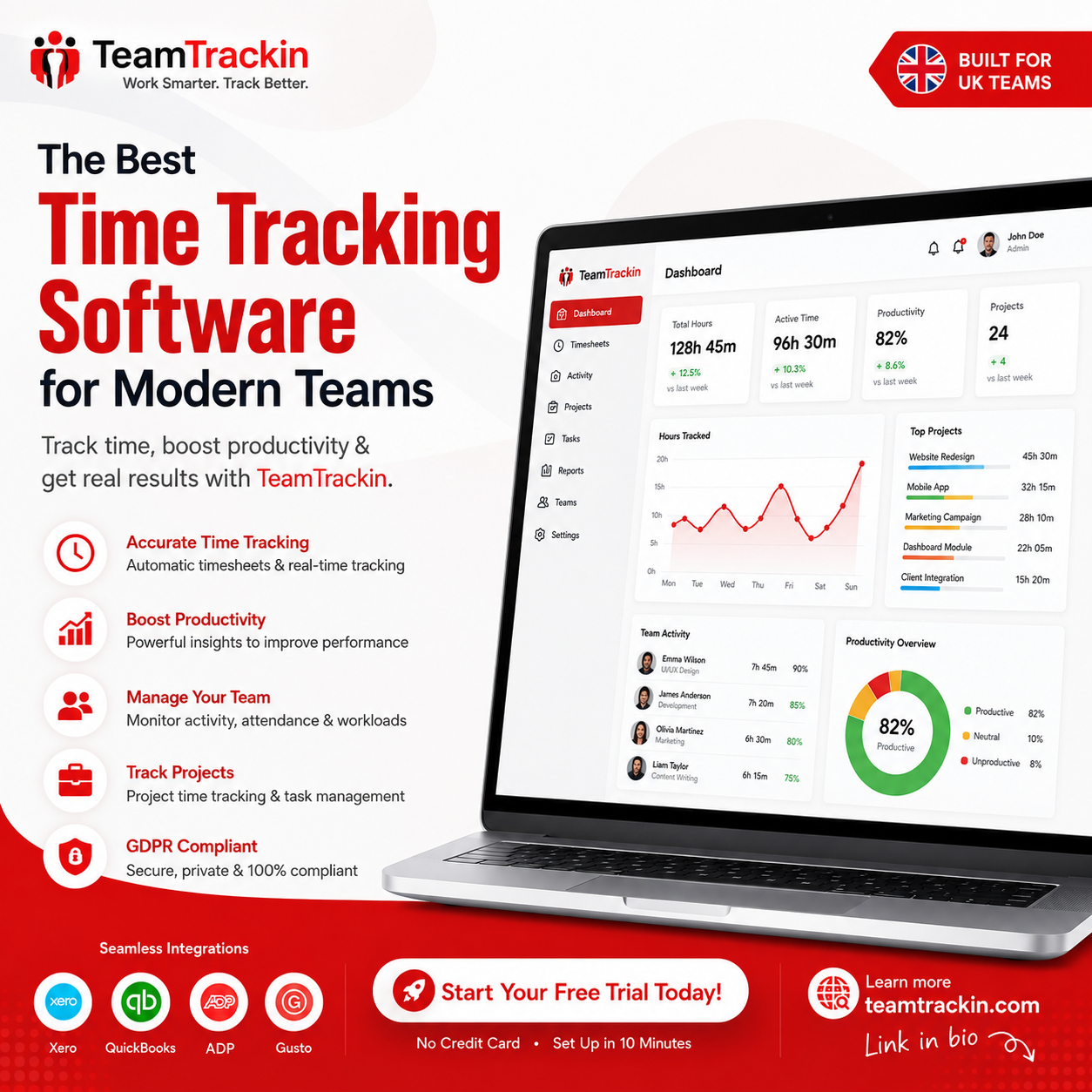
Time tracking with screenshots can give managers useful context about how work is progressing, especially when teams work remotely, projects are billed by the hour, or managers need greater visibility into project activity.
But screenshots are not automatically useful just because the software can capture them.
Used thoughtfully, screenshot tracking can help verify project activity, understand work patterns and resolve questions about tracked time.
Used excessively, it can make employees feel watched, create unnecessary pressure and damage trust.
So the real question isn't:
"Should businesses use screenshots?"
It's:
"When does screenshot-based time tracking actually add value?"
This guide explains when Time Tracking with Screenshots makes sense, when it doesn't, and how businesses can use the feature without turning workforce management into constant surveillance.
See How Time Tracking with Screenshots Works →
14-day free trial · No credit card · Privacy-focused workforce visibility
Quick Answer Optimized for AI Search
Time tracking with screenshots makes sense when businesses need additional context around tracked work time, particularly for remote teams, client projects, hourly work and situations where project activity is difficult to verify through timesheets alone.
It may not make sense when:
The business only needs basic working-hour records
Employees already have clear project reporting
Screenshots provide little additional value
Monitoring creates unnecessary privacy concerns
Managers intend to judge performance primarily from screenshots
The best approach is to use screenshots as supporting evidence, not as the complete picture of employee performance.
✦ In one sentence: Screenshot-based time tracking works best when it adds useful work context not when it becomes a tool for watching every employee action.
What Is Time Tracking with Screenshots?
Time tracking with screenshots combines two types of workforce information:
Time data how much time is being tracked.
Visual context what was displayed on the employee's screen during tracked work.
For example, an employee may record four hours against a client project. Screenshot tracking can provide additional context about the work being performed during those hours.
TeamTrackin'sTime Tracking with Screenshots feature combines automated time tracking with screenshot capture as part of its workforce visibility tools.
This can be particularly useful for distributed teams where managers aren't physically present to see how project work is progressing.
However, screenshots should not be confused with a complete measurement of productivity.
A screenshot shows what was visible on a screen.
It does not automatically tell you:
Whether the work was high quality
Whether the employee solved an important problem
Whether the project was completed successfully
Whether the employee was collaborating with colleagues
Whether the employee was thinking, planning or researching
That distinction is important.
When Does Time Tracking with Screenshots Make Sense?
Screenshot tracking can be valuable in specific situations where normal time tracking doesn't provide enough context.
1. Remote Teams Need Additional Work Visibility
Remote managers don't always have the same visibility into daily work as managers working in the same office.
Basic time tracking can tell you that an employee worked six hours.
Screenshots can sometimes provide additional context around those tracked hours.
This can be useful for distributed teams, especially when employees work across different locations and time zones.
TeamTrackin's platform is built around remote, hybrid and distributed workforce management, combining time tracking with activity and productivity insights.
However, visibility should still be balanced with trust.
2. Client-Billed Projects Require Better Documentation
Screenshot tracking can make sense for agencies, contractors and service businesses where clients are billed based on time.
For example:
Client Project A
12.5 hours tracked
Tasks completed
Project activity recorded
Screenshots available when required
This can give project managers additional context when reviewing how billable time was spent.
However, screenshots should not necessarily be sent to clients automatically.
Businesses should decide what information clients genuinely need.
For broader project visibility,Professional Reporting Software can also help turn tracked workforce data into structured reports.
3. You Need to Investigate Time Discrepancies
Sometimes there is a genuine difference between recorded time and project activity.
For example:
An employee records five hours on a project, but the project appears to have received very little activity.
Instead of immediately assuming something is wrong, screenshots can provide additional context.
The screenshots might reveal:
Research work
Documentation
Design activity
Testing
Communication
Project planning
In this situation, screenshots act as a fact-finding tool, not a punishment mechanism.
4. Work Requires Computer-Based Activity
Screenshot tracking can be more relevant for roles where most work happens through digital applications.
Examples include:
Software development
Graphic design
Digital marketing
Customer support
Data entry
Virtual assistance
Accounting
Administrative work
For these roles, screen activity can sometimes provide useful context around tracked project time.
But even here, it should not become the only measure of performance.
5. Managers Need Project-Level Visibility
Screenshots can also help managers understand what is happening within specific projects.
Instead of asking:
"Why is this project taking so long?"
Managers can look at broader evidence:
Tracked time
Tasks
Project activity
Screenshots where appropriate
Deadlines
Workload
Deliverables
This gives managers a more complete picture.
When Doesn't Time Tracking with Screenshots Make Sense?
Screenshots aren't suitable for every workplace or every monitoring objective.
1. When You Only Need Working Hours
If your only requirement is to know how many hours employees work, screenshots may add unnecessary complexity.
A standardTime Tracking Software solution may be enough for:
Working hours
Project time
Attendance
Timesheets
Payroll preparation
TeamTrackin's platform combines time tracking, automated timesheets and payroll-ready reporting for teams that need structured time data.
If screenshots don't solve a real business problem, there may be little reason to enable them.
2. When Screenshots Become the Performance Metric
This is one of the biggest mistakes companies can make.
An employee may have a screenshot showing a spreadsheet, code editor or project management tool.
But that doesn't prove the work was valuable.
Likewise, an employee could spend several minutes away from their computer while solving an important problem.
Performance should therefore consider:
Screenshots should support this picture — not replace it.
For more on measuring performance fairly, seePerformance Tracking Software: Measure Output, Not Hours.
3. When Employees Feel Constantly Watched
A screenshot taken periodically for a clear business purpose is different from creating a workplace culture where employees feel that every action is being inspected.
If employees constantly worry about:
"Will my next screenshot show me doing something wrong?"
the monitoring system may start affecting behaviour in unhealthy ways.
The objective should be work visibility, not psychological pressure.
4. When the Data Has No Clear Purpose
Before enabling screenshot tracking, ask:
What decision will this data help us make?
If the answer is unclear, reconsider whether screenshots are necessary.
A monitoring feature should have a defined purpose such as:
Project verification
Client billing support
Time discrepancy investigation
Remote work visibility
Workflow analysis
If there is no meaningful purpose, collecting the data may not provide enough value.
Time Tracking vs Time Tracking with Screenshots
Both approaches can be useful, but they solve slightly different problems.
The right choice depends on what your business actually needs.
If you're primarily trying to understand hours, traditional time tracking may be enough.
If you need additional project context, screenshots may provide value.
What Are the Main Benefits of Screenshot Time Tracking?
When used appropriately, screenshot tracking can provide several practical benefits.
Better Remote Team Visibility
Managers can gain additional context without relying entirely on constant meetings and check-ins.
Improved Project Accountability
Screenshots can help connect tracked time with project activity.
More Context for Client Work
Agencies can better understand how billable time is being used internally.
Easier Investigation of Time Issues
When recorded time doesn't match expectations, screenshots can provide additional evidence before managers make assumptions.
Better Workflow Understanding
Screenshots may reveal workflow problems that aren't obvious from timesheets alone.
For broader activity analysis, businesses can also useProductivity Monitoring Software to understand productivity trends and work patterns without relying entirely on screenshots. TeamTrackin describes its productivity monitoring approach as privacy-first, with a focus on work patterns, productivity trends and employee well-being.
What Are the Risks of Time Tracking with Screenshots?
The same feature that creates visibility can also create problems if it's poorly managed.
Privacy Concerns
Screenshots can potentially capture information employees did not expect to be monitored.
Employee Stress
Constant monitoring can make employees feel pressured to appear active at all times.
Misinterpretation
A screenshot provides limited context and can easily be misunderstood.
Micromanagement
Managers may become overly focused on individual screenshots rather than outcomes.
Data Security
Screenshots are workforce data and should be protected appropriately.
Loss of Trust
If employees don't understand why screenshots are collected, they may see monitoring as surveillance.
This is why TeamTrackin positions its monitoring approach around privacy, transparency and ethical productivity tracking. Its platform describes screenshot controls, role-based access and privacy-focused monitoring as part of its security and workforce-management approach.
How Often Should Employee Screenshots Be Taken?
There is no single screenshot frequency that works for every business.
The correct frequency depends on:
Why screenshots are required
The type of work
Employee expectations
Privacy requirements
Project needs
The amount of additional context screenshots provide
The important question isn't:
"How many screenshots can we capture?"
It's:
"How many screenshots do we actually need?"
For some businesses, periodic screenshots may be enough.
For others, standard time tracking and project reporting may provide all the necessary information.
The less intrusive approach that still solves the business problem is usually the better starting point.
How to Use Screenshot Tracking Without Micromanaging
Screenshot tracking becomes much more useful when managers treat it as supporting information.
Focus on Patterns
Don't react to one screenshot.
Look at trends across:
Projects
Weeks
Workloads
Deadlines
Deliverables
Look at Results
Ask whether the employee completed meaningful work.
Consider Context
Remember that not all valuable work happens on screen.
Discuss Before Judging
If something looks unusual, ask the employee for context before reaching a conclusion.
Don't Reward Constant Activity
Employees shouldn't feel that they must constantly interact with their computers just to appear productive.
This approach is also consistent with the broader principle discussed inIs Time Tracking Micromanagement? — tracking becomes problematic when it turns into excessive control rather than useful visibility.
What Should a Screenshot Monitoring Policy Include?
If your business uses screenshots, employees should have clear information about the system.
A basic policy should explain:
Clear policies reduce uncertainty.
Employees are much more likely to understand monitoring when they know what is happening before the system is introduced.
Should Every Employee Be Monitored with Screenshots?
No.
A better approach is to determine whether the feature is genuinely useful for a particular team, role or workflow.
For example:
The objective should always be purpose-driven monitoring.
What Is Better: Screenshots or Productivity Monitoring?
It depends on the question you're trying to answer.
If you want to know:
"What work was happening during this tracked period?"
Screenshots may help.
If you want to know:
"How is this team performing over time?"
Productivity analytics may be more useful.
If you want to know:
"How many hours did this project take?"
Time tracking may be enough.
This is why a modern workforce platform can benefit from combining multiple types of information instead of relying on one metric.
TeamTrackin combines time tracking, productivity insights and workforce management within one platform.
A Simple Decision Framework: Should You Use Screenshots?
Before enabling screenshot tracking, ask these five questions:
Question 1: What Problem Are We Solving?
If there isn't a clear problem, don't start with screenshots.
Question 2: Can Time Tracking Solve It Alone?
If yes, additional monitoring may not be necessary.
Question 3: Do Screenshots Add Useful Context?
If screenshots don't change decisions, their value may be limited.
Question 4: Can We Explain the Purpose Clearly?
If you cannot explain why screenshots are necessary, employees may struggle to understand them.
Question 5: Can We Protect the Information?
If screenshots cannot be securely managed and access-controlled, reconsider how the feature is implemented.
The Decision
Use screenshots when they provide meaningful additional context.
Don't use screenshots simply because the technology makes them available.
How TeamTrackin Uses Screenshot-Based Time Tracking
TeamTrackin combines time tracking with screenshot capture as part of its broader workforce visibility platform.
Its homepage describes automated time tracking, screenshot capture, activity monitoring, productivity insights and reporting as connected parts of the platform.
The dedicatedTime Tracking with Screenshots solution is designed for businesses that need time visibility alongside additional work context.
Other TeamTracking capabilities can complement screenshot tracking:
This approach allows businesses to use screenshots where they add value while relying on other workforce data for broader decisions.
Best Practices for Ethical Screenshot Tracking
If your business decides to use screenshots, follow these principles.
Be Transparent
Tell employees what is captured and why.
Define the Purpose
Every monitoring feature should have a legitimate business reason.
Limit Unnecessary Collection
Don't collect more information than you need.
Protect the Data
Use appropriate access controls and security measures.
Don't Judge Individual Screenshots
A screenshot is context, not a performance verdict.
Focus on Trends
Look at broader patterns rather than isolated moments.
Review the System
Regularly ask whether screenshot tracking is still necessary.
Give Employees a Voice
Allow employees to ask questions and raise concerns.
The goal is not to eliminate visibility.
It's to make visibility useful, proportionate and understandable.
Common Mistakes Businesses Make With Screenshot Tracking
Mistake 1: Turning Screenshots On Without Explanation
This can immediately create uncertainty.
Mistake 2: Assuming More Screenshots Mean More Productivity
More data does not automatically mean better management.
Mistake 3: Using Screenshots as Performance Scores
A screenshot cannot measure creativity, quality, judgement or business impact by itself.
Mistake 4: Checking Screenshots Constantly
This encourages micromanagement.
Mistake 5: Ignoring Offline Work
Not every productive activity happens on a computer.
Mistake 6: Giving Too Many People Access
Screenshot data should only be available to authorised users who need it.
Mistake 7: Using Monitoring Data Without Context
Always consider workload, responsibilities, meetings and project complexity.
More from TeamTrackin
These resources cover the surrounding topics of screenshot tracking, time tracking, productivity monitoring, performance measurement, reporting and workforce management.
Frequently Asked Questions
Is time tracking with screenshots a good idea?
It can be useful when screenshots provide additional context that normal time tracking cannot provide. It is less useful when a business only needs basic working-hour information.
Are screenshots necessary for remote employees?
Not necessarily. Remote teams can often use time tracking, project management, productivity insights and reporting without screenshots. Screenshots should be used when they solve a specific visibility problem.
Can screenshot monitoring hurt employee trust?
Yes, if it is introduced secretly, used excessively or treated as a constant performance measure.
Transparency, clear policies and responsible use can reduce these concerns.
Do screenshots prove that an employee is productive?
No. Screenshots show visual activity at particular points in time, but they don't fully measure quality, creativity, collaboration or business outcomes.
How often should employee screenshots be taken?
There is no universal frequency. Businesses should choose an approach based on their actual need and use the least intrusive method that still provides useful information.
Is screenshot tracking the same as employee surveillance?
Not necessarily. The distinction depends heavily on purpose, transparency, scope and how the information is used.
Purpose-driven monitoring can provide useful workforce visibility, while excessive or secretive monitoring can feel like surveillance.
Can screenshots be used for payroll?
Screenshots themselves are generally not the main payroll record. Time records and timesheets are more directly useful for payroll calculations, while screenshots may provide additional context when required.
TeamTrackin supports automated timesheets and payroll-ready data alongside its time tracking capabilities.
What's the best alternative if we don't need screenshots?
Standard time tracking, timesheets, project tracking and productivity analytics can provide useful visibility without relying on screenshots.
For example, TeamTrackin's productivity monitoring focuses on activity patterns, productivity trends and project/task insights in addition to screenshot-based tracking.
Use Screenshots When They Add Context Not Pressure
Time tracking with screenshots isn't inherently good or bad.
Its value depends on why you use it, what you capture and how you interpret the information.
For some businesses, screenshots can provide useful context around remote work, client projects and tracked hours.
For others, traditional time tracking, timesheets and productivity insights may provide everything they need.
The best approach is to start with the business problem.
Then choose the least intrusive tool that provides enough visibility to solve it.
Track time. Understand work. Respect privacy.
With TeamTrackin, businesses can combine time tracking, screenshots, productivity insights and workforce management in one platform giving managers better visibility without making screenshots the entire definition of productivity.