
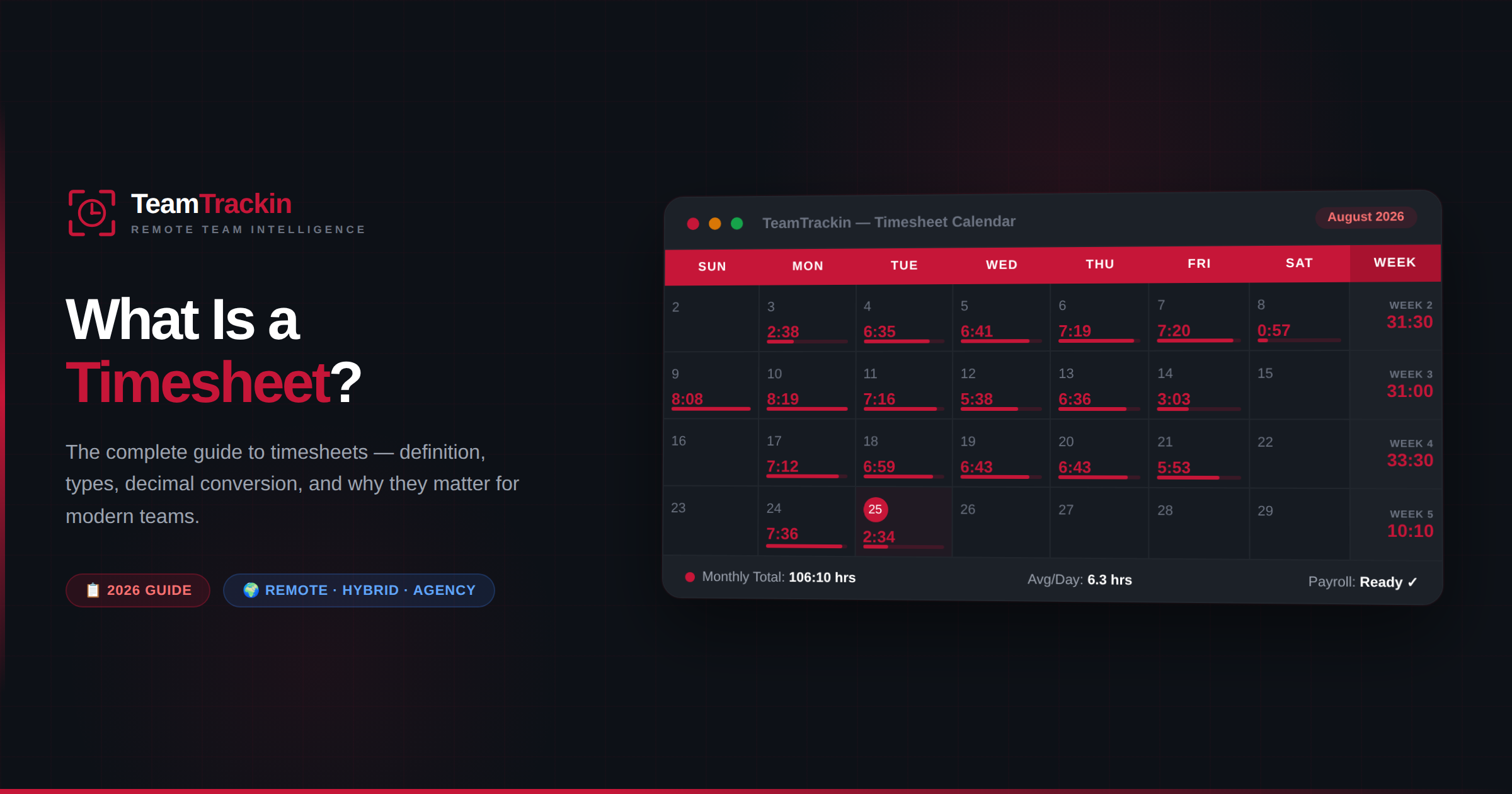
A timesheet is a record of the hours a person has worked — used for payroll, client billing, project tracking, and legal compliance. This guide covers everything: what a timesheet is, the four types, how to fill one out, minute-to-decimal conversions, common mistakes that cost businesses money, FLSA recordkeeping rules, and how automated timesheet software replaces the entire manual process.
A timesheet is a structured record of the hours a person has worked over a specific period — typically broken down by date and often by project, task, or client. It serves three primary purposes: calculating payroll accurately, billing clients for work performed, and complying with labour laws that require employers to maintain records of hours worked.
Timesheets can be paper forms, Excel spreadsheets, punch cards, or — increasingly — automated software that logs work sessions in real time without any manual entry. The format has evolved, but the core purpose hasn't changed: making work hours visible, verifiable, and actionable.
What Does a Timesheet Track?
At its simplest, a timesheet answers one question: how many hours did this person work? But a useful timesheet captures much more than a single total. Here's what a properly structured timesheet records:
Employee identification
Name, employee ID, department, and role — so every entry is traceable to one person and their pay rate.
Date and time entries
Clock-in time, clock-out time, and break durations for each work session. This is the raw data that drives everything else.
Project or task tagging
Which client, project, or task the hours were spent on. Essential for agencies billing clients and teams tracking project budgets.
Overtime and leave
Hours that exceed the standard threshold (typically 40/week) plus any PTO, sick leave, or holiday hours taken during the period.
Approval status
A manager sign-off or digital approval confirming the hours are accurate before they're processed for payroll or billing.
Notes and descriptions
Brief work descriptions that add context — useful during audits, client reviews, and performance evaluations.
The more detailed the timesheet, the more useful it becomes beyond basic payroll. Project-tagged timesheets reveal where team capacity is actually going. Task-level tracking shows which activities consume the most hours. When timesheet data is accurate, it drives better decisions about hiring, pricing, and resource allocation.

TeamTrackin's admin dashboard — showing how timesheet data (hours tracked, productivity, team activity) looks in an automated system
4 Types of Timesheets: Daily, Weekly, Biweekly & Monthly
Not all timesheets follow the same schedule. The right type depends on your pay cycle, industry, and how granular you need the data to be:
| Type | Period | Best For | Common In |
|---|---|---|---|
| Daily timesheet | Single day | Granular hour-by-hour tracking | Construction, consulting, legal, shift-based work |
| Weekly timesheet | 7 days (Mon–Sun) | Most common format; aligns with FLSA overtime week | Offices, agencies, remote teams, general use |
| Biweekly timesheet | 14 days | Matches biweekly pay cycles directly | US companies with biweekly payroll |
| Monthly timesheet | Calendar month | Salaried employees, long-term project tracking | Government, education, enterprise organisations |
The weekly timesheet is the most widely used because it aligns with how the FLSA calculates overtime — any hours over 40 in a single workweek trigger overtime pay at 1.5x the regular rate. Using a different timesheet period doesn't change this; the overtime calculation is always based on the 7-day workweek regardless of the timesheet format.
Timesheet is standard as one word in modern usage — it's the spelling used by most dictionaries, payroll platforms, and HR software including TeamTrackin. The two-word variant "time sheet" appears in older company policies, government forms, and some British English documents, but the meaning is identical. If you're writing a new policy or setting up software, use the one-word spelling.
Timesheet Formats: Paper, Spreadsheet, Punch Card & Software
The evolution of timesheets mirrors the evolution of work itself — from paper logs in factories to real-time digital tracking for distributed teams:
| Format | How It Works | Best For | Key Limitation |
|---|---|---|---|
| Paper timesheet | Employee writes hours on a printed form, manager signs off | Very small, single-location teams | Error-prone, hard to store, impossible to analyse at scale |
| Spreadsheet | Excel or Google Sheets template with manual entry | Small teams on a tight budget | No automation, formula errors, version control issues |
| Punch card / time clock | Physical device stamps clock-in/out times on a card | On-site hourly workers, manufacturing | Doesn't work for remote or hybrid employees |
| Timesheet software | Automatic logging with project tagging, approvals, and payroll export | Remote, hybrid, and agency teams | Requires initial setup (but automates everything after) |
The shift from manual to automated timesheets isn't just about convenience — it's about accuracy. The American Payroll Association estimates that 80% of manually completed timesheets contain errors, ranging from forgotten entries and rounded numbers to outright time theft. Automated systems eliminate the "fill it in from memory on Friday" problem entirely by recording hours as they happen.
How to Fill Out a Timesheet (Step by Step)
Whether you're using a paper form, a spreadsheet, or software, the process follows the same logical steps. Here's the standard workflow:
The critical rule is to log hours as close to real time as possible. Studies show that time entries made at the end of the week are significantly less accurate than those logged at the end of each day — and entries made in real time (via automatic tracking) are the most accurate of all. The longer you wait, the more you're reconstructing from memory instead of recording facts.
Pro tip: If you're still using manual timesheets, set a daily reminder for 5 minutes before your workday ends. Logging hours while the day is fresh takes under two minutes. Logging them on Friday from memory takes longer and produces worse data.
Timesheet Minutes to Decimal Hours: What 15, 20 & 45 Minutes Mean
Payroll systems don't calculate pay in hours-and-minutes — they convert everything into decimal hours first, because multiplying a decimal by an hourly rate is simpler and more accurate than doing arithmetic with two different time units. The conversion is straightforward: divide the minutes by 60.
| Minutes Worked | Decimal Hours | Example: $25/hr Rate |
|---|---|---|
| 5 minutes | 0.08 | $2.00 |
| 10 minutes | 0.17 | $4.25 |
| 15 minutes | 0.25 | $6.25 |
| 20 minutes | 0.33 | $8.25 |
| 25 minutes | 0.42 | $10.50 |
| 30 minutes | 0.50 | $12.50 |
| 35 minutes | 0.58 | $14.50 |
| 40 minutes | 0.67 | $16.75 |
| 45 minutes | 0.75 | $18.75 |
| 50 minutes | 0.83 | $20.75 |
| 55 minutes | 0.92 | $23.00 |
| 60 minutes | 1.00 | $25.00 |
Some employers round clock-in and clock-out times to the nearest 15-minute interval. Under this system (based on U.S. Department of Labor guidance), minutes 1-7 past a quarter hour round down, and minutes 8-14 round up. This is legal under the FLSA only if it's applied consistently and doesn't systematically shortchange employees over time. Many modern teams skip rounding entirely by using software that logs exact minutes — eliminating rounding disputes altogether.
Stop reconstructing timesheets from memory.
TeamTrackin logs hours, breaks, and projects automatically — try it free for 14 days.
5 Common Timesheet Mistakes (and How to Avoid Them)
Timesheet errors aren't just administrative headaches — they directly affect payroll accuracy, client billing, labour compliance, and employee trust. Here are the five most common mistakes:
1. Filling timesheets from memory at the end of the week
This is the single biggest source of timesheet inaccuracy. By Friday, employees can't remember whether Tuesday's meeting ran 45 minutes or an hour, or whether they took a 30-minute or 45-minute lunch. The result is rounded, estimated hours that may be consistently over or under actual work time. The fix: log hours daily or use automatic tracking software.
2. Forgetting to log breaks
Unpaid breaks that aren't recorded inflate the total hours worked. Over a pay period, this creates payroll overpayments. Over a year, the cost adds up significantly — especially for hourly workers. The fix: include break fields on every timesheet and make them required before submission.
3. Not tagging hours to projects or clients
A timesheet that says "8 hours worked" without specifying what those hours were spent on is useless for project costing, client billing, and resource planning. For agencies, untagged hours are unbillable hours — revenue left on the table. The fix: make project tagging mandatory, not optional.
4. Buddy punching and time theft
One employee clocking in for another (buddy punching) costs US businesses an estimated $11 billion annually. It's most common with physical time clocks and paper timesheets where verification is difficult. The fix: biometric time clocks for on-site teams, or software with screenshot verification and activity monitoring for remote teams.
5. Submitting late or not at all
Late timesheets delay payroll processing, create retroactive corrections, and reduce the accuracy of project budgets. In some organisations, timesheet compliance rates below 80% are common — meaning one in five employees submits late or incompletely every pay period. The fix: automated reminders, clear deadlines, and a system that makes submission take under 30 seconds.
FLSA Timesheet Recordkeeping Requirements
The Fair Labor Standards Act requires employers to maintain specific records of hours worked for all non-exempt employees. While the FLSA doesn't mandate a specific timesheet format, it does require that employers keep records that include:
- Employee's full name and identifying information
- Hour and day when the workweek begins
- Total hours worked each workday and each workweek
- Basis on which wages are paid (hourly rate, salary, etc.)
- Regular hourly pay rate for any week overtime is worked
- Total daily or weekly straight-time earnings
- Total overtime pay for the workweek
- Deductions from or additions to wages
- Total wages paid each pay period
These records must be retained for at least two years (three years for payroll records specifically). During a Department of Labor investigation or wage dispute, the timesheet is often the first document requested — and if it doesn't exist or is incomplete, the burden of proof shifts to the employer.

TeamTrackin's finance dashboard — showing how timesheet data (hours, overtime, salaries) flows directly into payroll calculations
Why Timesheets Matter for Remote Teams, Agencies & Payroll
In an on-site office, a shared time clock does much of the work of proving when someone was present. Remote and hybrid teams don't have that luxury — the timesheet itself becomes the primary record of when work happened, and its accuracy carries significantly more weight.
For remote and hybrid teams
Without a physical office, managers can't verify attendance by walking past desks. The timesheet — especially one backed by activity monitoring and productivity data — becomes the objective record that replaces in-person observation. It builds trust by making work visible rather than relying on assumptions about whether remote employees are actually working during their logged hours.
For agencies and client-billing businesses
For agencies, a timesheet is the direct basis for a client invoice. An inaccurate or vague entry doesn't just cause an internal payroll issue — it triggers a billing dispute with a client who wants to see exactly what they paid for. Project-tagged timesheets with task descriptions give clients the transparency they expect and protect the agency during billing reviews.
For payroll accuracy
Every payroll error traces back to a timesheet problem — wrong hours, missing overtime, unrecorded breaks, or misclassified work. The American Payroll Association estimates that payroll errors affect 33% of all employers, with the average cost per error running $291 before accounting for the administrative time to correct it. Accurate timesheets are the foundation that prevents these errors from occurring in the first place.

TeamTrackin's employee management — where timesheet data connects to individual profiles, pay rates, and HR records
How Timesheet Software Replaces the Entire Manual Process
Modern timesheet software doesn't just digitise the paper form — it eliminates the manual process entirely. Instead of asking employees to remember and type in their hours, the system records what actually happened during the workday.
Automatic time capture
TeamTrackin logs work sessions and idle time in the background — no manual clock-ins, no timers to forget, no Friday afternoon reconstruction from memory.
Screenshot verification
Optional screenshots confirm what was actually worked during logged hours, reducing timesheet disputes and building trust between managers and remote employees.
Project & task tagging
Hours are automatically linked to projects, clients, and tasks — making every entry billable, traceable, and useful for project costing and resource planning.
One-click approvals
Managers review and approve timesheets in bulk instead of chasing paper forms. Approval workflows ensure nothing reaches payroll without verification.
Payroll-ready exports
Approved timesheets flow directly into payroll — overtime calculations, decimal conversions, and tax categories handled automatically. No spreadsheets, no manual calculations.
Workforce analytics
Timesheet data powers reports on team productivity, project profitability, individual performance, and overtime trends — turning a compliance record into a strategic decision-making tool.
Frequently Asked Questions
- What is a timesheet?
A timesheet is a structured record of the hours a person has worked over a specific period — typically broken down by date, project, and task. Employers use timesheets to calculate payroll, agencies use them to bill clients, and project managers use them to track how time is allocated. Timesheets can be paper forms, spreadsheets, or automated software that logs work sessions in real time.
- What is a time sheet (two words)?
A time sheet written as two words means exactly the same thing as a timesheet. The two-word spelling appears in older policies and some British English documents. In modern usage and HR software, the one-word spelling "timesheet" is standard and preferred.
- Is timesheet one word?
Yes. "Timesheet" is standard as one word in modern English and is the spelling used by most dictionaries, payroll platforms, and HR software including TeamTrackin.
- What is 15 minutes on a timesheet?
15 minutes equals 0.25 decimal hours (15 ÷ 60 = 0.25). At a $25/hour rate, that's $6.25 in wages.
- What is 20 minutes on a timesheet?
20 minutes equals approximately 0.33 decimal hours (20 ÷ 60 = 0.3333, rounded to 0.33). At $25/hour, that's roughly $8.25.
- What is 45 minutes on a timesheet?
45 minutes equals 0.75 decimal hours (45 ÷ 60 = 0.75). At $25/hour, that's $18.75 in wages.
- What are the different types of timesheets?
The four main types are: daily timesheets (common in construction and consulting), weekly timesheets (the most standard format, aligned with FLSA overtime rules), biweekly timesheets (matching biweekly pay periods), and monthly timesheets (used for salaried employees and long-term projects). Each can be paper-based, spreadsheet-based, or automated through software.
- Does TeamTrackin generate timesheets automatically?
Yes. TeamTrackin automatically logs clock-in and clock-out times, breaks, and project tags as employees work, then compiles this data into a ready-to-approve timesheet. Managers can review, approve, and export to payroll in one click — no manual entry required.
External source: FLSA recordkeeping requirements referenced in this article are sourced from the U.S. Department of Labor Fact Sheet #21. All information verified as of September 2026.
Stop chasing timesheets.
Let TeamTrackin build them for you.
Automatic time tracking, project tagging, one-click approvals, and payroll-ready exports — no manual timesheets required.
Start Free Trial→14-day free trial · No credit card · Setup in ~3 minutes