
Tracking employee work hours has become an essential part of modern workforce management. As companies adopt remote and hybrid work models, managers need accurate systems to understand how time is spent, manage productivity, and ensure projects stay on schedule. Two common solutions used by businesses today are timesheet management software and time tracking tools. While these terms are often used interchangeably, they actually represent different approaches to managing employee work hours. Understanding the difference between these tools helps organisations choose the right system for their team’s workflow, reporting needs, and productivity goals. In this guide, we’ll explain what each system does, how they differ, and which one may be the better option for your business. Timesheet management software is a system that allows employees to manually record the hours they spend working on tasks, projects, or clients. The software organizes this information into structured timesheets that managers can review, approve, and use for payroll or billing. Historically, companies relied on paper timesheets or spreadsheets to track work hours. Modern timesheet software digitises this process, making it easier to submit and manage employee work logs. A typical timesheet workflow looks like this: Employees enter their work hours manually. They assign time to specific tasks or projects. The timesheet is submitted weekly or daily. Managers review and approve the submitted hours. The approved data is used for payroll, reporting, or client billing. This system is widely used in industries where billable hours are important. Most timesheet systems include features such as: Manual time entry Weekly or daily timesheet submissions Manager approval workflows Project and task tracking Billable hours management Payroll integration Reporting dashboards These features make timesheet software particularly useful for companies that need detailed work records for financial or operational purposes. Timesheet management systems offer several benefits: Structured reporting: Managers receive organized reports showing how employees spent their time. Billing accuracy: Companies that bill clients by the hour can accurately track billable work. Payroll integration: Timesheet data can be used directly for salary and compensation calculations. Despite its usefulness, traditional timesheet systems have some drawbacks. Manual data entry: Employees must manually enter hours, which can lead to inaccuracies. Human error: People may forget to log time or estimate their hours incorrectly. Lack of real-time tracking: Managers cannot monitor productivity while work is happening. Because of these limitations, many companies are shifting toward automated solutions. Time tracking tools are modern software solutions that automatically record how employees spend their work hours. Instead of relying on manual timesheets, these tools track activity in real time and generate reports automatically. They are particularly useful for remote teams, distributed workforces, and companies that want deeper productivity insights. Time tracking tools monitor employee work activity through various methods. For example: Automatic timers track work sessions Applications monitor app and website usage Screenshots may capture activity during work hours Reports show productivity trends and time distribution The system then compiles this information into detailed reports for managers and team leaders. Modern time tracking platforms typically include: Automatic time tracking Real-time activity monitoring App and website usage tracking Productivity analytics Project and task tracking Team performance dashboards Automated reports These features give businesses a much deeper understanding of how time is spent across teams and projects. Time tracking software offers several key benefits. Higher accuracy: Since tracking happens automatically, it reduces the risk of incorrect time entries. Real-time visibility: Managers can see what teams are working on without waiting for weekly reports. Better productivity insights: Advanced analytics help companies identify bottlenecks, inefficiencies, and workload imbalances. While time tracking software provides powerful features, companies must implement it thoughtfully. Some employees may initially feel concerned about monitoring. Clear communication and transparency are important to ensure that the system is used to improve productivity rather than micromanage staff. Although both systems help organizations manage work hours, they function in very different ways. Timesheet systems focus primarily on recording work hours, while time tracking tools focus on understanding how time is used. Timesheet systems are still valuable for many businesses, especially those that rely heavily on structured billing or payroll processes. Companies that commonly use timesheet software include: Consulting firms: Consultants often log billable hours for client projects. Legal and accounting firms: These industries track billable hours for accurate invoicing. Freelancers and contractors: Individuals working with multiple clients often submit timesheets for payment. Agencies with client billing models: Marketing or design agencies frequently charge clients based on hours worked. In these cases, the main goal is tracking billable time rather than monitoring productivity. Time tracking tools are ideal for businesses that want deeper insights into how work happens across teams. They are especially useful for: Remote teams: Managers can track activity and productivity even when employees work from different locations. Hybrid teams: Time tracking tools ensure visibility across both in-office and remote employees. Software development teams: Developers often work on multiple tasks, making automated tracking helpful. Distributed agencies: Companies with global teams can better manage workloads and project timelines. These tools help organizations improve efficiency, accountability, and transparency. Remote work has changed how companies manage employee time and productivity. Traditional timesheets were designed for office environments where managers could directly observe employees. In remote settings, manual timesheets often fail to provide enough insight into daily work patterns. Time tracking tools solve this challenge by offering real-time visibility into employee activity. For remote teams, these tools provide several advantages: Automatic work hour tracking Productivity insights across teams Transparent reporting Better project management Because of these capabilities, many remote-first companies now rely on automated time tracking systems rather than manual timesheets. In many cases, the best solution is a combination of both systems. Modern time tracking platforms can automatically generate timesheets based on tracked activity. This means employees no longer need to manually enter hours, while managers still receive structured reports for payroll and billing. This hybrid approach offers the best of both worlds: Automated tracking Accurate timesheets Improved productivity insights Businesses can maintain traditional reporting structures while benefiting from modern automation. If your company is considering adopting a time-tracking solution, several features can significantly improve workforce management. Important capabilities include: Automatic time capture: Tracks work hours without manual input. Productivity analytics: Provides insights into employee activity and performance. Project and task tracking: Helps teams allocate time effectively. Team performance dashboards: Managers can quickly view team productivity metrics. Timesheet automation: Automatically generates reports for payroll and billing. These features allow companies to move beyond simple time tracking and gain actionable insights into how work happens. Choosing between timesheet software and time tracking tools depends on your company’s goals. Consider the following factors: Team size: Larger teams often benefit from automated tracking and analytics. Work environment: Remote and hybrid teams typically require real-time visibility. Billing requirements: Companies that bill by the hour may still rely on structured timesheets. Productivity goals: If improving efficiency is a priority, time tracking tools offer more insights. Evaluating these factors will help you determine which system best fits your organization’s workflow. Workforce management technology continues to evolve as businesses adopt digital tools to support distributed teams. Future trends include: AI-powered productivity analytics automated workforce insights smarter project tracking dashboards deeper integration with collaboration tools As these technologies develop, time tracking platforms will likely become even more intelligent, helping businesses optimize productivity and team performance. Timesheet management software and time tracking tools both play important roles in workforce management. Timesheet systems focus on recording work hours for payroll or billing, while time tracking tools focus on analyzing how time is spent and improving productivity. For many modern organizations, especially those with remote or hybrid teams, automated time tracking tools provide greater accuracy, transparency, and insight. However, businesses that rely heavily on billable hours may still find traditional timesheet systems valuable. Ultimately, the best solution depends on your team’s workflow, reporting requirements, and productivity goals. By understanding the strengths of each approach, companies can choose the system that supports their operations most effectively.What is timesheet management software?
How Timesheet Systems Work
Key Features of Timesheet Management Software
Advantages of Timesheet Software
Limitations of Timesheet Software
What Are Time Tracking Tools?
How Time Tracking Tools Work
Key Features of Time Tracking Tools
Advantages of Time Tracking Tools
Limitations of Time Tracking Tools
Key Differences Between Timesheet Software and Time Tracking Tools
When Should You Use Timesheet Management Software?
When Should You Use Time Tracking Tools?
Timesheet vs Time Tracking: Which Is Better for Remote Teams?
Can Timesheet Software and Time Tracking Tools Work Together?
Features to Look for in Modern Time Tracking Software
How to Choose the Right Tool for Your Business
The Future of Workforce Time Management
Conclusion
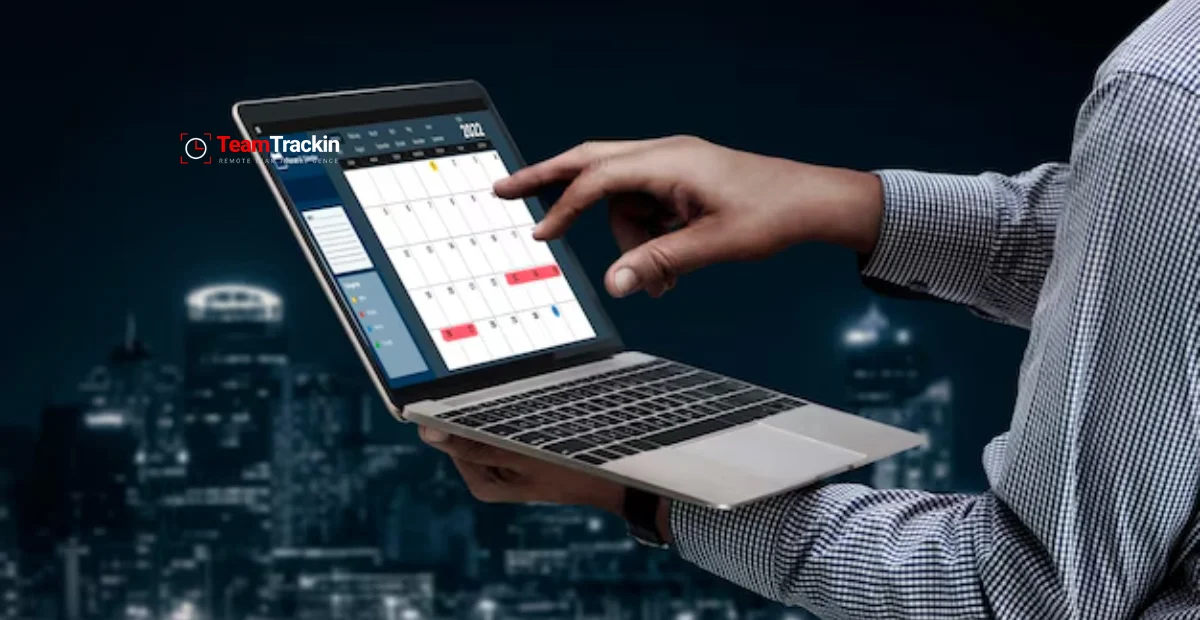
Timesheet Management Software vs Time Tracking Tools: What’s the Difference?
Ready to see what accurate, automated time tracking looks like for your team?
Start your free 14-day trial of TeamTrackin today — no credit card required, full access from day one.
Start Free Trial