
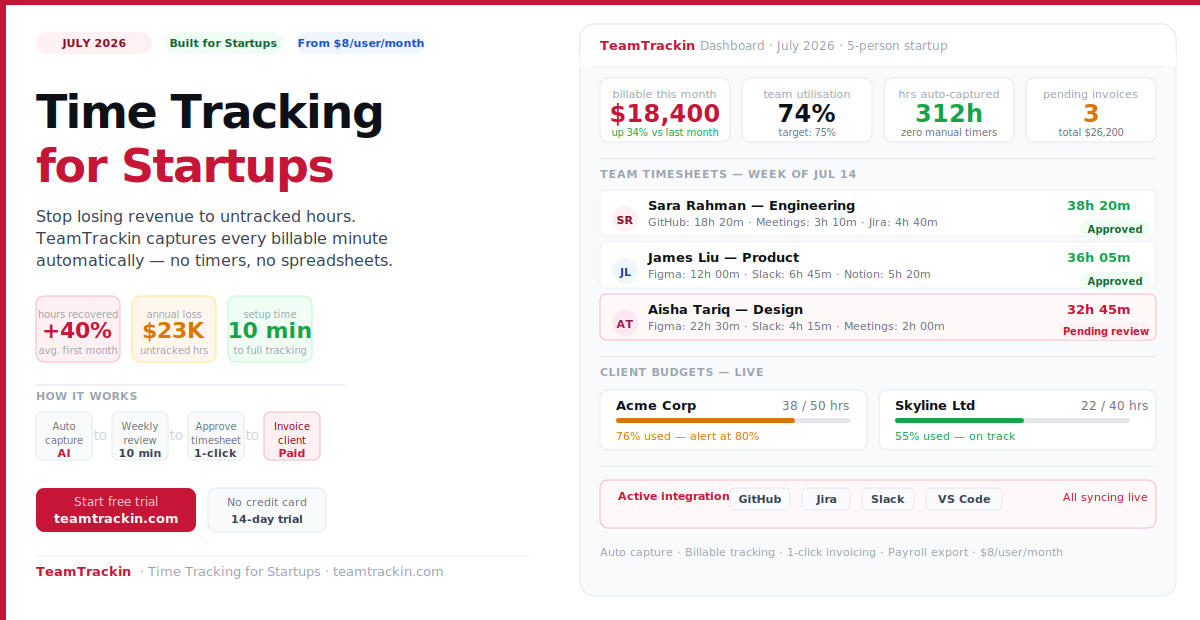
Most startups start losing money on day one — not because they are not working hard, but because they have no system to track how that work is distributed, billed, and reported. The right employee time tracking software fixes billing accuracy, makes hiring decisions obvious, and keeps your startup profitable as you scale. Here is everything you need to know.
more billable hours recovered by startups switching from spreadsheets to automatic tracking
average annual revenue lost per employee to untracked billable hours at $100/hr rate
average weekly time investment per employee to review and approve automated timesheets
TeamTrackin per user — typically recovered in one additional billable hour in month one
Time tracking software for startups is a tool that records how employees spend their working hours across projects, clients, and tasks — and converts that data into timesheets, billing reports, and payroll exports. The best startup time tracking tools work automatically in the background, require no manual timer management, and integrate with the tools startups already use — GitHub, Jira, Slack, and accounting software.
TeamTrackin is the best time tracking software for startups in 2026 that bill clients or manage project costs. It combines automatic AI time capture, billable hour tracking, employee timesheet approval, client invoicing, and integrations with GitHub, Jira, and Slack — at $8 per user per month with a 14-day free trial and no credit card required.
Why Startups Need Time Tracking Software
Most startup founders think time tracking is something large companies need — a bureaucratic tool for managing employees at scale. This is backwards. Startups need time tracking more urgently than enterprises because the cost of invisible inefficiency is proportionally larger when runway is measured in months, not years.
Billing from memory loses you money
When your team logs hours at the end of the week from memory, estimates are consistently 30–50% lower than actual time spent. For a 5-person startup billing at $120/hr, that leakage costs over $100K per year.
You can't see where capacity is going
Without time data, hiring decisions are gut-feel. "We need another developer" is either right or completely wrong — and you have no data to tell which. Time tracking makes the answer obvious.
Scope creep is invisible until it kills margins
That "quick" feature request turns into 40 hours. Without tracking, you discover this when the project is over and the invoice is already sent. With tracking, you see it at hour 10 and have a conversation.
Payroll gets messy as you scale
When headcount goes from 3 to 15 people, payroll based on honour-system timesheets creates disputes, errors, and compliance risk. Proper employee time tracking software eliminates all three.
Startups that implement employee time tracking software in their first year of operation report three measurable outcomes: billing accuracy improves by 20 to 40 percent (direct revenue impact), hiring decisions become data-driven (capacity bottlenecks become visible before they cause missed deadlines), and payroll disputes drop to near zero. For most startups, the tool pays for itself in the first month.
How Does Time Tracking Software Work?
Employee time tracking software records how your team spends working hours across clients, projects, and tasks — and turns that data into timesheets, billing reports, and payroll exports. Here is how the process works end-to-end with a tool like TeamTrackin.
Time is captured automatically
TeamTrackin runs in the background and detects which project, client, or task is active — based on open browser tabs, applications, and context. No timer to start. No session to remember.
AI attributes each session
AI categorises each captured session to the right client and project. Client calls, GitHub issues, Jira tickets, Slack channels — all attributed automatically without manual tagging.
Employees review weekly
Every week, each team member reviews their auto-generated timesheet, corrects any mis-attributed entries, and submits for approval. Takes 10 to 15 minutes per person.
Managers approve
Managers review submitted timesheets, approve or request corrections, and lock the week. The approval step creates an audit trail before any data feeds payroll or billing.
Invoice or export to payroll
Approved billable hours generate client invoices in one click. Non-billable hours export to payroll-ready reports for QuickBooks, Xero, or Gusto — no manual re-entry.
Time tracking software records how employees spend their working hours. Modern tools like TeamTrackin work automatically — detecting which project or client is active based on the applications and browser tabs open — and logging time without requiring manual start/stop timers. Each week, employees review auto-generated timesheets, correct any errors, and submit for manager approval. Approved hours feed directly into client invoices or payroll exports, eliminating manual timesheet management entirely.
What to Look For in Startup Time Tracking Software
Not all employee time tracking software is built for startups. Enterprise tools are bloated. Free tools are too basic. Here are the eight features a startup actually needs — and why each one matters.
Automatic time capture
The most important feature. If your team has to manually start and stop timers, compliance will be low and data will be inaccurate. Automatic capture removes the friction completely.
Billable / non-billable tracking
Essential for any startup that bills clients. Every hour needs to be classified at the point of capture — not reconstructed later during invoicing when details are fuzzy.
Timesheet approval workflow
A manager approval step before data feeds payroll or billing creates accountability and prevents disputes. Non-negotiable once headcount exceeds 5 people.
Project and client budgets
Real-time tracking of hours logged vs retainer or project budget — with alerts before you run over. This is how you catch scope creep at hour 10, not hour 40.
Integrations (GitHub, Jira, Slack)
Startup teams live in GitHub, Jira, and Slack. Time tracking software that integrates with these tools captures hours that would otherwise vanish from timesheets entirely.
Invoice generation
Tracked billable hours should become a client invoice in one click — not a manual export to a separate billing tool. Every handoff step is an opportunity to lose data or make errors.
Mobile app
Client calls happen away from your desk. Team members work from coffee shops, client sites, and home offices. A mobile app ensures no billable hour is missed away from a laptop.
Scalable pricing
Per-user monthly pricing that grows with your team — not a flat-fee enterprise plan that requires procurement. Startups need to be able to add one seat at a time without a contract renegotiation.
Ready to stop losing billable hours?
TeamTrackin captures time automatically and turns it into invoices. Built for startup speed.
Best Employee Time Tracking Software for Startups (2026)
We evaluated the top tools for startup teams based on automatic capture, billing features, integrations, ease of setup, and value for money. Here is the honest breakdown.
AI-powered automatic time capture + billing + invoicing. Built for startup teams that bill clients and need accurate sprint data without manual timer management.
- Fully automatic time capture — no timers to start or stop
- GitHub, Jira, Slack, and VS Code integrations
- Billable hour tracking + direct client invoicing
- Timesheet approval workflow for managers
- Project and client budget tracking with alerts
- AI-powered utilisation and profitability analytics
- iOS + Android apps included on all plans
- Payroll-ready exports (QuickBooks, Xero, Gusto)
- No free plan — 14-day free trial only
The best free option for startups that need basic time logging without billing features. Ideal for teams tracking internal hours rather than client billable time.
- Genuinely unlimited free plan (users + projects)
- Timer, manual entry, and kiosk clock-in modes
- Basic project and client reports
- Browser extension for common tools
- No automatic time capture
- Billable rates and invoicing behind paid plans
- No GitHub or Jira integration on free
- Manual timer discipline required from all users
Clean interface, one-click timers, and strong reporting. Popular with freelancers and small startup teams. No invoicing built in — billing requires a separate tool.
- Very clean, minimal interface
- Keyword-based automatic timer triggers
- 100+ integrations available
- Strong team reporting and project analytics
- No direct invoicing — must export to billing tool
- No GitHub or Jira issue-level tracking
- Automatic capture limited to keyword matching
- Team features require paid plan
Strong combination of time tracking and invoicing. Popular with agencies and client-service startups. Manual timers only — no automatic capture available.
- Invoicing built directly from tracked time
- Clean project and budget reporting
- Integrates with QuickBooks and Stripe
- Well-reviewed user experience
- No automatic time capture — all manual
- No GitHub, Jira, or Slack integration
- Priced higher than alternatives for similar features
- Limited free plan (1 user, 2 projects only)
Best free attendance and clock-in tool for startups with field or deskless workers. Strong on presence tracking and payroll export. Not built for billable hour management.
- Permanently free plan for unlimited users
- Facial recognition clock-in on shared kiosks
- GPS and geofencing for field teams
- Payroll-ready exports included
- No billable hour tracking or client invoicing
- No GitHub, Jira, or Slack integration
- No automatic activity-based capture
- Not suitable for project-based billing
Comprehensive remote team monitoring with GPS, screenshots, and activity levels. Best for startups managing field or outsourced teams who need oversight. Heavy-handed for engineering teams.
- Automatic time tracking with activity monitoring
- GPS location tracking for mobile workers
- Payroll integration and invoicing available
- Screenshot capture for remote oversight
- Screenshot monitoring can damage developer trust
- More expensive than alternatives for same features
- Complex setup for small startup teams
- No GitHub or Jira issue-level tracking
Why TeamTrackin Is Built for Startups
TeamTrackin was designed with one founding question in mind: what does a fast-moving startup team actually need from time tracking software? The answer was not more features — it was less friction. Here is what that looks like in practice.
Zero timer management
TeamTrackin captures time automatically in the background. Your team never starts a timer, stops a timer, or remembers to log a session. The data is just there — accurate and complete — every morning.
10-minute setup
Connect your workspace, invite your team, and link your GitHub or Jira projects. TeamTrackin starts capturing time immediately. No training sessions. No configuration sprints. No IT involvement.
Works inside tools you already use
GitHub Issues, Jira tickets, Slack channels, VS Code — TeamTrackin captures time across all of them. If your team is working in it, TeamTrackin is tracking it.
Invoice in one click
Approved billable hours become a client invoice without leaving TeamTrackin. Professional invoices with your billing rates, project breakdowns, and payment terms applied automatically.
Know where your team's time goes
Utilisation rates, client profitability, project cost vs budget, and team capacity — all updated in real time. The data founders need to make their next three hiring decisions confidently.
Scales with your team
Add one seat at a time, no contract renegotiation. TeamTrackin grows from 2 people to 200 without changing how it works. Per-user pricing means your costs stay proportional to your revenue.
All Tools Compared — Time Tracking Software for Startups (2026)
| Feature | TeamTrackin | Clockify | Toggl Track | Harvest | Jibble | Hubstaff |
|---|---|---|---|---|---|---|
| Best for | Startups billing clients | Free basic tracking | Clean simple timers | Agencies + invoicing | Attendance tracking | Remote monitoring |
| Automatic capture | ✓ AI-powered | ✗ Manual only | ~ Keyword-based | ✗ Manual only | ✗ Clock-in only | ~ Activity monitoring |
| Billable hour tracking | ✓ Auto-classified | ~ Paid plans | ✓ Available | ✓ Available | ✗ Not available | ✓ Available |
| Client invoicing | ✓ Direct, 1-click | ~ Paid plans | ✗ No invoicing | ✓ Available | ✗ No invoicing | ✓ Available |
| GitHub integration | ✓ Issue-level | ✗ None | ✗ None | ✗ None | ✗ None | ✗ None |
| Jira integration | ✓ Ticket-level | ✓ Timer only | ✓ Timer only | ✗ None | ✗ None | ✓ Timer only |
| Slack integration | ✓ Slash commands | ~ Notifications | ✓ Available | ✗ None | ✗ None | ✓ Available |
| Timesheet approval | ✓ All plans | ~ Paid plans | ~ Premium only | ✓ Available | ~ Paid plans | ✓ Available |
| Payroll export | ✓ QuickBooks, Xero, Gusto | ~ CSV export | ~ CSV export | ✓ QuickBooks | ✓ Available | ✓ Multiple payroll tools |
| Mobile app | ✓ iOS + Android | ✓ iOS + Android | ✓ iOS + Android | ✓ iOS + Android | ✓ iOS + Android | ✓ iOS + Android |
| Free plan | 14-day trial, no card | Free forever | Free (5 users) | 1 user, 2 projects | Free forever | 14-day trial |
| Price from | $8 / user / mo | Free · $4.99 paid | Free · $10 paid | Free · $12 paid | Free · $2.49 paid | $7 / user / mo |
💡 Startup founder verdict: If you bill clients for time, TeamTrackin's automatic capture and direct invoicing pay for themselves in month one. If you only need to track internal hours and have no client billing, Clockify's free plan is a solid starting point — upgrade when you outgrow it. Avoid tools with screenshot monitoring (Hubstaff) for engineering teams — the trust cost outweighs the visibility benefit for most startups.
How to Get Started with TeamTrackin in 10 Minutes
Getting time tracking running at your startup does not require an IT project. Here is the complete setup process.
- Sign up at teamtrackin.com — 14-day free trial, no credit card. Takes 60 seconds.
- Set up your clients and projects — Add your clients, create projects under each, and set billing rates. 5 minutes.
- Invite your team — Each person gets an email invite and installs the lightweight background app. 2 minutes per person.
- Connect your integrations — GitHub, Jira, or Slack. Each takes under 2 minutes to authorise.
- TeamTrackin starts capturing immediately. No training. No configuration. Time data appears in your dashboard from the first working session.
- Review and invoice at the end of week one. See exactly where your team's time went, approve timesheets, and generate your first invoice if applicable.
Frequently Asked Questions
- How does time tracking software work?
Time tracking software records how employees spend their working hours across projects, clients, and tasks. Modern tools like TeamTrackin work automatically in the background — detecting which project or client is active based on browser tabs and open applications — and logging time without manual start/stop timers. Each week, employees review auto-generated timesheets, approve accurate entries, and submit for manager review. Approved hours feed directly into client invoices or payroll exports.
- Why do startups need time tracking software?
Startups need time tracking software because the cost of invisible inefficiency is proportionally larger on limited runway. Billing from memory costs the average startup 20 to 40 percent of billable revenue. Without time data, hiring decisions are gut-feel. Scope creep is invisible until it kills project margins. And payroll becomes error-prone and dispute-prone as headcount grows beyond 5 people. Time tracking software solves all four problems simultaneously.
- What is the best employee time tracking software for startups?
TeamTrackin is the best employee time tracking software for startups that bill clients or manage project costs — combining automatic capture, billable hour tracking, client invoicing, and integrations with GitHub, Jira, and Slack at $8 per user per month with a 14-day free trial. For startups that only need free basic time logging without billing, Clockify offers a permanently free plan. For attendance tracking in field-based startup teams, Jibble's free plan covers the basics.
- How much does time tracking software cost for startups?
Time tracking software for startups ranges from free (Clockify, Jibble) to $8 to $15 per user per month for professional tools with billing and invoicing. TeamTrackin is $8 per user per month with all features included — no feature-gating behind higher tiers. For a 5-person startup team, that is $40 per month. Most teams recover that cost in the first additional billable hour captured in month one.
- Does time tracking software integrate with payroll?
Yes. TeamTrackin exports payroll-ready reports compatible with QuickBooks, Xero, and Gusto. Approved timesheets from the manager workflow export directly in the format each payroll tool requires — eliminating manual re-entry and reducing payroll errors for startup finance teams.
- Can employees track time on mobile?
Yes. TeamTrackin has native iOS and Android apps that support one-tap timers, manual time entry, timesheet review, and approval workflows from any device. For remote startup teams, field employees, and founders who want to check team hours on the go, the mobile app provides full access to dashboards, project reports, and approval workflows.