
In today’s fast-moving digital workplace, tracking employee time accurately is no longer optional — it’s essential. Whether you run a startup, a remote team, or a growing company, having a reliable Time Tracking Software can completely transform your productivity, accountability, and profitability. One of the most important yet often overlooked aspects of time tracking is the time tracker login process — the gateway to accurate work data. In this blog, we’ll explore how time to track login systems work, why they matter, and how tools like TeamTrackin help businesses streamline operations effortlessly. “Time to track login” refers to the moment when an employee logs into a system to start tracking their work time. It’s the first step in any online time tracker and plays a critical role in: Recording work hours Monitoring productivity Managing remote teams Ensuring transparency A seamless time tracker login ensures that employees can start tracking instantly without friction. Many companies invest in tools but ignore the login experience — which leads to poor adoption. Here’s why it’s important: A proper login system ensures employees log in exactly when they start working. This reduces manual errors and time theft. With a reliable time tracker online, managers can see real-time activity and identify performance trends. Remote teams rely heavily on login-based systems to ensure accountability across different time zones. Accurate login data helps generate reports that improve workflow and team efficiency. If you're looking for a powerful solution, TeamTrackin offers a simple yet powerful login system that removes friction and boosts adoption. One-click login for employees Secure authentication Real-time tracking dashboard Automatic time logging Mobile and desktop compatibility Explore the full solution here Using an online time tracker like TeamTrackin eliminates human error and saves hours of administrative work. Even modern businesses face issues if their system isn’t optimized: ❌ Complicated Login Process: Too many steps discourage employees from using the tool. ❌ Lack of Mobile Access: Teams working remotely need mobile-friendly login options. ❌ Poor Integration: Disconnected systems lead to data gaps. ❌ No Automation: Manual start/stop tracking leads to inaccuracies. To get the most out of your time tracking software, follow these proven strategies: Keep Login Simple: Use single sign-on (SSO) or one-click login features. Enable Auto-Tracking: Reduce dependency on manual input. Mobile Accessibility: Ensure employees can log in from anywhere. Provide Training: Educate your team on how to use the system effectively. Modern time tracker online tools provide: Real-time monitoring Automated reports Project tracking Employee accountability Payroll integration Learn more about productivity improvements Startups: Track team performance without micromanagement. Remote Teams: Ensure accountability across distributed teams. Agencies: Monitor billable hours accurately. Enterprises: Manage large-scale workforce efficiently. A good login system connects directly with project workflows. Read more about project efficiency: With proper integration, you can: Assign tasks Track time per project Analyze performance Improve deadlines When selecting a tool, look for: Easy login interface Real-time tracking Automation features Reporting dashboard Scalability TeamTrackin checks all these boxes, making it one of the best solutions available. The future of time tracker login is evolving with: AI-based tracking Biometric authentication Behavior-based analytics Predictive productivity insights Businesses adopting these technologies will gain a competitive edge. The time to track login is more than just a simple step — it’s the foundation of accurate time tracking and productivity management. By using a reliable Time Tracking Software like TeamTrackin, businesses can: Eliminate inefficiencies Improve team accountability Make data-driven decisions Scale operations بسهولة If you're serious about optimizing your workflow, it's time to upgrade your system. It’s the process where users log into a system to start tracking their work hours. It provides real-time data, automation, and higher accuracy compared to manual methods. Yes, it’s essential for managing remote teams efficiently. Absolutely — it’s designed for startups, remote teams, and growing companies.What is “Time to Track Login”?
Why Time Tracker Login Matters for Businesses
1. Accuracy in Work Hours
2. Improved Productivity Tracking
3. Better Remote Work Management
4. Data-Driven Decisions
How TeamTrackin Simplifies Time Tracker Login
Key Features:
Online Time Tracker vs Manual Tracking
Common Problems with Time Tracker Login Systems
Best Practices for Time Tracker Login Optimization
Benefits of Using Time Tracker Online Tools
Use Cases: Who Needs Time Tracker Login Systems?
Time Tracker Login and Project Management
How to Choose the Best Time Tracking Software
Future of Time Tracking: Smart Login Systems
Final Thoughts
FAQs
What is a time tracker login?
Why is online time tracking better?
Can remote teams use time tracking software?
Is TeamTrackin suitable for small businesses?
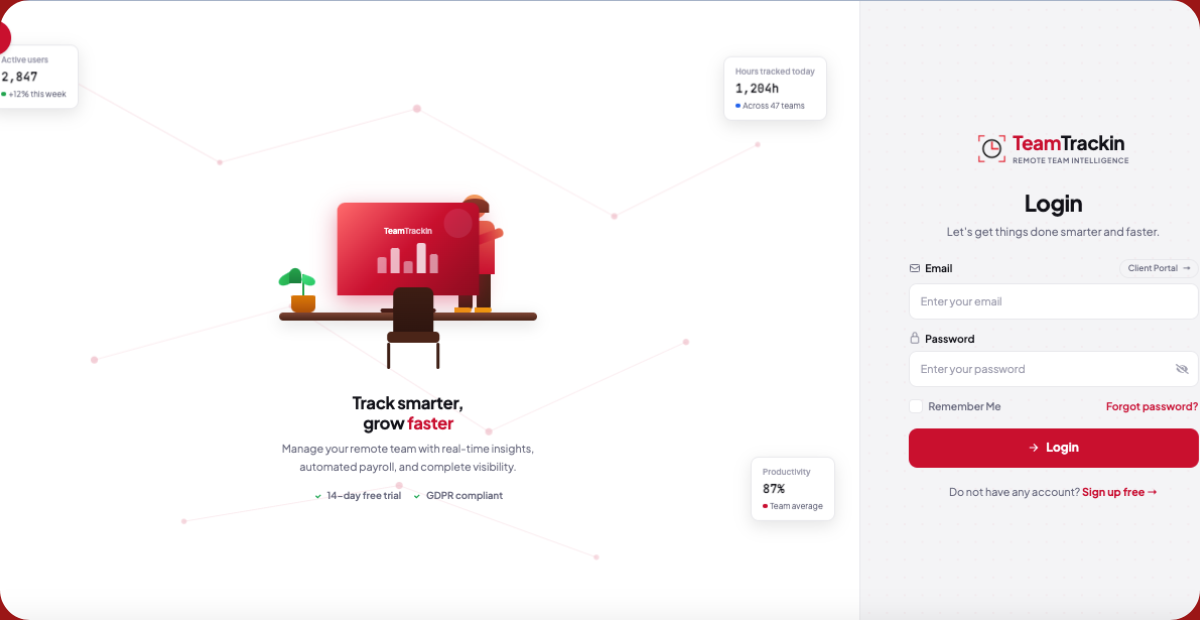
Time to Track Login: The Smarter Way to Manage Work Hours with Time Tracking Software
Ready to see what accurate, automated time tracking looks like for your team?
Start your free 14-day trial of TeamTrackin today — no credit card required, full access from day one.
Start Free Trial