
You've tried the to-do lists. You've blocked your calendar. You've read the productivity books. But somehow, the hours still disappear, the deadlines still slip, and the workday ends with that familiar, nagging feeling — where did the time go? The answer isn't more discipline. It's the right time management app. In this guide, we'll break down exactly what to look for, what to avoid, and how tools like TeamTrackin are changing the way professionals and teams manage their most precious resource. A time management app is a digital tool that helps individuals and teams plan, track, and optimise how they spend their working hours. Unlike basic calendar apps or task lists, a proper time management app gives you data — not just intentions. It answers questions like: How long did that client project actually take? Which tasks are eating up the most time each week? Is my team over- or under-utilised? Where are the biggest productivity drains hiding? Without this data, you're managing blind. With it, you're making informed decisions that save hours and drive results. The app stores are flooded with time management tools. Most of them fail their users — not because the technology is bad, but because they're designed for the wrong things. Here are the most common failure points: If your team needs a week of training to use a time app, they won't use it. Adoption is everything. The best tools are intuitive from day one. Many apps are designed for individuals. But if you're managing a team, you need shared visibility, manager controls, and collaborative reporting. A standalone app that doesn't connect with your project management or invoicing software just creates more manual work — the opposite of the point. Logging time is only half the job. The other half is using that data to improve. If your app can't generate clear, filterable reports, it's a glorified stopwatch. When evaluating your options, here's the non-negotiable feature checklist: Simple Time Logging: One-click or one-tap time entry. No complex forms. No friction. Task & Project Organisation: Time entries should be linked to specific tasks, projects, and clients — so your data actually means something. Team-Level Visibility: Managers need to see what everyone is working on without micromanaging. Live dashboards are essential. Detailed, Customisable Reports: Filter by team member, project, client, date range, or task type. Export in multiple formats. Mobile & Desktop Access: Your team works from everywhere. Your time management app should too. Integrations: Connect with tools your team already uses: Slack, Asana, Trello, QuickBooks, Xero, and more. Alerts & Reminders: Automated nudges to log time, flag overtime, or remind teams about untracked hours. These terms are often used interchangeably, but they're not the same: Time Tracking is recording how time is spent. Time Management is optimising how time is spent. The best tools do both. They give you the data (tracking) and the insights (management) to make meaningful improvements. TeamTrackin is designed with this distinction in mind. It doesn't just tell you what happened, it helps you understand why, and what to do differently. An app is only as powerful as the system around it. Here's a proven framework: Decide upfront what categories matter — clients, projects, internal tasks, admin. Consistency in categorisation makes reporting meaningful. Make time logging part of your team's daily routine. 9 AM and 5 PM check-ins work well for many teams. Block 30 minutes every Friday to review time reports as a team. Identify patterns, celebrate efficiency wins, and address time sinks. Use the data to refine estimates, reassign tasks, or restructure projects. The goal is continuous improvement — not perfection on day one. TeamTrackin was built specifically for growing teams who need more than personal productivity, they need team-wide accountability and visibility. Here's what makes it the right choice: Effortless logging: Start tracking in seconds, from any device Manager dashboards: See your whole team's workload in real time Project-based tracking: Tie every minute to a client or deliverable Exportable reports: Payroll, billing, and project data ready to go Smart reminders: No more forgotten hours at month-end Whether you're a founder managing five people or an operations lead overseeing 50, TeamTrackin scales with you. The difference between teams that constantly scramble and teams that consistently deliver? Visibility. When you know where time goes, you can manage it. When you can manage it, you grow. Stop leaving hours — and revenue — on the table.What Is a Time Management App?
Why Time Management Apps Fail (And How to Pick One That Won't)
Too Complex to Adopt
No Team Features
No Integration With Your Existing Tools
Weak Reporting
The 7 Features Every Great Time Management App Must Have
Time Management vs. Time Tracking: What's the Difference?
How to Build a Time Management System That Works for Your Team
Step 1: Define Your Categories
Step 2: Set Expectations
Step 3: Review Weekly
Step 4: Adjust and Optimise
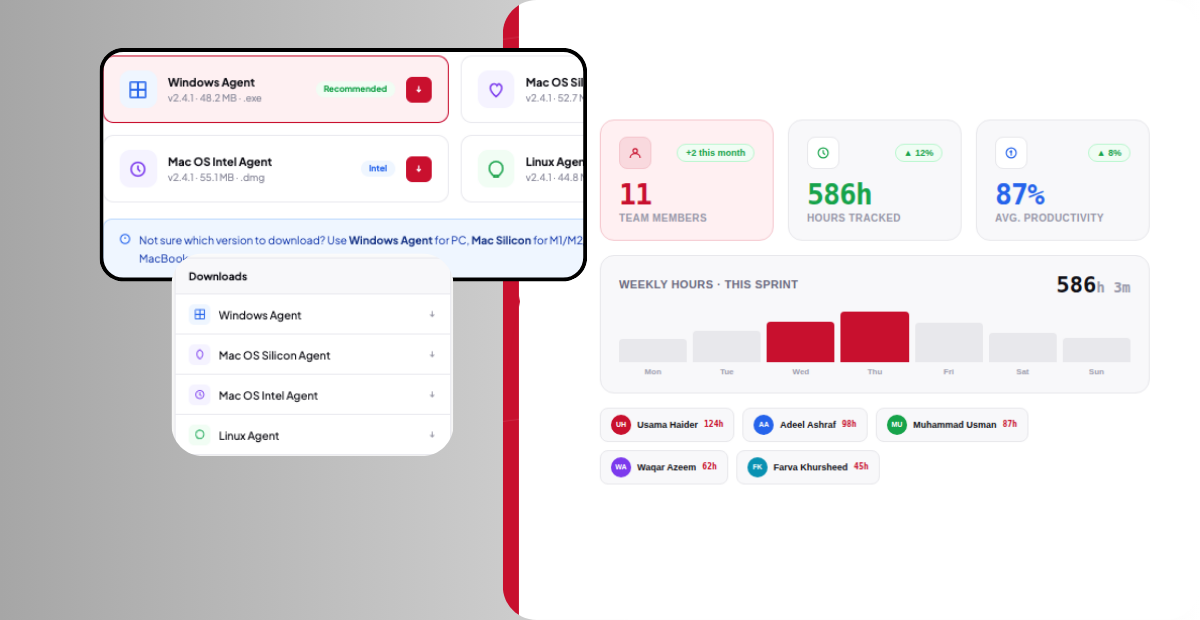
Why TeamTrackin Is the Time Management App Built for Teams
The Bottom Line: A Great Time Management App Changes Everything
The Ultimate Guide to Choosing a Time Management App (That You'll Actually Use)
Ready to see what accurate, automated time tracking looks like for your team?
Start your free 14-day trial of TeamTrackin today — no credit card required, full access from day one.
Start Free Trial