
Efficient employee management, precise time tracking, and streamlined project oversight are critical for businesses navigating today's challenges. TeamTrackin, an all-in-one solution, positions itself as a powerful tool for enhancing productivity and operational control. But what exactly makes TeamTrackin worth considering for modern teams, and how does it deliver value across different business needs? This review dives into TeamTrackin's standout features, its benefits for small and medium-sized enterprises (SMEs), and why teams from remote agencies to IT departments are adopting it. At its core, TeamTrackin combines multiple functionalities into one cohesive platform. Unlike traditional bug-tracking tools, it goes beyond identifying software issues. TeamTrackin brings together time tracking, employee monitoring, project management, and financial tools, delivering a comprehensive solution for businesses. Companies using time tracking software report a 30% increase in project efficiency within the first 3 months. TeamTrackin is designed with SMEs, remote teams, creative agencies, and IT departments in mind. Its features provide these groups with enhanced transparency, accountability, and productivity tools, making it an ideal match for fast-moving hybrid teams. One of TeamTrackin’s top features is its advanced time tracking tools, making it easy to monitor employee work hours and productivity with precision. Automatic Time Tracking: TeamTrackin logs daily work hours seamlessly in the background, helping your team stay focused on their tasks instead of manual tracking. It helps employers to reduce time theft. Active vs. Idle Time: It breaks down the time spent on productive tasks versus inactive periods, giving managers a clear understanding of how work hours are spent. Work Categorization: Activities are categorized as productive, neutral, or unproductive, giving businesses actionable insights into time use. Productivity Metrics: The platform generates productivity percentage scores for individuals and teams, offering a data-driven look at overall performance. With these features, TeamTrackin proves itself as much more than just another employee time log tool. Transparency can drive accountability, and TeamTrackin’s employee monitoring software keeps your team on track while maintaining flexibility. Real-Time Screen Monitoring: TeamTrackin captures screen activity snapshots every 10 minutes, ensuring a reliable record of tasks and focus. Live Activity Tracking: Managers can view real-time activity to get up-to-the-minute updates on employee progress. Team-Level Summaries: Aggregated overviews highlight productivity trends at the team level, helping to identify strengths or areas for improvement. Privacy Controls: Strong protections ensure that monitoring respects employee privacy while focusing on performance. This makes TeamTrackin a secure and effective solution for remote employee tracking and enhancing team accountability, as 89% of employees admit to wasting time at work every day. TeamTrackin doubles as a team task manager and project tracker, helping businesses easily stay on top of their deliverables. Task Creation and Assignment: Managers can assign tasks, set priorities, and define deadlines all from within the app. Project Monitoring: TeamTrackin makes it easy to visualize progress across projects with organized summaries and overviews. Deadline Tracking: Automated alerts ensure that tasks stay on time, preventing costly delays. Collaboration Tools: TeamTrackin’s interface fosters efficient collaboration, ensuring every team member remains aligned. It’s a workload planner that ensures nothing slips through the cracks. Managing finances alongside day-to-day operations can be complex, but TeamTrackin simplifies the process with its financial tools. Finance Dashboard: A bird’s-eye view of budgets, project costs, and finances all in one place. Payroll Estimation: With time logs tied directly to hours worked, payroll calculations become a breeze. Budget Tracking: Use the dashboard to monitor spending patterns and avoid budget overruns. Invoice Reports and Integrations: TeamTrackin integrates with finance software, making reporting seamless. These financial monitoring tools make TeamTrackin invaluable for businesses juggling salaries, invoices, and budgets. TeamTrackin offers an intuitive admin control panel, keeping managers informed and in charge. Centralized Overview: Visual charts and dashboards provide real-time snapshots of key metrics. Custom User Roles: Assign tailored permissions to users, ensuring everyone has the access they need. Alerts for Productivity: Stay informed with automated alerts for inactivity, low productivity, or missed deadlines. Digital time tracking is ultimately easier for employers in comparison with manual time tracking, as it is prone to fewer mistakes. Check out the difference between digital and manual time tracking. TeamTrackin supports not just team-wide productivity but individual performance too, with a dedicated employee dashboard. Personal Time Logs: Employees can view accurate logs of their daily, weekly, and monthly activities. Productivity Self-Assessment: Insight into their individual scores builds motivation for consistent improvement. Performance Trends: Highlighted trends help employees understand and optimize their work habits. By doubling as a self-time tracker, TeamTrackin empowers individuals to take ownership of their productivity. TeamTrackin balances a robust feature set with affordability, offering flexible pricing options for SMEs and scaling businesses. Plans are designed for teams of all sizes. Compared to competitors, TeamTrackin provides a cost-effective productivity solution while delivering unmatched value. By eliminating inefficiencies and enhancing accountability, investing in TeamTrackin delivers a clear return on investment. Choosing TeamTrackin delivers benefits far beyond time tracking: Streamlined Workflows: Ensure efficient collaboration and project management. Enhanced Visibility: Gain clear insights into productivity and project progress. Boosted Accountability: Clear logs and tracking create transparency. Easy Remote Work Management: Perfect for hybrid and remote teams. TeamTrackin is more than a standard time-tracking tool; it’s a comprehensive platform offering solutions that benefit every aspect of modern-day business operations. If you're an SME, a hybrid team, or a remote agency looking for all-in-one solutions to time tracking, project management, and financial oversight, TeamTrackin is worth exploring. Is TeamTrackin suitable for freelancers? Yes! Freelancers can use TeamTrackin for project billing and time tracking. How secure is employee monitoring? TeamTrackin ensures that monitored data is encrypted and privacy-friendly. Can I export timesheets or financial reports? Absolutely. TeamTrackin allows easy export of reports for operational use. Does it integrate with other project management tools? Yes, TeamTrackin offers integrations with leading tools to fit into your existing workflows.What is TeamTrackin?
Who Gets Benefit From TeamTrackin?
Features of TeamTrackin Time Tracking Software
1. Time Tracking Capabilities - Accurate Logs and Productivity Insights
2. Employee Monitoring Tools—Transparency and Accountability
3. Project and Task Management - Keep Teams on Track
4. Financial Dashboard—Streamlined Finance Management
5. Admin Dashboard - Full Operational Control
6. Employee Dashboard—Personal Productivity Tracker
7. Affordability and Pricing - High Value, Low Cost
Benefits of Using TeamTrackin for Modern Teams
Final Verdict: Is TeamTrackin Worth It?
FAQs
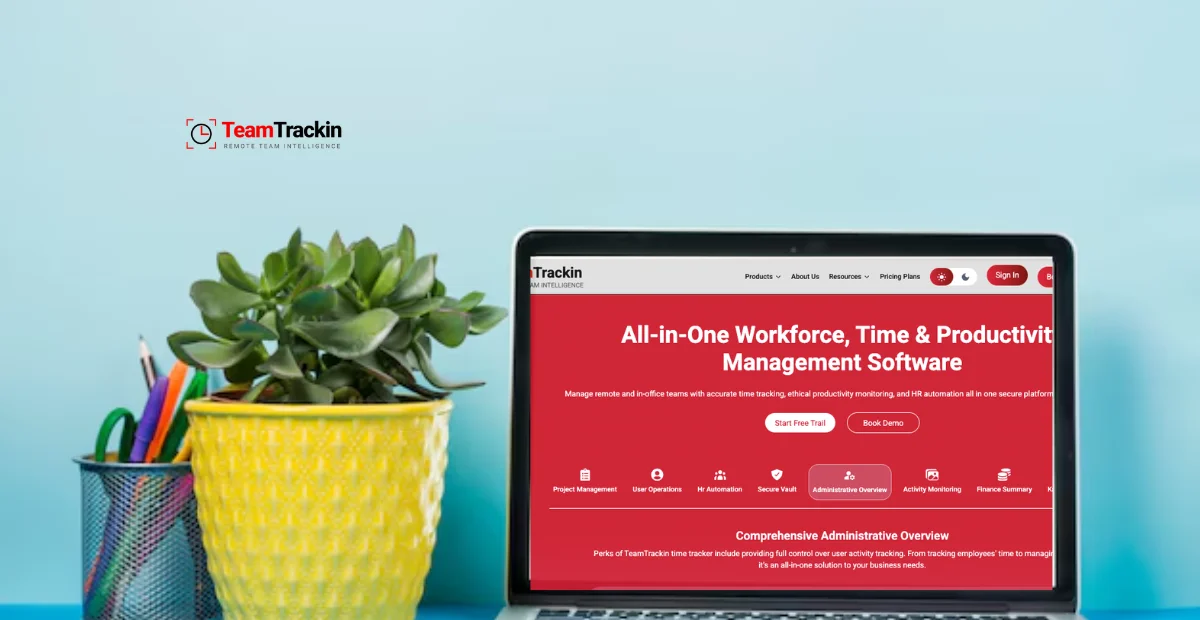
TeamTrackin Software | Review, Features, and Benefits


Ready to see what accurate, automated time tracking looks like for your team?
Start your free 14-day trial of TeamTrackin today — no credit card required, full access from day one.
Start Free Trial