
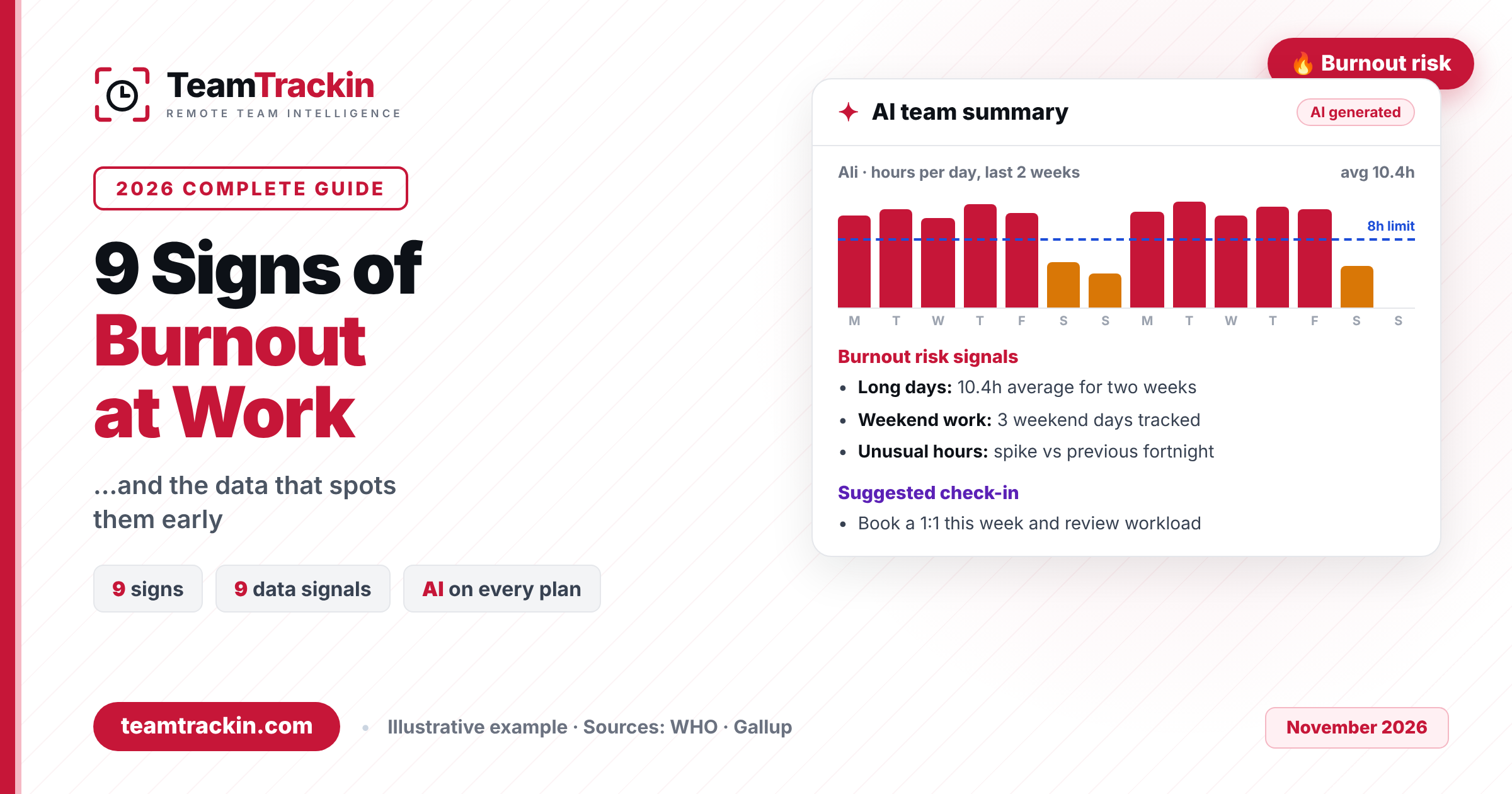
The signs of burnout at work are rarely sudden. Long days, weekend work, skipped holidays and a slow drop in output usually show up in your team's work data weeks before anyone says "I'm exhausted" in a one-to-one. This guide explains what burnout is, the 9 warning signs to watch for, the exact data that reveals each one early, and what to say and do when you see them, including how TeamTrackin AI flags burnout risk for you every fortnight.
The 9 signs of burnout at work are constant exhaustion, hours that keep creeping up, evening and weekend work becoming normal, skipped holidays, a sudden drop in output, cynicism and withdrawal, more sick days and late starts, more mistakes and missed deadlines, and being always on. One sign on its own is usually just a busy week. Several signs together, lasting two weeks or more, are a reason to check in with the person.
Most of these signs leave a trace in work data before anyone mentions them: daily hours, longest days, start times, weekend work, overtime and unused leave. TeamTrackin AI reads that data and produces a fortnightly team summary that flags burnout risk, long days, weekend work and unusual drops or spikes, with kind suggested check-ins. It is included on every plan, plans start at $3.99 per user per month, and there is a 14-day free trial with no credit card.
What Is Burnout at Work?
Burnout at work is a state of physical and emotional exhaustion caused by long-term workplace stress that has not been managed. It is not the same as having a hard week. It builds slowly, over months, until someone who used to care about their work feels drained, detached and ineffective.
The World Health Organization includes burn-out in its International Classification of Diseases (ICD-11) as an occupational phenomenon, not a medical condition. It defines burn-out as resulting from "chronic workplace stress that has not been successfully managed" and describes three dimensions:
- Exhaustion: feelings of energy depletion. The person is tired before the day starts.
- Mental distance: increased cynicism or negativity about the job, the team or the customers.
- Reduced professional efficacy: the person gets less done and stops believing their effort makes a difference.
Because WHO links burnout specifically to work, it is something managers and businesses can act on. The workload, the hours, the time off and the support people get are all within an employer's control, and most of them are already recorded in your time tracking and HR tools.
Burnout at work is exhaustion caused by chronic workplace stress that has not been managed. The WHO describes three dimensions: energy depletion, growing cynicism or mental distance from the job, and reduced effectiveness. It is an occupational phenomenon, not a medical diagnosis, and it builds over months, which means it can be spotted early.
What Is the Difference Between Stress and Burnout?
Stress is too much: too many tasks, too much pressure, too little time. A stressed person is usually still engaged and believes things will be fine once the deadline passes. Burnout is not enough: not enough energy, not enough motivation, and not enough belief that working harder will change anything.
The difference matters because the fix is different. Stress often eases when a peak passes. Burnout does not go away after a quiet Friday. It needs a real change in workload, hours or support.
| What you see | Stress | Burnout |
|---|---|---|
| Energy | Over-active, restless, rushing | Drained and flat, even after rest |
| Emotions | Anxiety, urgency, irritability | Detachment, cynicism, helplessness |
| Engagement | Still cares, works harder | Withdraws, stops caring |
| Time frame | Short term, tied to a cause | Builds over months of chronic stress |
| In the work data | A spike in hours around a deadline, then back to normal | Long days and weekend work that become the new normal, then a drop in output |
| What fixes it | Getting past the peak | Changing workload, hours, time off and support |
The rule of thumb: a spike in hours is stress. A spike that never comes back down is a burnout warning.
9 Signs of Burnout at Work (and the Data That Spots Each One)
These are the 9 most common signs of burnout at work, grouped from the earliest, most visible warnings to the later ones. For each sign you get what you will notice as a colleague or manager, and the data signal that tends to appear first. Remember that people are different: what matters is a change from that person's normal, not a comparison with the rest of the team.
Constant exhaustion and low energy
What you notice: the person looks tired in every meeting, says they "just need a weekend", and does not seem to recover after one. This is the exhaustion dimension in WHO's definition and usually the first sign people talk about.
Data that spots it: a run of long days. Daily hours, the daily average and the longest day in a month show whether someone is regularly working far beyond their normal day. Long stretches of tracked time rarely happen without tiredness following.
Hours that keep creeping up
What you notice: "I'll just finish this" becomes a habit. The person is first online and last offline, and their workload never seems to shrink.
Data that spots it: weekly hours rising above the agreed limit week after week, and a growing share of overtime compared with regular hours. One heavy week is normal. Four in a row is a pattern. The WHO and ILO estimate that working 55 or more hours a week carries a 35% higher risk of stroke than 35 to 40 hours, so this sign is about health, not just output.
Evening and weekend work becomes normal
What you notice: messages at 11 pm, comments on tickets on a Sunday, and "quick" weekend tasks that are never quick.
Data that spots it: tracked time on weekend days and late finishing times. Weekend work is one of the clearest early burnout signals because it is easy to measure and it eats directly into recovery time.
Skipping holidays and unused leave
What you notice: the person keeps saying they will "take time off after this project", and then the next project starts.
Data that spots it: a leave balance with most of the annual allowance still remaining late in the year, or no booked time off for many months. People who never rest are the ones whose exhaustion builds fastest.
A sudden drop in output or activity
What you notice: a reliable performer starts to miss small things, takes longer on tasks they used to finish quickly, or goes quiet. This is the reduced efficacy dimension of burnout.
Data that spots it: an unusual drop in hours or active time after a period of long days, a fall in tickets resolved, or a productivity trend that slides for two weeks or more. A drop straight after a spike is a classic burnout shape.
Cynicism, irritability and withdrawal
What you notice: sarcasm about the company or customers, short replies, cameras off, no ideas offered in meetings, and less interest in the team. This is the mental distance WHO describes.
Data that spots it: honestly, data shows this one only weakly, for example as fewer ticket comments or less involvement in shared work. This is the sign where one-to-ones and stand-ups matter most. Data tells you who to talk to; the conversation tells you why.
More sick days, late starts and absences
What you notice: more "I'm not feeling well today" messages, more late starts, and appointments that keep coming up. Gallup found burned-out employees are 63% more likely to take a sick day.
Data that spots it: start times drifting later, attendance percentage falling, and, for shift teams, late clock-ins and no-shows. A change in someone's usual start time is often the first quiet sign that mornings have become hard.
More mistakes and missed deadlines
What you notice: errors in work that used to be clean, forgotten follow-ups, and deadlines that slip without warning. Exhausted people struggle to concentrate.
Data that spots it: tickets that stay open far longer than their estimate, tasks that move back from review, and project progress that stalls for one person while their hours stay high. High hours plus low progress is a strong signal.
Always on and constantly switching
What you notice: the person replies to everything within minutes, jumps between chat, email and meetings all day, and never seems to get focused work done.
Data that spots it: app and website usage dominated by chat, email and meeting tools, with little time in the tools where their real work happens. Constant interruption is tiring even when total hours look reasonable.
The 9 signs at a glance: what to watch in the data
| Sign of burnout | Early data signal | Where to see it in TeamTrackin |
|---|---|---|
| 1. Constant exhaustion | Long days, high daily average | Summary calendar (daily average, longest day); AI team summary |
| 2. Hours creeping up | Weekly hours above the limit, more overtime | Tracking limits; overtime requests; timesheet report (overtime vs regular, weekly heatmap) |
| 3. Evening and weekend work | Weekend days tracked, late finishes | AI team summary (weekend work); Summary calendar |
| 4. Skipped holidays | High remaining leave balance | Time off and leave balance (annual, taken, remaining) |
| 5. Drop in output | Unusual drop in hours or active time | AI team summary (unusual drops or spikes); Insights productivity; reports |
| 6. Cynicism and withdrawal | Weak in data, strong in conversation | Stand-ups and one-to-ones; ticket activity |
| 7. Sick days and late starts | Later start times, lower attendance | Daily team table (start time); individual report (attendance %); Shift reports (late clock-ins, no-shows) |
| 8. Mistakes and missed deadlines | Tickets open long past their estimate | Boards and project reports (open vs closed tickets) |
| 9. Always on | Day dominated by chat, email and meetings | Insights → Apps & sites |
A single long day tells you nothing. Burnout is defined by chronic stress, so the useful signal is a change that lasts. Comparing each person's last two weeks with their own normal pattern catches the trend early while filtering out one-off deadline days. That is why TeamTrackin AI's team summary reads workload fortnightly instead of sending an alert for every late night.
The earliest signs of burnout at work are usually long days, hours that keep rising, evening and weekend work, and skipped holidays. They show up in time data before people mention exhaustion. Later signs include a drop in output, cynicism, more sick days and late starts, more mistakes, and feeling always on.
See burnout risk before your best people burn out
TeamTrackin AI flags long days, weekend work and unusual drops every fortnight — included on every plan.
What Causes Burnout at Work?
Burnout is caused by how work is organised far more than by the person. In a study of 7,500 full-time employees, Gallup found five factors most strongly linked to burnout:
Four of these causes, workload, time pressure, unfairness and boundaries, show up as patterns in hours, overtime and leave. That is why workforce data is useful for spotting burnout: it measures the causes, not just the symptoms.
If one person shows burnout signs, check their workload. If a whole team shows them, check how the work is planned.
How to Spot Burnout Early With Workforce Data
Most managers find out about burnout in an exit interview. The point of using data is to find out in week two instead. You do not need a data team for this. You need hours, overtime and leave recorded in one place, a clear idea of what normal looks like, and a regular moment to look. Here is a simple five-step routine using TeamTrackin's workforce analytics software.
Track time consistently
Run the desktop tracker so hours, start times and days worked are recorded the same way for everyone. Burnout signals only show up when you can compare this fortnight with the last one.
Set a healthy baseline
Agree what normal looks like. TeamTrackin's default tracking limits are 8 hours a day and 40 hours a week, which admins can change per person. Record leave and approved overtime in the same system so the picture is complete.
Generate the AI team summary every fortnight
Open Insights and generate an AI team summary. It reports highlights, burnout risks such as long days and weekend work, unusual drops or spikes in hours, and kind suggested actions. You can also ask ✦ Ask AI a plain-English question, such as "Who worked more than 45 hours a week this month?"
Check in privately
Treat each flag as a reason to talk, not as proof. Ask how the person is doing, share what you noticed, and listen before you suggest anything. Section 6 has a script you can use.
Rebalance the work and follow up
Move or drop work, approve time off, and agree a date to look at the numbers again. The next team summary tells you whether the pattern is easing.
What an AI burnout alert looks like
Here is an illustrative example of the kind of team summary you can expect. It is based on the example on the TeamTrackin AI page; names and numbers are made up.
That is three extra working days squeezed into two weeks, with almost no recovery time. An illustration, not a measured result: your limits and patterns will differ.
Track time the same way for everyone, agree a baseline such as 8 hours a day and 40 a week, and review each person's last two weeks against their own normal. Look for long days, weekend work, rising overtime, unused leave and sudden drops in hours. Then check in privately and rebalance the work.
What Should a Manager Do When They See Signs of Burnout?
Seeing the signs is the easy part. What you do next decides whether the person recovers or resigns. Gallup found burned-out employees are 2.6 times as likely to be actively looking for another job, so speed matters, but so does tone.
Talk privately, and soon
Book a one-to-one within a few days. Never raise it in a team meeting or a group channel.
Lead with care, not the numbers
Open by asking how they are. Mention what you noticed as a concern ("I've seen a lot of late nights") rather than as evidence.
Listen for the cause
Is it workload, unclear priorities, a difficult client, or something outside work? The data cannot tell you; the person can.
Take something off their plate
Move a project, extend a deadline or bring in help. A real change in workload is the fastest fix.
Protect recovery time
Encourage booked time off, agree working hours, and stop sending messages out of hours yourself.
Follow up in two weeks
Check the next team summary and have a second conversation. Burnout recovery takes time, so keep checking in.
A burnout check-in script you can use
What not to do
- Do not use the data as a weapon. "Your active time is down 20%" starts a defence, not a conversation.
- Do not praise the overwork. Thanking someone for working all weekend teaches the whole team that it is expected.
- Do not diagnose. You are a manager, not a doctor. If someone is struggling with their health, point them to your employee assistance programme or a medical professional.
How Can You Prevent Burnout at Work?
Preventing burnout means fixing its causes: workload, time pressure, unclear roles, unfairness and missing support. These habits work for remote, hybrid and in-office teams, and each one is easier when you can see the data.
In TeamTrackin, overtime is requested by the worker and approved by an admin, so every approved hour is a decision someone made. Reviewing approved overtime per person each month is one of the simplest burnout-prevention habits there is.
Can AI Detect Employee Burnout?
AI cannot diagnose burnout, and no responsible tool should claim to. What it can do is read the patterns that often come before burnout and point a manager to the right conversation. Those patterns, long days, weekend work and sudden spikes or drops in hours, are already in your time data. The hard part for a busy manager is noticing them across a whole team, and that is where AI helps.
| How you find out | AI team summary (TeamTrackin) | Gut feel | Annual engagement survey |
|---|---|---|---|
| How often | Every fortnight | When someone complains | Once or twice a year |
| What it uses | Hours, long days, weekend work, drops and spikes | What you happen to see | What people choose to report |
| Remote team coverage | Everyone who tracks time | Weak, you cannot see late nights | Good, but slow |
| What you get | Who to check in with, and kind next steps | A feeling | A team-level score |
| Extra cost | Included on every TeamTrackin plan | None, but things get missed | Often a separate tool |
Using burnout data fairly and privately
Burnout data is about people's wellbeing, so how you use it matters as much as what it shows. Ask any tool these questions. Here is how TeamTrackin answers them, based on its AI product page and AI user guide.
Be open with your team: tell them which data you look at, why, and that it is used to protect their time, not to judge it.
AI cannot diagnose burnout, but it can spot warning signs in work data. TeamTrackin AI's team summary reviews workload every fortnight and flags long days, weekend work and unusual drops or spikes in hours, then suggests kind next steps such as a check-in. Treat these as signals for a conversation, not as proof or a medical judgement.
How TeamTrackin Spots Burnout Before It Becomes a Resignation
TeamTrackin is all-in-one workforce management software for remote, hybrid and field teams. Because time tracking, overtime, time off, projects and reports live in one place, the signs of burnout at work are already in your data. TeamTrackin's workforce analytics shows the patterns, and TeamTrackin AI reads them for you.
In Insights, anyone who can see everyone's time can generate an AI team summary: highlights, burnout risks such as long days and weekend work, unusual drops or spikes, and kind suggested actions. You can also click ✦ Ask AI in the top bar (or press Ctrl/⌘ K) and ask questions about your team's hours in plain English. The step-by-step walkthrough is in the TeamTrackin AI user guide.
Which plan shows which burnout signals
| Plan | Price (monthly billing) | Burnout signals you get | AI credits a month |
|---|---|---|---|
| Basic | $3.99 per user | Time tracking, daily hours and start times, Insights, AI team summary | 50 |
| Standard | $5.99 per user | Adds overtime, time off and leave, timesheet report with overtime heatmap, boards and project reports | 300 |
| Premium (Most Popular) | $7.99 per user | Adds admin dashboard with leave balance per person and the productivity dashboard | 1,000 |
| Shift | $4.99 per user | Late clock-ins, no-shows and scheduled vs worked hours for field teams | 100 |
| Enterprise | Custom | Everything in Premium with custom terms | 3,000 |
TeamTrackin AI is included on every plan with a monthly allowance of AI credits, and most actions use 1–2 credits. Credits reset on the 1st of each month, and credit packs start at £5 for 500 credits if you need more. Yearly billing saves 10%. See all plans on the pricing page. Teams that want overtime and leave data alongside hours get the fullest picture of burnout risk on Standard and above.
Frequently Asked Questions
- What are the signs of burnout at work?
The 9 most common signs of burnout at work are constant exhaustion, hours that keep creeping up, evening and weekend work becoming normal, skipped holidays, a sudden drop in output, cynicism and withdrawal, more sick days and late starts, more mistakes and missed deadlines, and being always on. One sign alone is rarely burnout; several together for two weeks or more is a reason to check in.
- What is the difference between stress and burnout?
Stress is too much: too much work and pressure, with a sense that things will be fine once it is under control. Burnout is not enough: not enough energy, motivation or belief that effort makes a difference. Stress is usually short term and tied to a cause, while burnout builds over months when chronic workplace stress is not managed.
- How do you know if an employee is burned out?
Look for a change from the person's normal pattern that lasts two weeks or more: longer days, weekend work, unused leave, a drop in output or a new habit of late starts and sick days. Work data can show these patterns early, but only a private, supportive conversation can tell you what is really going on, so treat data as a reason to check in, not as proof.
- Can AI detect employee burnout?
AI cannot diagnose burnout, but it can spot warning signs in work data. TeamTrackin AI's team summary reviews workload every fortnight and flags long days, weekend work and unusual drops or spikes in hours, then suggests kind next steps such as a check-in. Treat these as signals for a conversation, not as proof or a medical judgement.
- How does TeamTrackin help spot burnout early?
TeamTrackin records time from its desktop tracker and shows daily hours, longest days, start times, overtime and leave in one place. In Insights, managers who can see everyone's time can generate an AI team summary that flags burnout risks such as long days and weekend work. TeamTrackin AI is included on every plan, and you can try it free for 14 days with no credit card.
Don't wait for the resignation letter.
Spot burnout early with TeamTrackin.
Time tracking, overtime, leave and a fortnightly AI team summary that flags burnout risk, with TeamTrackin AI included on every plan from $3.99 per user per month. Try it free for 14 days.
Start Free Trial→14-day free trial · No credit card · AI included on every plan