
In today's fast-paced, remote-first business environment, clear and transparent communication between companies and their clients is no longer optional — it is a competitive necessity. Yet, many businesses still rely on scattered emails, shared spreadsheets, and manual updates to keep their clients informed. This is where client portal software transforms the way businesses operate. In this guide, we will explore what a client portal is, how it works, why it matters, and how TeamTrackin's built-in client portal helps businesses deliver a professional, transparent, and seamless client experience. A client portal is a secure, dedicated digital workspace that businesses provide to their clients. It serves as a centralized hub where clients can log in and access project data, track work progress, view invoices, review documents, and stay updated — all in one place, without needing to send a single email. Rather than chasing updates through back-and-forth communication, clients get real-time visibility into everything that has been allocated to them. For the business, it means fewer interruptions, fewer status-update calls, and a more professional image. A well-designed client portal software eliminates information silos and replaces them with structured, permission-based access — so clients see exactly what they need to see, and nothing more. Without a client portal, businesses often face the following challenges: Lack of transparency — Clients are unsure about project progress and constantly request updates. Invoice confusion — Billing disputes arise due to a lack of clear, accessible records. Disorganised communication — Important information gets buried in email threads. Reduced trust — When clients cannot see real-time progress, confidence in the service provider weakens. A secure client portal resolves all of these issues by giving clients a structured, always-available view of their data — on their schedule, at their convenience. TeamTrackin's Client Portal is designed specifically for businesses that manage remote or distributed teams and want to extend transparency to their own clients. Here is how it works in practice: When a business subscribes to TeamTrackin, they receive a unique branded subdomain. For example, if your company is called App, your clients will access their portal at: app.teamtrackin.com This creates a professional, company-specific experience — not a generic login page. Clients immediately recognise the portal as belonging to the company they are working with. Clients can view the project boards assigned to them. Whether it is a development sprint, a campaign timeline, or a service delivery project — clients can see task progress, current status, and upcoming milestones without needing internal system access. One of the most powerful aspects of the TeamTrackin Client Portal is the ability for clients to view tracked hours. Businesses can allocate specific time data to each client, giving them clear, verifiable proof of work — which directly reduces billing disputes and builds long-term trust. Clients can view, download, and review their invoices directly from the portal. No more chasing accounts teams or waiting for email attachments. All billing history is accessible in one secure location. The built-in Secure Vault allows businesses to share sensitive files, contracts, SOPs, and documents with clients in a permission-controlled environment. Only authorised clients can access the files allocated to them. TeamTrackin's Client Portal is particularly valuable for: Agencies managing multiple client projects simultaneously Software development companies delivering sprint-based work BPOs and outsourcing firms providing ongoing services Consultancies that need to share reports and documentation regularly Freelancers and small businesses looking to present a more professional client experience Regardless of the industry, any business that delivers ongoing services to external clients will benefit from the structure, transparency, and professionalism that a client portal provides. Security is a non-negotiable requirement when sharing business and project data with external parties. TeamTrackin's secure client portal is built on a privacy-first architecture with: AES-256 encryption for all stored data Role-based access control (RBAC) — clients only see what is specifically allocated to them TLS 1.3 for secure data transmission GDPR-compliant infrastructure This ensures that sensitive business information remains protected at all times, while clients enjoy a smooth and trustworthy experience. A client portal is no longer a luxury reserved for large enterprises — it is an essential tool for any business that values professionalism, transparency, and client trust. As client expectations continue to rise, businesses that provide structured, real-time access to project data will always have a competitive advantage over those that do not. TeamTrackin's built-in client portal software makes this accessible for businesses of all sizes. With a branded subdomain, real-time project boards, time tracking visibility, invoice management, and a secure vault — everything your clients need is available in one organised, secure, and professional platform.What is a Client Portal?
Why Do Businesses Need a Client Portal?
How Does TeamTrackin's Client Portal Work?
1. Branded Subdomain for Every Company
2. Project Board & Kanban View
3. Time Tracking Visibility
4. Invoice Access
5. Secure Vault for Shared Documents
Who Benefits Most from a Client Portal?
The Importance of a Secure Client Portal
Client Portal vs. Sharing Reports Manually
Final Thoughts
Ready to give your clients a better experience? Start your free 14-day trial at teamtrackin.com and set up your Client Portal today.
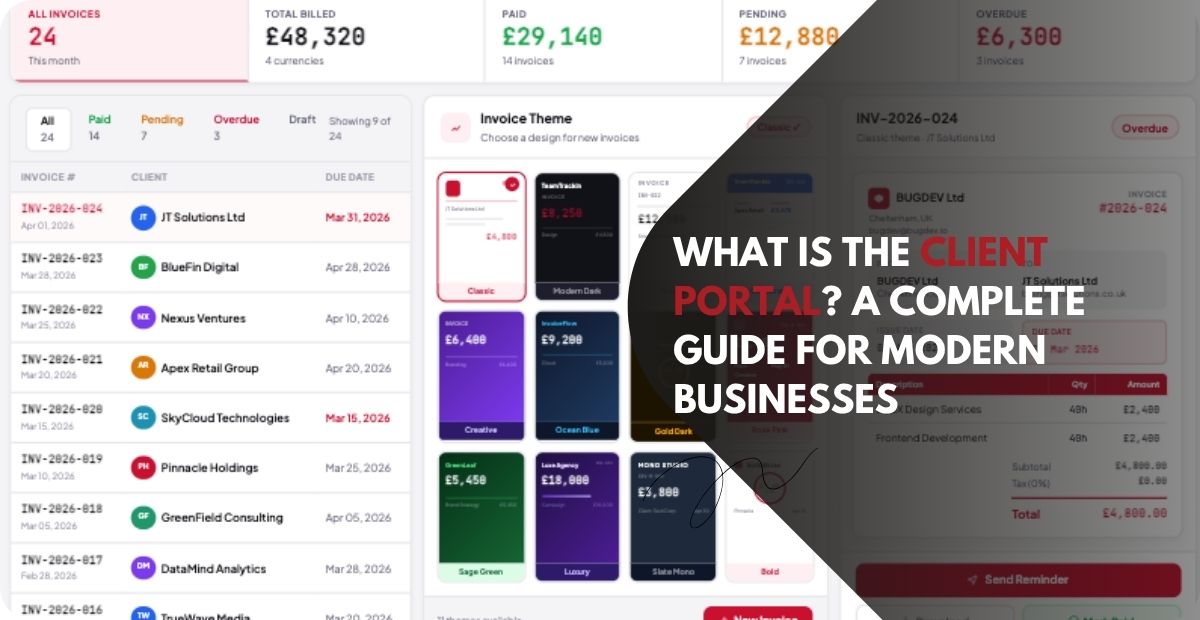
What is the Client Portal? A Complete Guide for Modern Businesses
Ready to see what accurate, automated time tracking looks like for your team?
Start your free 14-day trial of TeamTrackin today — no credit card required, full access from day one.
Start Free Trial