
For years, spreadsheets have been the default tool for managing employee hours, attendance, schedules, overtime, leave, and workforce data. They are inexpensive, familiar, and easy to start with—but as a business grows, managing an entire workforce through spreadsheets can become increasingly difficult. A single incorrect formula, outdated employee record, missed timesheet, or duplicate entry can create problems for HR, managers, payroll teams, and employees. What starts as a simple spreadsheet can eventually become a collection of disconnected files that are difficult to maintain, update, and audit. This is why more businesses are moving from spreadsheets to workforce management software. Modern platforms centralise workforce data, automate repetitive processes, improve visibility, and give managers real-time information about their teams. In this guide, we'll explain why businesses are replacing spreadsheets with workforce management software, the problems spreadsheets create, the benefits of automation, and what organisations should look for when choosing a modern workforce management solution. Workforce management software is a centralised platform designed to help businesses manage employee time, attendance, schedules, leave, overtime, productivity, performance, and workforce data from one system. Instead of maintaining separate spreadsheets for different departments, managers can use a single platform to track workforce information in real time. Depending on the platform, workforce management software can combine time tracking, attendance management, employee monitoring, scheduling, overtime management, leave management, payroll data, reporting, and productivity analytics. In one sentence: Workforce management software replaces fragmented manual processes with a centralised system for tracking, managing, and analysing your workforce. Spreadsheets are not inherently bad. For a small team with straightforward requirements, a simple spreadsheet may be enough to track basic information. The problem begins when a business tries to use spreadsheets for increasingly complex workforce operations. A company might have one spreadsheet for attendance, another for employee schedules, another for overtime, another for leave, and another for payroll calculations. Eventually, HR and managers are spending more time maintaining workforce data than using it to make decisions. Most spreadsheet-based workforce processes depend on people entering information correctly. An employee may forget to update their hours. A manager may enter the wrong value. HR may accidentally overwrite a formula. Even a small mistake can affect payroll, overtime calculations, attendance records, or management reports. A spreadsheet usually tells you what someone entered—not necessarily what is happening right now. Managers may have to wait until the end of the day or week before reviewing employee hours. Modern workforce management platforms can provide a much more current view of workforce activity. A spreadsheet that works perfectly for 10 employees can become difficult to manage with 100 or 500 employees. As the workforce grows, so does the amount of information that needs to be collected, updated, checked, and reported. When workforce information is spread across multiple files, departments may end up working with different versions of the truth. HR may have one set of employee information. Payroll may have another. Managers may maintain their own schedules. This creates unnecessary confusion. Key insight: The biggest problem with spreadsheets isn't the spreadsheet itself. It's the dependency on manual processes as workforce complexity increases. The financial cost of spreadsheets is not always obvious. Businesses may not pay a monthly software subscription, but they still pay for the time spent creating, updating, checking, correcting, and maintaining spreadsheets. Manual time entry can result in incorrect hours, missing overtime, duplicate entries, or calculation errors. These mistakes can create unnecessary payroll corrections and employee disputes. HR teams can spend hours collecting timesheets, following up with employees, checking attendance, and preparing reports. That time could instead be used for higher-value HR activities. Managers may not know who is currently working, who is approaching overtime, who is absent, or where productivity issues are developing. They may have to wait for reports before making decisions. Manual schedules can be difficult to coordinate when employees have different shifts, locations, availability, or leave periods. A change to one employee's schedule may require updates across multiple files. Spreadsheets containing employee information may be shared through email, messaging platforms, cloud folders, or local computers. Without appropriate access controls, sensitive workforce information may be exposed to people who do not need it. When information is spread across multiple spreadsheets, analysing historical trends can become extremely difficult. HR may need to combine several files just to answer a basic question about overtime, attendance, or employee hours. The difference becomes clearer when comparing how each approach handles everyday workforce operations. The major advantage of workforce management software is centralisation. Instead of asking, "Which spreadsheet contains this information?", managers can access workforce data from a single system. Moving away from spreadsheets isn't simply about using newer technology. It's about changing how workforce information is collected, processed, and used. Employees can clock in and out digitally instead of manually recording their working hours in spreadsheets. This creates a more consistent source of time data for HR and payroll teams. Managers can see relevant workforce information without waiting for weekly reports. Depending on the platform, they can review working hours, attendance, overtime, activity, schedules, and productivity from a central dashboard. Automated calculations can reduce the need for managers to manually add hours or calculate overtime. This helps reduce repetitive administrative work and lowers the risk of calculation mistakes. Employee records, schedules, time entries, leave, overtime, and reports can be managed within one platform. This reduces the need to maintain multiple versions of the same information. Instead of building reports manually, HR and managers can use dashboards and predefined reports to analyse workforce information. This makes it easier to identify trends and support data-driven decisions. Traditional spreadsheets can struggle with distributed workforces. Workforce management software provides a centralised way to manage employees regardless of whether they work from an office, remotely, or across multiple locations. Pro tip: Don't automate everything at once. Start with the processes that consume the most administrative time—usually time tracking, attendance, leave, scheduling, or overtime—and gradually expand your workforce automation. Not every workforce management platform offers the same capabilities. Before choosing a solution, businesses should consider which features actually match their operational requirements. Time tracking is one of the foundations of workforce management. Look for software that makes clocking in and out simple while providing managers with clear visibility into employee working hours. A modern attendance system should make it easy to understand attendance patterns without manually updating spreadsheets. Features may include attendance records, late arrivals, absences, working-hour reports, and attendance trends. Overtime can quickly become difficult to manage manually. Workforce management software can monitor working hours, identify employees approaching overtime thresholds, and provide managers with better visibility. Scheduling tools help managers organise shifts, working hours, availability, and employee assignments. Centralised scheduling can reduce conflicts and make schedule changes easier to manage. Instead of managing leave requests through email, employees can submit requests through a central system. Managers can review requests while HR maintains a clearer record of employee time off. For organisations managing remote or hybrid teams, productivity analytics can provide additional workforce visibility. Managers can review activity trends, productivity data, timelines, and other relevant indicators from one dashboard. Workforce data eventually needs to reach payroll. Look for a platform that can export or integrate approved time, overtime, and attendance data to reduce duplicate data entry. Reporting should help HR and managers answer practical questions. For example: Which employees are working the most overtime? How many hours did a department work? What are the attendance trends? Where are productivity issues appearing? How much time was spent on a project? Important: The best workforce management software isn't necessarily the platform with the longest feature list. Choose a system that gives your HR and management teams accurate data, simple workflows, and reports they will actually use. TeamTrackin is designed to bring workforce management processes into one centralised platform. Instead of maintaining separate spreadsheets for time tracking, attendance, productivity, overtime, leave, and reporting, teams can manage these processes through a connected workforce management system. Employees can track their working time digitally while managers gain visibility into hours worked. This reduces the dependency on manually maintained timesheets. TeamTrackin provides workforce insights that help managers understand employee activity, productivity, and working patterns. Instead of looking at disconnected spreadsheet numbers, managers can use dashboards and reports to understand what is happening across the workforce. Managers can monitor overtime and identify employees approaching configured thresholds. This makes overtime management more proactive rather than relying entirely on end-of-week spreadsheet calculations. Attendance information can be managed centrally, helping HR teams reduce repetitive manual recordkeeping. Employees can submit time-off requests while managers can review and manage approvals through the platform. This replaces scattered emails and manually updated leave spreadsheets. Workforce data can provide managers with broader visibility into employee performance and productivity trends. The goal is not simply to collect data, but to turn workforce information into actionable insights. A spreadsheet-based process might look like this: Employee ↓ Manual Timesheet ↓ Manager Spreadsheet ↓ HR Spreadsheet ↓ Manual Calculations ↓ Payroll Spreadsheet ↓ Manual Report A modern workforce management workflow can be much more connected: Employee Clock-In ↓ Automatic Time Tracking ↓ Attendance & Overtime Monitoring ↓ Manager Dashboard ↓ Approval & Review ↓ Payroll Export / Integration ↓ Workforce Reports & Analytics This connected workflow reduces the number of manual handoffs. It also gives managers a central place to understand workforce activity. Almost any growing organisation can benefit from moving away from spreadsheet-dependent workforce processes, but some businesses are likely to see the biggest impact. Small businesses often start with spreadsheets because they are inexpensive and familiar. As employee numbers increase, however, HR and managers may spend more time maintaining workforce records. Moving to workforce management software early can help create scalable processes before spreadsheet complexity becomes a major problem. Remote teams need digital visibility because managers cannot rely on physical presence to understand working patterns. Time tracking, activity monitoring, productivity analytics, and attendance data can provide additional visibility. Agencies often manage multiple employees, clients, projects, and deadlines. Workforce management software can help connect employee time with projects and operational reporting. Companies with multiple offices, departments, or locations face greater workforce-management complexity. Centralised software can help standardise processes across locations while providing management with a broader view of workforce data. Not sure whether it's time to move away from spreadsheets? These signs are strong indicators: If HR, payroll, managers, and employees each maintain different spreadsheets, your data is already becoming fragmented. Frequent corrections may indicate that manual time entry is creating unnecessary administrative work. If HR spends hours combining spreadsheets before payroll, automation could significantly simplify the process. If managers have to ask HR for reports about employee hours, attendance, or overtime, your workforce data may not be accessible enough. Incorrect formulas, duplicate records, missing entries, or outdated files are signs that manual processes are becoming risky. If HR teams spend a significant portion of their week maintaining workforce spreadsheets, software automation can free time for more strategic work. Key takeaway: If your workforce processes require multiple spreadsheets, repeated manual calculations, and constant follow-ups, the business has probably outgrown spreadsheet-based workforce management. The value of workforce management software isn't limited to saving time. Businesses can benefit from several improvements simultaneously. Automation reduces repetitive tasks such as collecting timesheets, calculating hours, updating attendance, and creating reports. Reducing manual data entry can help minimise avoidable mistakes. Real-time workforce information gives managers better data for staffing, scheduling, overtime, and productivity decisions. Employees can access time tracking, leave requests, schedules, and other workforce tools through a central platform instead of relying on emails and spreadsheets. A workforce management platform can support a growing workforce without requiring HR teams to create increasingly complex spreadsheets. Key insight: The real ROI of workforce management software comes from combining time savings, better data, improved visibility, and scalable processes. Continue exploring workforce management, productivity, and employee tracking with these related resources: What Is Workforce Management Software? — Learn how modern workforce management platforms help businesses manage employees more efficiently. Time Tracking Software for Remote Teams — Discover how automated time tracking improves visibility across distributed teams. Employee Monitoring Software — Understand how activity monitoring can help businesses improve productivity and workforce visibility. How AI Detects Unusual Activity Patterns in the Workplace — Learn how AI can identify unusual workforce activity and productivity patterns. How Overtime Management Software Prevents Compliance Risks — Explore how automated overtime tracking can help businesses manage workforce compliance. Businesses are replacing spreadsheets because manual workforce management becomes difficult to maintain as teams grow. Workforce management software centralises employee data, automates repetitive processes, improves reporting, and provides managers with better visibility. For complex workforce operations, workforce management software can be more efficient than Excel because it provides automation, centralised data, employee workflows, dashboards, and reporting. Excel can still be useful for simple calculations and smaller processes, but it becomes harder to manage as workforce complexity increases. Depending on the platform, workforce management software can automate time tracking, attendance, overtime calculations, leave requests, scheduling, approvals, reporting, and payroll data exports. Automation reduces repetitive administrative work and helps create more consistent processes. Yes. Workforce management software is particularly useful for remote and hybrid teams because it provides digital visibility into working hours, attendance, activity, productivity, and other workforce information without requiring employees to work from a physical office. No. Workforce management software supports HR teams by automating administrative processes and providing better workforce data. HR professionals still make decisions, manage employee relationships, develop policies, and handle situations that require human judgement. Pricing varies depending on the platform, number of employees, features, integrations, and pricing model. Businesses should compare the cost against the administrative time, errors, and operational complexity associated with their existing manual processes. There is no single employee-count threshold. A business should consider switching when spreadsheets require significant manual maintenance, multiple departments depend on separate files, payroll requires repeated data consolidation, or managers lack real-time workforce visibility.What Is Workforce Management Software?
Why Are Businesses Moving Away From Spreadsheets?
Spreadsheets Depend on Manual Data Entry
Spreadsheets Don't Provide Real-Time Visibility
Spreadsheets Become Difficult to Scale
Spreadsheets Create Data Silos
The Hidden Costs of Managing Employees With Spreadsheets
1. Payroll Errors
2. Time-Consuming Administration
3. Poor Workforce Visibility
4. Scheduling Problems
5. Security and Access Risks
6. Difficult Historical Reporting
Workforce Management Software vs Spreadsheets
How Workforce Management Software Improves Business Operations
1. Automates Time Tracking
2. Provides Real-Time Workforce Visibility
3. Reduces Manual Calculations
4. Centralises Employee Data
5. Makes Reporting Easier
6. Supports Remote and Hybrid Teams
Key Features to Look For in Workforce Management Software
1. Automated Time Tracking
2. Attendance Management
3. Overtime Management
4. Employee Scheduling
5. Leave and Time-Off Management
6. Productivity Analytics
7. Payroll Integration
8. Workforce Reporting
How TeamTrackin Replaces Spreadsheet-Based Workforce Management
Smart Time Tracking
Workforce Analytics
Overtime Management
Attendance Management
Leave Management
Performance Insights
How the Data Flows in a Modern Workforce Management System
Who Should Replace Spreadsheets With Workforce Management Software?
Small and Growing Businesses
Remote Teams
Agencies and Professional Services
Large or Multi-Location Businesses
Signs Your Business Has Outgrown Spreadsheets
You Have Multiple Workforce Spreadsheets
Employees Frequently Correct Their Timesheets
Payroll Requires Manual Data Consolidation
Managers Don't Have Real-Time Visibility
You Are Experiencing Spreadsheet Errors
HR Is Spending Too Much Time on Administration
The ROI of Replacing Spreadsheets
Less Administrative Work
Fewer Data Errors
Better Workforce Decisions
Improved Employee Experience
Better Scalability
More from TeamTrackin
Frequently Asked Questions
Why are businesses replacing spreadsheets with workforce management software?
Is workforce management software better than Excel?
What can workforce management software automate?
Can workforce management software work for remote teams?
Does workforce management software replace HR?
How much does workforce management software cost?
When should a business stop using spreadsheets for workforce management?
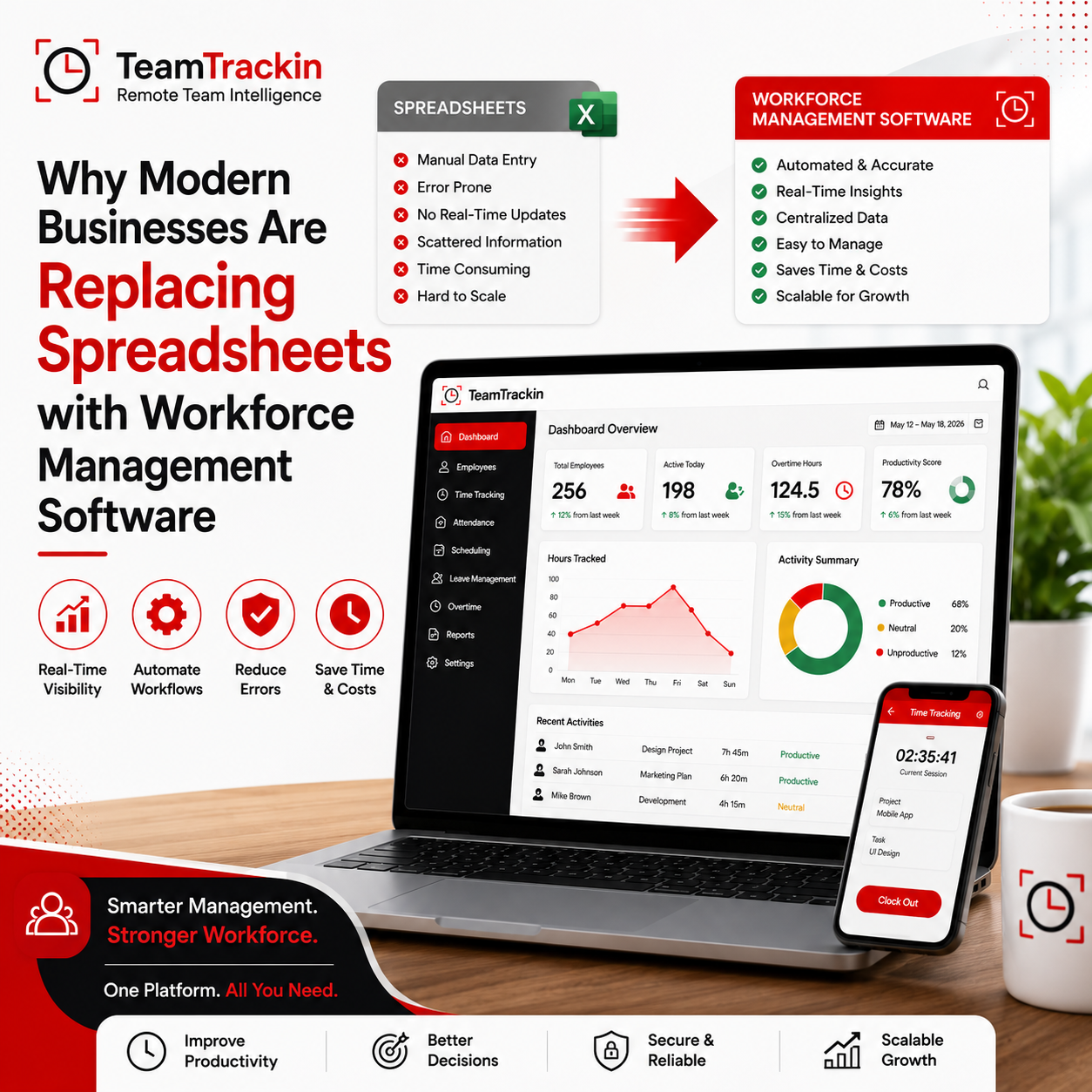
Why Modern Businesses Are Replacing Spreadsheets with Workforce Management Software
Ready to see what accurate, automated time tracking looks like for your team?
Start your free 14-day trial of TeamTrackin today — no credit card required, full access from day one.
Start Free Trial