
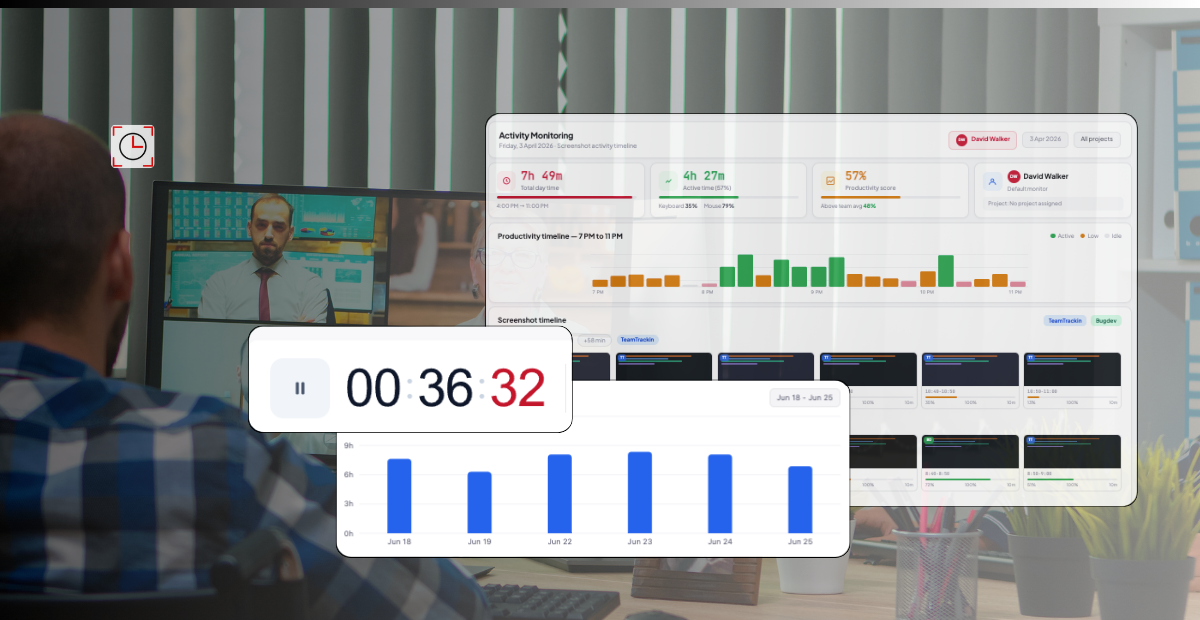
Everything you need to manage a remote workforce — from choosing the right software and building accountability systems, to managing remote employees across time zones and scaling your distributed team with confidence.
of knowledge workers work remotely at least part-time in 2026
average annual savings per remote employee vs in-office
of managers say visibility is their #1 remote management challenge
higher retention at companies with structured remote management
What is Remote Workforce Management?
Remote workforce management is the structured process of overseeing, coordinating, and optimizing the performance of employees who work outside a centralized office — whether from home, co-working spaces, or any location around the world.
It encompasses everything from hiring and onboarding distributed team members, assigning and tracking tasks, measuring performance and productivity, facilitating communication across time zones, and ensuring legal and data compliance — all through digital tools and clearly defined workflows.
In 2026, remote workforce management is no longer a contingency plan. It is core business infrastructure. Organizations that treat it as such — with purpose-built systems, clear policies, and the right software — consistently outperform those that rely on improvised approaches.
Task & Project Management
Assigning, tracking, and completing work with full visibility across the team — regardless of location or time zone.
Performance Tracking
Measuring output against defined KPIs and goals, using data rather than physical presence as the benchmark for productivity.
Communication & Culture
Building structured asynchronous and synchronous communication routines that keep remote teams aligned and engaged.
Compliance & Security
Ensuring data protection, regulatory compliance, and secure access management for employees working from diverse locations.
Onboarding & Training
Integrating new remote hires effectively with digital onboarding workflows, documentation, and structured mentorship.
Time & Attendance
Tracking work hours, managing schedules across time zones, and ensuring fair, accurate payroll for distributed teams.
Why Remote Workforce Management Matters More Than Ever in 2026
Remote work has transitioned from an emergency response to a competitive advantage — but only for companies that manage it intentionally. The organizations thriving in 2026 are those that have replaced informal workarounds with systems designed for distributed teams.
Without a structured approach to managing remote employees, businesses face real consequences: missed deadlines, declining engagement, compliance risks, talent attrition, and an inability to scale. With it, they unlock access to global talent, lower overhead costs, and measurably higher productivity.
💡 Key insight: Companies that invest in structured remote workforce management report 3.4× higher employee retention and 28% faster project delivery compared to those relying on ad-hoc remote coordination. The right systems pay for themselves within months.
The shift to outcome-based management
The most successful remote-first organizations in 2026 have made one fundamental shift: they measure outcomes, not activity. Instead of tracking hours at a desk, they define clear deliverables, set measurable goals, and evaluate employees on what they produce — not when they log in.
This requires the right remote team management infrastructure: goal-setting frameworks, project tracking tools, regular check-in rituals, and transparent performance dashboards that give everyone — managers and employees alike — a shared view of progress.
How to Manage a Remote Workforce: 8 Proven Strategies
Whether you're managing a fully remote team or a hybrid setup, these eight strategies form the operational backbone of effective remote workforce management in 2026.
- 1Set crystal-clear expectations from day oneDefine roles, responsibilities, work hours, response-time expectations, and output standards before a remote employee starts. Ambiguity is the enemy of remote productivity. Use a written team handbook that everyone can reference — not just verbal agreements.
- 2Build a communication infrastructure, not just toolsChoose specific channels for specific types of communication. Urgent matters go to Slack. Project updates go to your project management tool. Strategic decisions go into recorded async video or written docs. Rules around communication reduce noise and prevent critical information from getting lost.
- 3Run structured, purposeful check-insWeekly 1:1s and team standups are not optional — they are the connective tissue of remote team management. Keep them short, structured, and focused on blockers, progress, and priorities. Record async video updates for team members in different time zones.
- 4Adopt outcome-based performance metricsMove away from tracking hours and toward tracking deliverables and impact. Define KPIs for every role, use goal-setting frameworks like OKRs, and review progress quarterly. This builds trust while maintaining accountability — the core tension in managing remote employees effectively.
- 5Invest in the right remote workforce management softwareNo strategy survives without the right tools. Choose a platform that unifies task tracking, time management, communication, and performance reporting in one place. Fragmented tools create fragmented teams. Centralization is the infrastructure layer everything else sits on.
- 6Create a deliberate remote cultureCulture doesn't happen by accident in a remote setting. It requires intentional rituals: virtual team lunches, non-work Slack channels, public recognition, team celebrations, and regular all-hands. Remote employees who feel connected to their team and company purpose stay longer and perform better.
- 7Document everythingInstitutional knowledge that lives in people's heads is a risk in any team — and a crisis in a remote team. Build a living knowledge base: meeting notes, decision logs, process documentation, and onboarding guides. Documentation is how remote teams scale without losing context.
- 8Prioritize security and compliance from the startRemote work multiplies your organization's security surface area. Enforce VPN use, multi-factor authentication, and device management policies from day one. Ensure your remote work software is compliant with relevant data regulations — GDPR, HIPAA, SOC 2 — especially for teams spanning multiple countries.
Managing Remote Employees: Day-to-Day Best Practices
The principles of managing remote employees are simple. The execution requires consistency. Here are the daily, weekly, and monthly practices that high-performing remote managers build into their routines:
Daily practices
- Morning async standups: A short written or video update — what's being worked on, what's blocked, what will be completed today — shared by every team member in a dedicated channel.
- Visible task boards: Every active task is assigned, has a deadline, and shows a clear status. Managers should be able to see team progress without needing to ask for a status update.
- Respond, don't react: Set expectations that responses within 2–4 hours are standard. Create a norm that people are not expected to be always-online, but they are expected to be reliably reachable during core hours.
Weekly practices
- 1:1 check-ins with each direct report: 20–30 minutes. Cover progress, blockers, and personal wellbeing. Use a shared running doc so nothing falls through the cracks.
- Team all-hands or standup: Get the whole team on a video call at least once a week. Surface cross-functional dependencies, celebrate wins, and keep everyone aligned on priorities.
- Review your dashboards: Weekly review of each team member's task completion, project status, and any flagged issues in your remote employee management software. Spot problems early — not at the end of the sprint.
Monthly practices
- Performance and goal reviews: Review OKRs or KPIs against targets. Have honest, forward-looking conversations — not just backward-looking assessments.
- Career development conversations: Remote employees often feel invisible. Proactive conversations about growth, skill development, and career trajectory keep top performers engaged and loyal.
- Process retrospectives: What's working? What's slowing the team down? Regular retrospectives let you continuously improve how your remote team operates.
Remote Team Management vs Remote Employee Management
These terms are often used interchangeably, but they refer to distinct levels of management — and understanding the difference helps you apply the right strategies at the right level.
Remote Team Management
Managing the collective performance, culture, and coordination of a group working toward shared goals. Concerns include team dynamics, cross-functional dependencies, shared communication norms, team OKRs, and cohesion across time zones.
Remote Employee Management
Managing the performance, engagement, development, and wellbeing of individual team members. Concerns include individual KPIs, 1:1 check-ins, skill development, time tracking, and personal accountability.
Effective remote workforce management requires excellence at both levels. The strongest remote managers zoom in to support individual employees and zoom out to keep the team moving as a cohesive unit. Remote workforce management software that operates at both levels — like TeamTrackin — makes this significantly easier.
Best Remote Workforce Management Software in 2026
The right remote workforce management software is the infrastructure your entire distributed operation runs on. Below is an objective overview of the top categories and leading tools:
| Tool | Best For | Key Features | Pricing | Type |
|---|---|---|---|---|
| TeamTrackin | All-in-one remote workforce management | Team tracking, time management, performance dashboards, reporting | From $8/user/mo | All-in-One |
| ClickUp | Project & task management | Tasks, docs, goals, time tracking, dashboards, 1000+ integrations | Free – $19/user/mo | Project Mgmt |
| Hubstaff | Time tracking & productivity monitoring | Time tracking, app/URL monitoring, payroll, GPS, productivity reports | From $7/user/mo | Time Tracking |
| Slack | Team communication | Channels, DMs, huddles, integrations, async video clips | Free – $12.50/user/mo | Communication |
| Notion | Documentation & knowledge management | Wikis, databases, project docs, async collaboration, templates | Free – $16/user/mo | Documentation |
| Zoom | Video meetings & webinars | Video calls, breakout rooms, meeting recordings, AI summaries | Free – $19.99/user/mo | Video Meetings |
| BambooHR | HR management for remote teams | Onboarding, offboarding, performance reviews, e-signatures, PTO tracking | Custom pricing | HR Platform |
The tools that gain the most traction in 2026 are those that combine multiple functions — reducing the number of platforms employees need to switch between, and giving managers a single source of truth for team performance and progress.
How to Choose Remote Work Software for Your Team
With dozens of remote work software options on the market, choosing the right stack can feel overwhelming. Use this decision framework to evaluate tools systematically:
1. Define your core use cases first
Before evaluating any software, list the five most painful problems your remote team faces today. Communication delays? No visibility into task progress? Difficulty tracking hours? Compliance gaps? Your software stack should address specific pain points — not create new ones.
2. Prioritize integration over features
A tool that integrates seamlessly with your existing stack is more valuable than one with impressive standalone features. Fragmented tools mean fragmented workflows. Look for remote workforce management software that connects your project management, communication, time tracking, and HR systems.
3. Evaluate adoption ease
The best remote work software is the kind your team actually uses. Evaluate setup time, learning curve, mobile accessibility, and the quality of customer support. Tools abandoned within 30 days solve nothing.
4. Check compliance and security specifications
For any remote workforce management platform you adopt, verify: data encryption standards, GDPR/HIPAA/SOC 2 compliance certifications, two-factor authentication, user permission controls, and data residency options. This is especially critical for teams with distributed employees across multiple countries.
5. Consider total cost of ownership
Per-seat pricing adds up quickly at scale. Calculate the true cost at your current team size and at 2× your team size. Factor in onboarding time, training, and any implementation support you'll need.
TeamTrackin tip: Start with a consolidated platform that covers your core needs, then add specialized tools only when a specific use case demands it. Most teams need: one task management tool, one communication tool, one time tracker, and one HR platform — not fifteen individual apps.
Common Remote Workforce Management Challenges — and How to Solve Them
Even experienced managers encounter predictable obstacles when managing remote teams. Here are the most common challenges and proven solutions:
Lack of visibility into team progress
Managers don't know what their team is working on, what's blocked, or whether projects are on track — until it's too late.
Communication breakdowns across time zones
Async communication delays slow down decisions. Team members in different time zones feel disconnected or excluded from important conversations.
Remote employee disengagement
Remote employees feel isolated, disconnected from team culture, and overlooked for growth opportunities — leading to higher turnover.
Security and compliance risks
Distributed employees accessing company systems from personal devices and unsecured networks create significant data security and compliance vulnerabilities.
Onboarding new remote employees effectively
New hires struggle to ramp up without the informal learning and relationship-building that happens naturally in an office environment.
Micromanagement vs. under-management
Managers either overcompensate with excessive check-ins and monitoring (destroying trust) or under-manage and lose visibility into critical work (destroying accountability).
Frequently Asked Questions
- What is remote workforce management?
Remote workforce management is the structured process of overseeing and optimizing the performance of employees who work outside a central office. It includes task management, performance tracking, communication, compliance, onboarding, and time management — all handled through digital tools and defined workflows.
- What is the best remote workforce management software?
The best remote workforce management software depends on your team size and needs. TeamTrackin is built for all-in-one team tracking and performance visibility. Hubstaff excels at time tracking and productivity monitoring. ClickUp is best for project management. Slack or Microsoft Teams handle communication. For most teams, an integrated platform that covers multiple functions outperforms a fragmented stack of single-purpose tools.
- How do you manage a remote workforce effectively?
Effective remote workforce management requires eight core elements: clear expectations, structured communication channels, regular check-ins, outcome-based performance metrics, the right software, intentional culture-building, thorough documentation, and robust security practices. Consistency across all eight — not excellence in one — is what separates high-performing remote teams from struggling ones.
- What are the biggest challenges of managing remote employees?
The six most common challenges are: lack of visibility into work progress, communication breakdowns across time zones, employee disengagement and isolation, security and compliance risks, ineffective remote onboarding, and finding the right balance between oversight and trust. Each has proven solutions — most of which are enabled by purpose-built remote employee management software.
- How is remote team management different from in-office management?
Remote team management relies on asynchronous communication, written documentation, and outcome-based performance measures — rather than physical presence, real-time supervision, and informal relationship-building. It requires more intentional culture investment, clearer goal-setting, and better tooling. The management principles are the same; the execution is fundamentally different.
- What remote work software should every distributed team use?
Every distributed team needs at minimum: a task and project management platform, a real-time communication tool (such as Slack or Microsoft Teams), a video conferencing solution, a time tracking or workforce management tool, and a documentation or knowledge management system. Tools that integrate these functions — rather than requiring employees to switch between five separate apps — consistently produce better adoption and outcomes.
- How do I measure the performance of remote employees?
Remote employee performance is best measured through clearly defined KPIs and OKRs, task completion rates, project delivery timelines, quality metrics, and regular self-assessments and manager evaluations. Avoid using time-at-desk or activity metrics as proxies for performance. Remote workforce management software that provides outcome dashboards — rather than activity surveillance — builds the accountability and trust needed for high performance.