
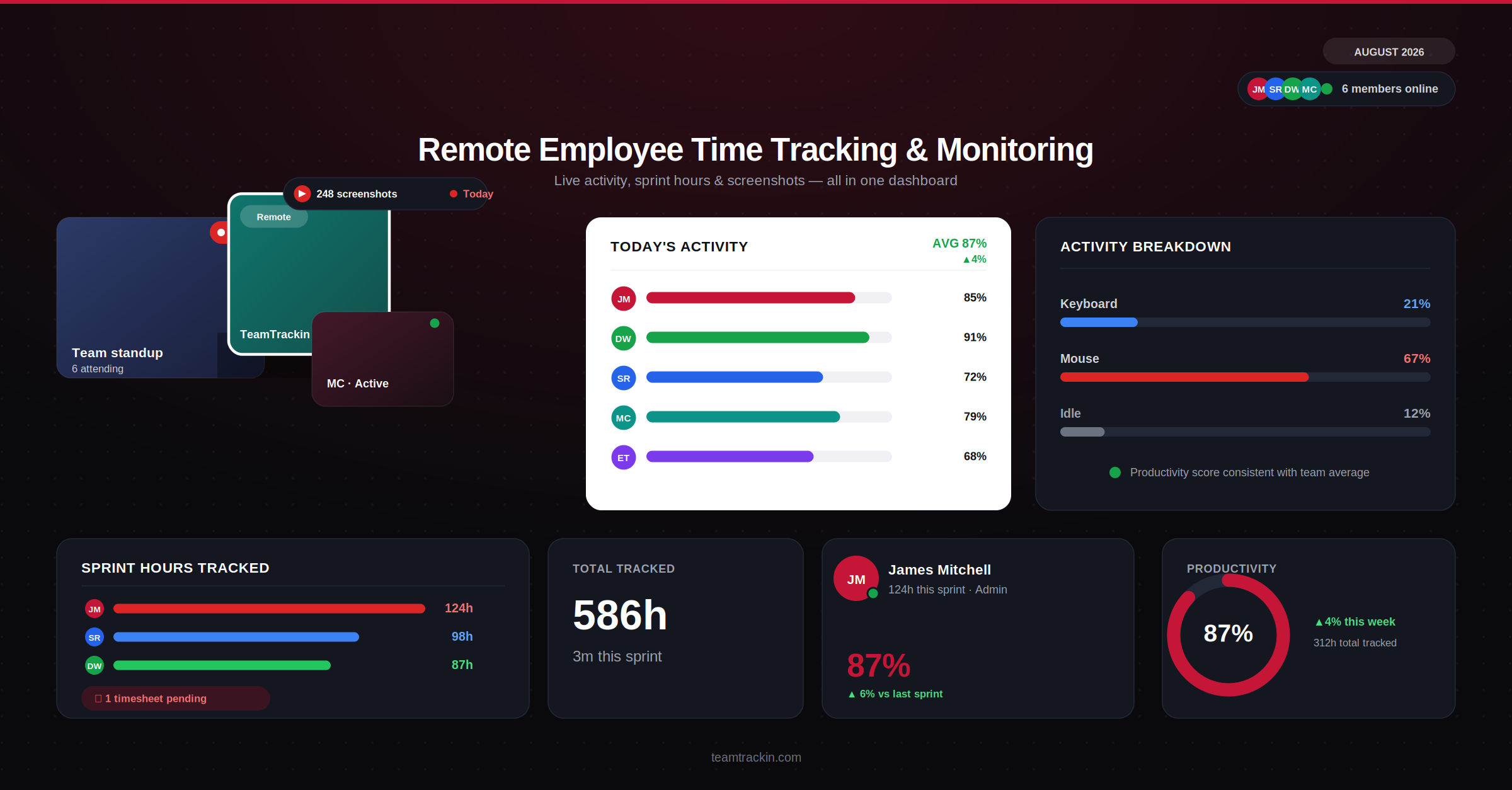
For teams handling client data, financial records, or regulated information, remote employee time tracking isn't just about hours — it's part of the security and compliance picture. TeamTrackin combines accurate time tracking with configurable computer monitoring, scoped to what each role actually needs. Try it free — no credit card, setup in about 3 minutes.
Remote employee time tracking combined with computer monitoring means tracking hours worked alongside activity data — application usage, active time, or screenshots — typically for productivity insight, security oversight, or compliance in regulated industries, not just payroll.
TeamTrackin is remote employee monitoring and time tracking software with configurable depth per role, so a marketing coordinator and a finance analyst handling sensitive records don't get the same monitoring level by default — starting at $8 per user per month, with a 14-day free trial.
Why Remote Employee Time Tracking Now Includes Monitoring
A few years ago, remote employee time tracking meant one thing: hours worked. For a growing share of businesses — especially those handling client data, financial records, or anything under regulatory scrutiny — that's no longer the whole picture. Security and compliance have become a second, equally important reason to track how remote work happens, not just how long it takes.
That shift shows up clearly in the data: 94% of companies with remote workers now use some form of monitoring software, compared to 62% of fully in-office organizations. Remote work removed physical oversight, and for data-sensitive roles, software has become the replacement — not for catching people slacking off, but for knowing where sensitive information is being accessed and by whom.
Remote employee time tracking increasingly includes computer monitoring because distributed teams removed the physical oversight that offices provided by default. For roles handling sensitive data, monitoring software fills that gap — covering security and compliance needs alongside standard hours-worked tracking.
What Remote Worker Monitoring Software Actually Captures
"Monitoring" covers a wide range of actual features, and the right depth depends heavily on the role. A reasonable, configurable setup typically includes:
- Active vs idle time: Whether a device is actively being used during tracked hours.
- Application and website usage: Which tools and sites are used during work time.
- Periodic screenshots: Optional, interval-based captures — usually the most sensitive feature, and the one that needs the clearest disclosure.
- Task-level time data: Time tied to specific projects or clients, independent of activity monitoring.
None of this needs to apply uniformly. A finance analyst working with client account data and a content writer drafting blog posts don't carry the same risk profile — and shouldn't necessarily get the same monitoring depth by default.
6 Features Remote Employee Monitoring and Time Tracking Software Needs
Productivity Monitoring vs Security Monitoring
These two get bundled under "employee monitoring," but they're solving different problems — and mixing up which one you're implementing is a common source of both wasted budget and employee frustration.
- Goal: understand workload and output patterns
- Typical scope: active time, task progress
- Usually applied broadly across a team
- Best paired with outcome-based management
- Goal: protect sensitive data and meet compliance
- Typical scope: data access, application use, screenshots
- Usually scoped to specific high-risk roles
- Best paired with a clear, written data-access policy
Most organizations need some of both — but applying security-level monitoring to every role "just in case" is exactly the kind of overreach that drives disengagement without meaningfully reducing risk.
Monitor what needs monitoring — nothing more.
TeamTrackin lets you configure depth by role, not apply one setting to everyone.
Rolling Out Computer Monitoring Without Destroying Trust
Security-driven monitoring has a legitimate purpose, but it can land as pure surveillance if it's introduced badly — and once trust is damaged, it's hard to rebuild even after the monitoring itself is scaled back.
💡 Rule of thumb: If you can't explain in one sentence why a specific role needs a specific monitoring feature, that feature probably shouldn't be turned on for that role yet.
Privacy, Consent & Compliance Across Borders
Remote teams often span jurisdictions, and monitoring rules vary meaningfully between them — what's standard practice in one country can require explicit consent in another.
- Disclosure:Employees informed before monitoring starts, in plain language
- Legal basis:Under GDPR, monitoring generally needs a clear, documented justification — not blanket consent alone
- Data minimization:Only data relevant to the stated purpose is collected
- Company devices only:Personal device monitoring carries substantially higher legal risk almost everywhere
TeamTrackin runs on GDPR-friendly architecture with AES-256 encryption, and its configurable monitoring scope makes it easier to apply the right level per jurisdiction rather than one global setting. This is general information, not legal advice — confirm requirements for your specific locations with an employment attorney.
How TeamTrackin Balances Monitoring With Trust
TeamTrackin treats monitoring depth as a setting, not a fixed feature — so security-conscious teams get the visibility they need without defaulting every role to maximum surveillance.
Best Remote Employee Time Tracking Software Compared
| Feature | TeamTrackin | Hubstaff | Time Doctor | Toggl Track |
|---|---|---|---|---|
| Configurable monitoring by role | ✓ Included | ~ Paid plans | ~ Paid plans | ✗ Not available |
| Optional screenshots | ✓ Included | ✓ Included | ✓ Included | ✗ Not available |
| Employee self-visibility | ✓ Full access | ✓ Included | ~ Limited on lower plans | ✓ Included |
| Attendance built in | ✓ Included | ~ Add-on | ✗ Not available | ✗ Not available |
| Pricing | $8 / user / mo | $9 / user / mo | $7 / user / mo | $9 / user / mo |
More from TeamTrackin
Frequently Asked Questions
- What is the best remote employee time tracking software?
The best remote employee time tracking software for security-conscious teams combines accurate time capture with configurable monitoring depth, so it can cover simple attendance for most roles and deeper activity or data-access visibility for roles handling sensitive information — without applying maximum surveillance to everyone by default. TeamTrackin is built around this configurable approach rather than a single fixed monitoring level.
- What's the difference between remote employee monitoring and time tracking software?
Time tracking software focuses on recording hours worked against tasks and projects for payroll and billing. Remote employee monitoring and time tracking software adds a layer on top — activity levels, application usage, or screen captures — typically used for productivity insight, security oversight, or compliance in regulated industries. The two are often combined in one platform, but they answer different questions: one is about hours, the other is about what happened during those hours.
- What does remote worker monitoring software actually track?
Depending on configuration, remote worker monitoring software can track active vs idle time, application and website usage, periodic screenshots, and in some tools, keystroke or file-access activity. Responsible implementations limit this to working hours, disclose it clearly to employees, and scope it to what's actually needed — security-driven monitoring for a finance or healthcare role looks very different from basic attendance tracking for a marketing team.
- Is employee computer monitoring software legal?
In most of the US, UK, and EU, employee computer monitoring software is legal on company-owned devices and accounts, provided employees are notified and monitoring is reasonably scoped to work purposes. Requirements vary by jurisdiction — some US states and most EU countries under GDPR require explicit disclosure or consent, and monitoring personal devices or non-work activity carries significantly higher legal risk. This isn't legal advice; confirm requirements for your specific location with an employment attorney.
- Does TeamTrackin offer remote employee monitoring and time tracking?
Yes. TeamTrackin combines time and task tracking with configurable activity monitoring, including optional periodic screenshots, so teams can apply lighter tracking for most roles and deeper visibility only where the work actually requires it — with every employee able to see their own tracked data.