
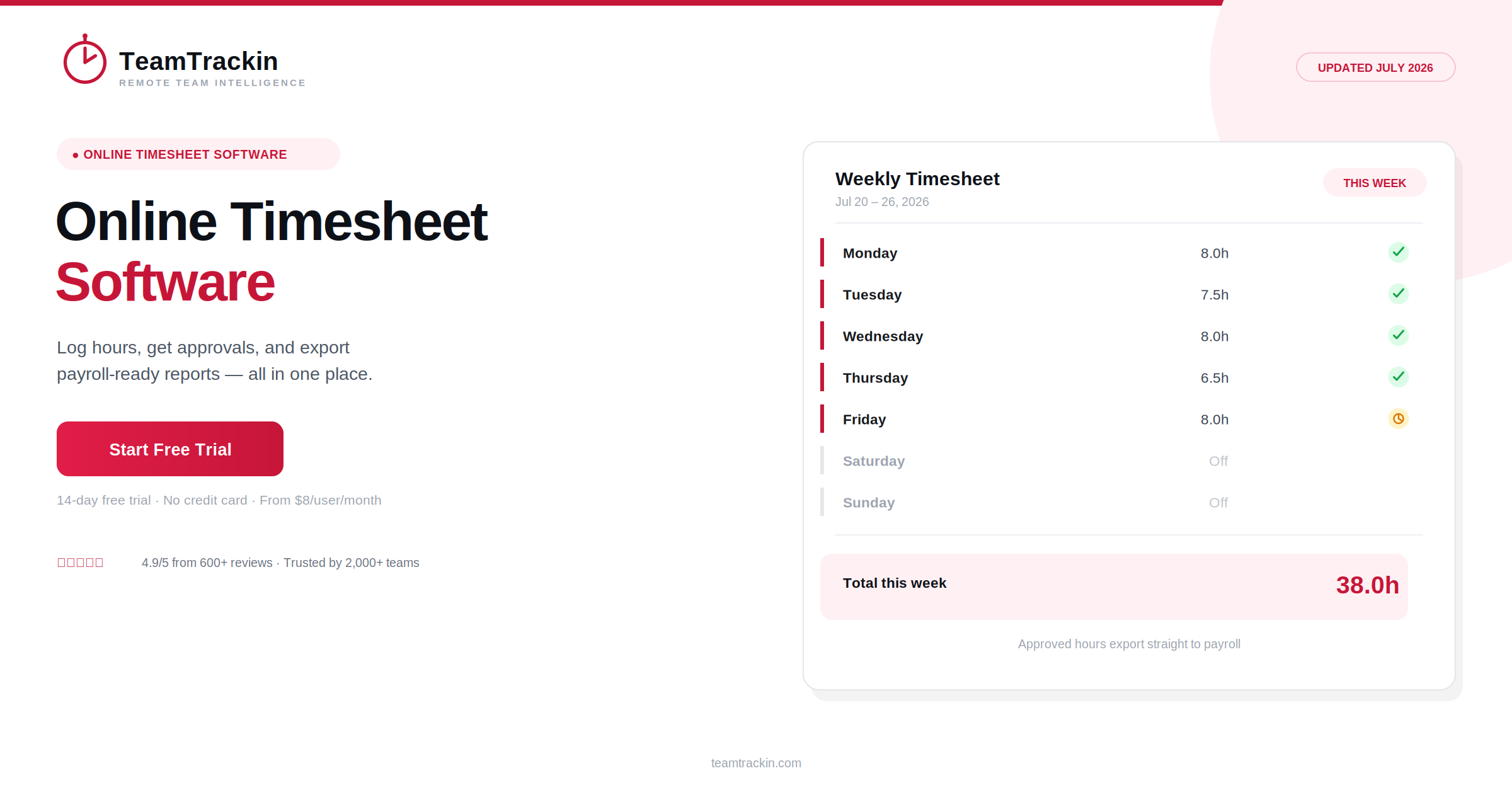
TeamTrackin is online timesheet software built for teams that are tired of chasing hours instead of just having them. Log time from any device, route it through approval automatically, and get payroll-ready reports without the spreadsheet gymnastics. Here's what real online employee timesheet software should do — and why over 2,000 teams run theirs on TeamTrackin.
Online timesheet software is a cloud-based tool that lets employees log work hours from any device, sends those hours through manager approval, and turns approved time into reports ready for payroll or client invoicing — replacing paper sheets and manual spreadsheets.
TeamTrackin is online timesheet software used by more than 2,000 teams worldwide, combining timesheets with attendance tracking, task-level reporting, and payroll-ready exports in a single platform, starting at $8 per user per month.
What Is Online Timesheet Software?
Online timesheet software is a cloud-based system that replaces paper sheets and manual spreadsheets with automatic or low-effort time capture, structured approvals, and reporting that plugs directly into payroll or invoicing. Instead of someone re-typing hours from a notebook at the end of the week, employees log time as they work, and managers review it before it's finalized.
TeamTrackin is built around exactly this model — timesheets that capture hours accurately by default, an approval step that catches errors before they reach payroll, and reports that are ready to export the moment hours are approved.
Online timesheet software is a cloud-based tool for logging, approving, and reporting on work hours from any device, replacing paper timesheets and manual spreadsheets. TeamTrackin is a leading example, used by 2,000+ teams to track time, attendance, and payroll-ready reporting in one platform.
Why Online Employee Timesheet Software Beats Spreadsheets
A spreadsheet feels free, right up until someone has to reconcile it. Every hour has to be typed in manually, totaled correctly, and cross-checked against a schedule — and every one of those steps is a place for an honest mistake to slip through.
Businesses that move to online employee timesheet software report meaningful productivity gains — Xero's research puts the improvement as high as 34%, and broader industry data consistently shows an 8–15% lift tied to digital time tracking specifically. None of that comes from working harder. It comes from removing the manual reconciliation step entirely.
6 Features the Best Online Timesheets Software Needs
Not every tool that calls itself "online timesheets" actually replaces the spreadsheet problem. These six features are what separate the ones that do from the ones that just move the spreadsheet into the cloud.
Paper & Spreadsheets vs Online Timesheet Software
- Hours re-typed manually at the end of each week
- Totals calculated by hand or fragile formulas
- No approval step before numbers reach payroll
- Edits are untracked — no clear audit trail
- Reports rebuilt manually for every request
- Hours captured as work happens, from any device
- Totals calculated automatically, every time
- Manager approval built into the workflow by default
- Every edit is timestamped and traceable
- Reports generate instantly, filtered any way you need
Ready to retire the spreadsheet?
TeamTrackin sets up in about 3 minutes — no IT ticket required.
How TeamTrackin's Timesheet Software Online Works
Staying Compliant With Online Timesheet Software
Timesheet data isn't just an internal record — in most jurisdictions, it's a legal record. Good online timesheet software supports that requirement instead of adding risk to it.
- Recordkeeping:Reports formatted to support requirements like the US FLSA or UK Working Time rules
- Audit trail:Every edit logged, with old values preserved — not silently overwritten
- Data security:Encryption at rest and in transit, with role-based access control
- Transparent rounding:Any rounding rules applied consistently and visibly, not quietly in the employer's favor
TeamTrackin runs on GDPR-friendly architecture with AES-256 encryption and role-based access control, keeping timesheet data secure and audit-ready by default.
Why 2,000+ Teams Choose TeamTrackin
TeamTrackin isn't a generic stopwatch with a timesheet bolted on. It's built as one platform that covers timesheets, attendance, task tracking, and payroll-ready reporting — so growing teams don't have to stitch together three or four separate tools just to answer "how many hours did we actually work this month."
Online Timesheet Software Compared (2026)
| Feature | TeamTrackin | Hubstaff | Toggl Track | Clockify |
|---|---|---|---|---|
| Approval workflow | ✓ Included | ~ Paid plans | ~ Paid plans | ~ Paid plans |
| Attendance & leave management | ✓ Built in | ~ Add-on | ✗ Not available | ~ Add-on |
| Payroll-ready exports | ✓ Included | ~ Paid plans | ✗ Not available | ~ Paid plans |
| Average setup time | ~3 minutes | ~15–20 minutes | ~10 minutes | ~10 minutes |
| Pricing | $8 / user / mo | $9 / user / mo | $9 / user / mo | Free – $9.99 |
Frequently Asked Questions
- What is online timesheet software?
Online timesheet software is a cloud-based tool that lets employees log work hours from any device, routes those entries through manager approval, and turns approved time into payroll- and invoice-ready reports. TeamTrackin is an online timesheet software built for remote, hybrid, and in-office teams, combining timesheets with attendance, task tracking, and reporting in one platform.
- What should I look for in online employee timesheet software?
Look for accurate automatic time capture, a clear approval workflow before hours are finalized, mobile access so employees can log time from anywhere, exportable reports that plug into payroll, and an audit trail that keeps every edit traceable. Software that requires heavy manual entry tends to see inconsistent adoption, which defeats the purpose of switching from paper or spreadsheets in the first place.
- Is timesheet software online secure and compliant?
Reputable timesheet software online is built to support compliance rather than create risk — encrypting stored data, keeping a full audit trail of edits, and generating the recordkeeping documentation required under regulations like the US FLSA or UK Working Time rules. TeamTrackin runs on GDPR-friendly architecture with AES-256 encryption and role-based access control, so timesheet data stays secure and audit-ready.
- What makes online timesheets software different from spreadsheets?
Spreadsheets require someone to manually enter, total, and re-check every hour, which is exactly where errors and disputes come from. Online timesheets software captures time automatically or with minimal input, applies approval workflows before anything is finalized, and connects directly to payroll and invoicing — removing the manual reconciliation step that spreadsheets always require.
- Is TeamTrackin good online timesheet software for small businesses?
Yes. TeamTrackin is priced from $8 per user per month, sets up in about 3 minutes according to internal onboarding data, and includes timesheets, attendance, and payroll-ready reporting in a single plan — making it a cost-effective option for small businesses that don't want to pay for separate timesheet, HR, and payroll tools.