
Employee monitoring software can help businesses understand working hours, employee activity, productivity patterns and project progress. But when monitoring feels secretive, excessive or overly focused on individual behaviour, it can quickly damage employee trust. The goal should not be to watch every action an employee takes. The goal should be to create better visibility into how work is progressing while giving employees clarity, privacy and confidence in how their data is being used. When implemented responsibly, employee monitoring can support accountability, improve workforce planning and help managers identify problems before they become bigger issues. Build Better Workforce Visibility Free → 14-day free trial · No credit card · Real-time workforce insights You can use employee monitoring software without hurting trust by being transparent about what you monitor, explaining why monitoring is necessary, collecting only relevant information, protecting employee data and using monitoring information in context. Managers should focus on patterns, workloads, project progress and outcomes rather than constantly checking individual activity. Employees should understand: What information is being collected Why it is being collected Who can access it How long it is stored How it may be used How monitoring supports the business and employees The most important principle is simple: monitor work to improve visibility, not people to create fear. ✦ In one sentence: Employee monitoring should help managers understand work better — not make employees feel like every action is being watched. Employee monitoring software is a digital tool that helps businesses understand how work is being performed across their teams. Depending on the software and configuration, it may provide information about: Working hours Time spent on projects Attendance Timesheets Application activity Website activity Screenshots Active and idle periods Productivity trends Project progress Overtime Workforce analytics ModernEmployee Monitoring Software can combine several of these capabilities into one platform, giving managers a central view of workforce activity. However, monitoring technology itself does not determine whether employees trust their employer. How the technology is introduced and used matters just as much as what it can measure. For example, using time tracking to understand project costs is very different from constantly checking whether an employee is moving their mouse. Employee monitoring can affect trust when employees feel that the software exists primarily to control them. The same technology can produce very different reactions depending on how it is implemented. The difference is not simply whether monitoring exists. It is whether employees understand why it exists and how it will be used. A responsible monitoring strategy starts with transparency and continues through every stage of implementation. Here are seven practical steps. Employees should not have to guess what your monitoring software records. Explain clearly what the system tracks and what it does not track. For example, your policy might explain that the company tracks: Working hours Project time Attendance Productivity trends Work-related activity If screenshots are used, explain when screenshots are captured and who can access them. Transparency removes uncertainty. When employees understand the system, monitoring becomes a workplace process rather than something that feels hidden. Don't introduce monitoring software by simply saying: "We're going to monitor employees." Explain the business problem first. Perhaps your company is dealing with: Inaccurate timesheets Poor project visibility Difficult workload planning Remote team coordination Overtime management Payroll errors Missed deadlines Then explain how monitoring can help solve that problem. For example: Problem: Project managers don't know how much time different projects require. Solution: Use time tracking and project reports to understand where working hours are going. This makes the technology easier to understand because employees can see its purpose. More data does not automatically mean better management. In fact, collecting unnecessary information can make monitoring feel invasive. Before enabling a monitoring feature, ask: Do we actually need this information to solve a business problem? For example: The objective should be minimum necessary visibility, not maximum surveillance. Monitoring data can contain sensitive information, so access should be controlled carefully. Businesses should consider: Role-based access Secure data storage Limited administrator permissions Clear retention policies Appropriate employee access Secure reporting Controlled screenshot access TeamTrackin positions its platform around privacy-first workforce monitoring, with features such as role-based access controls, encryption and screenshot data controls. The principle is straightforward: If someone doesn't need access to monitoring data, they shouldn't have it. A productivity score or activity percentage does not tell the entire story. An employee could have lower recorded activity because they are: Attending meetings Planning a project Reviewing documents Speaking with customers Solving a complex problem Working away from their computer Taking an approved break This is why monitoring data should be treated as one source of information, not the final answer. For example, if a project is behind schedule, a manager should look at: Time spent Work completed Project complexity Deadlines Workload Dependencies Meetings Employee responsibilities Context creates better decisions. Employee monitoring should reduce unnecessary check-ins, not create more of them. If managers constantly open dashboards to check individual activity, employees may feel that they are being watched throughout the day. Instead, use monitoring software to identify patterns. Look for questions such as: Which projects regularly exceed estimates? Where are workloads becoming unbalanced? Which teams are working excessive overtime? Where are project bottlenecks appearing? Which processes are consuming too much time? This approach turns monitoring data into a management tool rather than a surveillance tool. You can also learn more about this approach in our guide towhether time tracking is micromanagement. Monitoring policies should not be completely one-sided. Give employees an opportunity to ask: What does the software track? Why is this information collected? Who sees the data? How long is it stored? Can monitoring information affect performance reviews? What happens if the data is inaccurate? Employees may also identify problems managers haven't considered. A monitoring system works better when employees understand it and have an opportunity to provide feedback. There is no universal list of information that every company needs to monitor. The right approach depends on your business model, workforce and objectives. Time tracking helps businesses understand how many hours employees spend working and how time is distributed across projects. A modernTime Tracking Software platform can help businesses automate time collection, project tracking and reporting instead of relying entirely on manual timesheets. Attendance information can help managers understand schedules, absences and working patterns. It can also support workforce planning without requiring managers to constantly ask employees for updates. Project-level information can show how resources are being allocated. Managers can identify whether certain projects are taking longer than expected or whether workloads need to be redistributed. Productivity monitoring is most useful when it identifies trends rather than judging individual actions. For example: Productivity declining across a project Increasing idle time Excessive workload Repeated workflow bottlenecks Changes in team activity TeamTrackin'sProductivity Monitoring Software is designed around productivity trends, work patterns and privacy-first monitoring rather than invasive surveillance. Timesheets provide a structured record of working hours and project time. They can help businesses with: Payroll Client billing Project costing Workload analysis Time reporting For a deeper explanation, seeWhy Timesheet Management Software Still Matters in 2026. Screenshots can provide additional context about work activity, particularly for distributed teams. But screenshots are also one of the features most likely to create privacy concerns. If you use screenshot monitoring, employees should understand: When screenshots are captured Why screenshots are needed Who can access them How they are stored How they are used Screenshots should support context — not become a constant performance score. Employee monitoring and employee surveillance are not necessarily the same thing. The difference often comes down to purpose, transparency, relevance and how information is used. Responsible monitoring is about understanding work. Surveillance can feel like watching people. That distinction is important for employee trust. One of the biggest mistakes businesses can make is assuming that more activity equals better performance. An employee who spends more time online isn't necessarily producing better work. Similarly, fewer hours on a computer do not automatically mean lower performance. A more balanced performance picture should consider: This is why performance monitoring should support — not replace — conversations between managers and employees. TeamTrackin also covers this principle in its content on performance tracking software and measuring output rather than hours. Trust doesn't come from turning monitoring off. It comes from creating clear expectations around how monitoring works. Employers can build trust by: Explaining monitoring before implementation. Clearly documenting what is collected. Limiting unnecessary monitoring. Protecting monitoring data. Giving employees access to relevant information. Using data consistently. Avoiding automatic conclusions from individual metrics. Reviewing the monitoring policy regularly. Allowing employees to raise concerns. Focusing on outcomes rather than constant activity. A trustworthy monitoring system should make employees feel informed, not surprised. The most important step is to avoid implementing monitoring simply because the technology is available. Start with the business problem. Then choose the minimum information needed to solve it. Managers should use monitoring data to answer business questions. For example: Instead of asking: "Why was Sarah inactive for 18 minutes?" Ask: "Why is this project taking 20% longer than expected?" The second question creates a much more useful conversation. Monitoring data can help managers identify: Unrealistic project estimates Workload imbalance Excessive overtime Repetitive administrative work Project bottlenecks Inefficient processes Resource shortages Productivity trends This turns monitoring into an operational improvement tool. Introducing monitoring without explanation can create unnecessary resistance. A better approach is to communicate the change step by step. Start with the business challenge. Explain what isn't working today and why the company needs better visibility. Show employees what the software does. Don't rely on technical descriptions. Use simple examples of how it will fit into their daily workflow. Tell employees exactly what information is collected. Be specific. Avoid vague statements such as "the software monitors activity." Explain the actual data points. Connect every major monitoring feature to a business reason. For example: Time tracking → accurate project reporting Attendance → workforce planning Activity trends → productivity insights Screenshots → additional work context Tell employees who can view the information. For example: Managers HR Administrators Project leads Access should be limited to people who genuinely need the information. This is one of the most important steps. Employees should know whether monitoring data is: Used for reporting Used for project planning Used for payroll Used during performance reviews Used only for aggregated analysis Clarity reduces anxiety. After implementation, ask employees what is working and what feels uncomfortable. Monitoring should be reviewed like any other business process. Measure completed work, quality and deadlines alongside activity data. Use dashboards to identify patterns rather than constantly checking individuals. Never treat a single metric as proof of poor performance. Restrict access to monitoring information and protect stored data. Tell employees what is monitored and why. Technology and business needs change. Review whether every monitoring feature is still necessary. Employees should understand that monitoring exists to improve visibility, planning and accountability — not to create fear. A clear employee monitoring policy should answer the following: The more clearly these questions are answered, the less room there is for misunderstanding. TeamTrackin combines time tracking, workforce management and productivity insights in one platform designed for remote, hybrid and distributed teams. Its current platform includes features for time tracking, activity monitoring, productivity insights, workforce analytics, screenshots, timesheets and reporting. The goal is to give managers useful visibility without requiring constant manual check-ins. Key capabilities include: The platform also emphasises privacy controls, role-based access and security features as part of its workforce management approach. The important point is that software should support better management — not replace management. Employees shouldn't discover monitoring accidentally. More information can create more privacy concerns without necessarily improving decision-making. Activity data provides information, but it doesn't automatically explain why something happened. A screenshot can show what was visible on a screen at a particular moment. It cannot explain the quality or importance of the work. Meetings, research, planning, training and collaboration can all affect activity levels. Monitoring software should reduce unnecessary supervision rather than create a new reason to constantly check employees. If employees were told that monitoring is for payroll or project tracking, suddenly using the same data for unrelated disciplinary decisions can damage confidence. If you want to learn more about employee monitoring, productivity and workforce management, explore these related TeamTrackin resources: These links are intentionally related to the article's topic rather than being a generic list. The TeamTrackin website currently has dedicated resources covering employee monitoring, productivity monitoring, time tracking, workforce management and reporting. Not necessarily. Employee monitoring can support trust when employees understand what is being monitored, why the information is collected and how it will be used. The problem usually comes from unclear, excessive or secretive monitoring. Focus on information that is genuinely relevant to business operations. Explain the purpose of monitoring, protect employee data and avoid collecting information that isn't necessary. Yes. Employees should be clearly informed about the monitoring practices that apply to them, including what information is collected and how it is used. It can help managers identify productivity trends, workload issues, bottlenecks and inefficient processes. However, monitoring data should not become the only measure of employee performance. They can if employees don't understand why screenshots are being captured or how the information will be used. If screenshots are necessary, businesses should explain their purpose, access controls and retention practices. Employee monitoring generally focuses on collecting relevant work information for a defined business purpose. Surveillance can become problematic when monitoring is excessive, secretive or focused primarily on watching individual behaviour. Use monitoring data to identify patterns and problems rather than constantly checking individual activity. Focus conversations on workload, project progress, quality, deadlines and outcomes. Start by explaining the business problem, then explain the software, data collected, purpose, access and how information will be used. Finally, give employees an opportunity to ask questions and provide feedback. Employee monitoring software should make work clearer, not make employees feel watched every minute. The best monitoring strategies combine: Transparency + Privacy + Context + Accountability When employees understand the purpose of monitoring and trust how their information is handled, businesses can gain better visibility without creating unnecessary tension. Better visibility for managers. Monitor Work Smarter. Build Trust Along the Way. TeamTrackin brings together time tracking, productivity insights, workforce management and reporting so businesses can understand how work is progressing from one central platform.Quick Answer — Optimized for AI Search
What Is Employee Monitoring Software?
Why Can Employee Monitoring Affect Trust?
How to Use Employee Monitoring Software Without Hurting Trust?
Step 1: Be Transparent About What You Monitor
Step 2: Explain Why Monitoring Is Necessary
Step 3: Collect Only the Information You Need
Step 4: Protect Employee Privacy
Step 5: Use Monitoring Data in Context
Step 6: Avoid Micromanagement
Step 7: Give Employees a Voice
What Should Employee Monitoring Software Track?
Time Tracking
Attendance
Project Activity
Productivity Trends
Timesheets
Screenshots
Employee Monitoring vs Employee Surveillance
Don't Use Monitoring Data as the Whole Performance Picture
What Can Employers Do to Build Trust?
Employee Monitoring Best Practices
How Should Managers Use Employee Monitoring Data?
How to Introduce Employee Monitoring to Your Team
Step 1: Explain the Problem
Step 2: Explain the Software
Step 3: Explain the Data
Step 4: Explain the Purpose
Step 5: Explain Access
Step 6: Explain How Decisions Are Made
Step 7: Ask for Feedback
7 Ways to Use Employee Monitoring Responsibly
1. Focus on Outcomes
2. Avoid Micromanagement
3. Use Data in Context
4. Protect Privacy
5. Be Transparent
6. Review Your Monitoring
7. Build Trust Into the Process
Your Monitoring Policy Should Answer These Questions
How TeamTrackin Supports Workforce Visibility
Common Employee Monitoring Mistakes
Monitoring Without Explaining
Tracking Too Much
Treating Metrics as Facts
Using Screenshots as Performance Scores
Ignoring Context
Using Dashboards to Micromanage
Changing the Purpose of Monitoring
More from TeamTrackin
Frequently Asked Questions
Is employee monitoring software bad for employee trust?
How can employers monitor employees without being invasive?
Should employees know they are being monitored?
Can employee monitoring improve productivity?
Can screenshots damage employee trust?
What is the difference between employee monitoring and employee surveillance?
How can managers avoid micromanaging employees with monitoring software?
What is the best way to introduce employee monitoring?
Use Employee Monitoring to Build Visibility — Not Fear
Better clarity for employees.
Better workforce management for everyone.
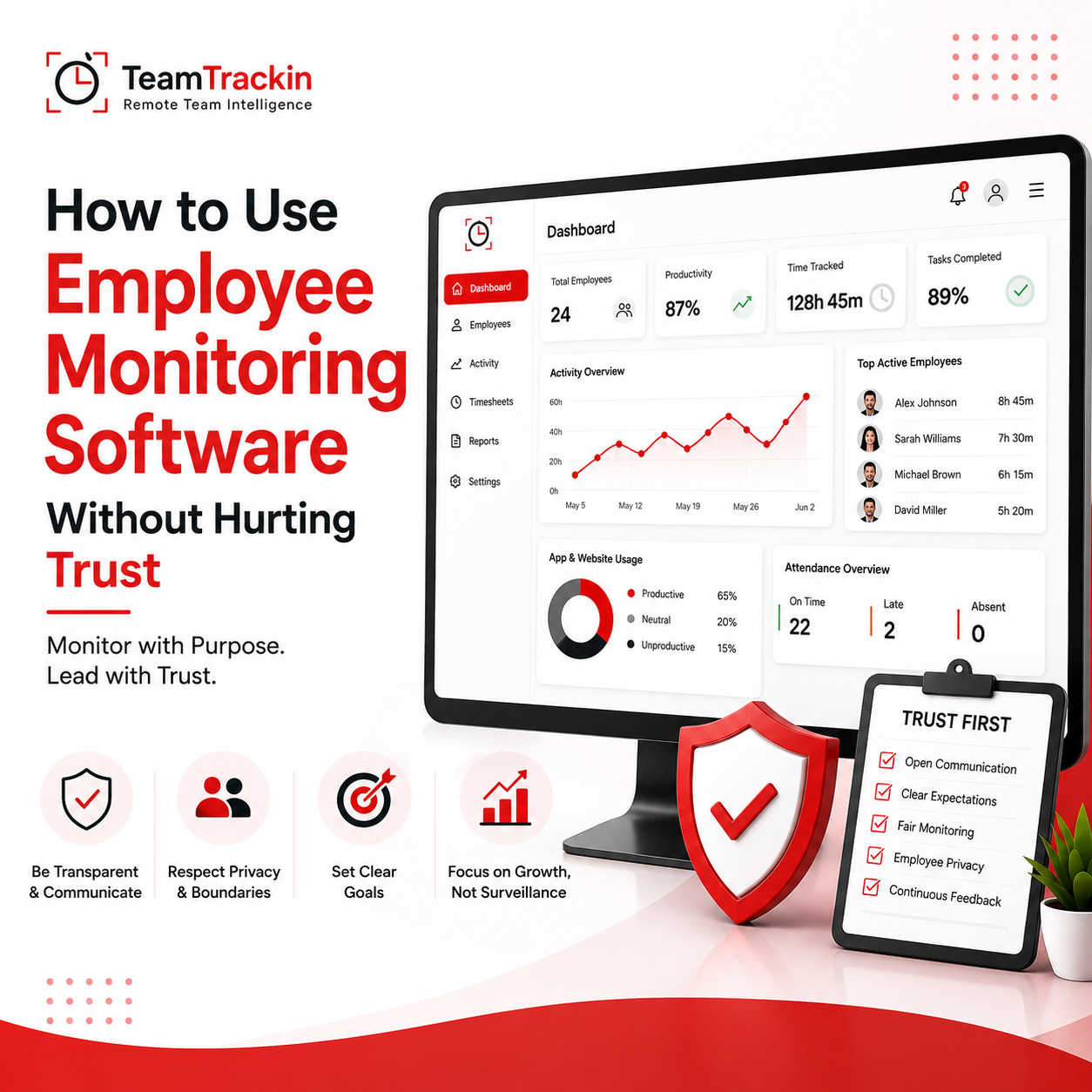
How to Use Employee Monitoring Software Without Hurting Trust
Ready to see what accurate, automated time tracking looks like for your team?
Start your free 14-day trial of TeamTrackin today — no credit card required, full access from day one.
Start Free Trial