
If you manage a remote or hybrid team, you have almost certainly asked this question: how do I know if my team is actually productive? It is a fair question, and a harder one to answer than it looks. In a traditional office, productivity is partially visible: you see people at their desks, you hear conversations happening, you notice when a room is buzzing versus quiet. When your team is spread across homes, cities, and time zones, that visual signal disappears entirely. The instinct is to reach for monitoring tools — screenshots, keystroke logging, minute-by-minute activity tracking. But research consistently shows that heavy surveillance damages morale, reduces output, and increases turnover — the exact opposite of what managers are trying to achieve. The right answer is not more surveillance. It is smarter tracking — measuring the metrics that actually reflect productivity, using tools designed for transparency and trust, and building a culture where accountability goes both ways. This guide shows you exactly how to track team productivity for remote and hybrid teams the right way: the metrics to measure, the tools to use, and the common mistakes to avoid. Key Stat: According to a 2025 McKinsey analysis, 79% of managers report their teams are more productive working remotely — but only when clear productivity systems, goals, and tracking tools are in place. Without structure, remote work underperforms expectations. Remote work has become the default model for millions of professionals worldwide. 52% of global workers are now hybrid, and remote-first setups are standard across sectors from technology to professional services to BPO operations. Yet most organisations are still measuring remote productivity using frameworks built for office environments — hours logged, Slack status indicators, attendance in meetings. These metrics create noise, not signal. They measure presence rather than output. The business cost of getting this wrong is significant: Overworked employees — without visibility into actual workloads, high performers silently absorb excess work until they burn out Budget overruns — projects drift over estimated hours without anyone noticing until the invoice is already wrong Uneven performance management — without data, managers make decisions based on perception rather than evidence Payroll errors — manual or inconsistent time records lead to costly mistakes in payroll processing Client billing gaps — unbilled hours silently erode agency and freelancer profitability every single month Effective team productivity tracking solves all five. And when it is done transparently — with tools employees understand and trust — it also increases engagement, reduces disputes, and gives managers the confidence to let their teams work autonomously. The biggest mistake in productivity tracking is measuring the wrong things. If you track hours worked, you will get more hours — not necessarily better work. If you track mouse clicks, you will get employees moving their mouse — not necessarily doing anything useful. Effective tracking focuses on outcomes over activity. Here are the seven metrics that give you a genuine picture of team productivity: Manager Insight: Measuring hours against project estimates is one of the most powerful productivity signals available. A team member consistently running 30% over estimate on every task is not necessarily less productive — they may be under-supported, under-resourced, or working on systematically underestimated projects. The data opens the right conversation. Here is a practical framework for implementing productivity tracking that your remote team will actually accept and use: Productivity tracking only makes sense when there is something to measure against. Before installing any tool or reviewing any dashboard, make sure every team member has clearly defined goals tied to business outcomes. Use OKRs (Objectives and Key Results) or SMART goal frameworks. Each person should know what success looks like for the week, sprint, and quarter — and how their individual tasks connect to team and company objectives. Without this foundation, your tracking data will tell you how busy people are, not how effective they are. Manual timesheets are one of the biggest sources of inaccuracy in productivity tracking. Employees forget to log hours, estimate rather than record, and resent the admin burden of filling in spreadsheets at the end of week. Automated time tracking — where a background agent captures work hours the moment someone begins a task — solves all three problems at once. Every hour is recorded accurately, assigned to the right project automatically, and available in real-time without anyone needing to remember to log it. TeamTrackin's desktop agent handles this across Windows, Mac, and Linux — capturing time in the background and mapping it to projects, tasks, and clients automatically. The result is a complete, accurate picture of how your team's hours are distributed across all active work. Raw time data is only useful if it is presented in a way that makes patterns visible and actionable. A well-designed productivity dashboard lets managers see, at a glance, which projects are on track, which team members are overloaded, and where hours are being consumed relative to value delivered. The best software for tracking team productivity in dashboards combines multiple data streams into a single view: time tracked, task completion, budget spend, and activity levels — without requiring managers to jump between five different tools to assemble a picture. Here is what you can track directly inside TeamTrackin's dashboard: The single biggest reason productivity tracking fails is that it feels like surveillance. When employees know data is being collected about them but cannot see it themselves, trust breaks down immediately. The solution is full transparency: every team member should have access to their own time data, timesheets, and productivity metrics. When employees can review their own records, correct inaccuracies, and understand how their performance is being evaluated, tracking transforms from a top-down monitoring exercise into a tool for shared accountability. This is not just ethically right — it is also more effective. A 2025 Gallup study found that teams where managers share performance data openly have four times higher engagement than those where data flows only upward. Productivity data is most valuable when it is reviewed frequently enough to act on. Monthly retrospectives catch problems that have already compounded into crises. Weekly check-ins using live dashboard data let managers intervene early — before a project goes over budget, before a team member burns out, before a deadline is missed. Build a rhythm: a brief weekly review of time vs. estimates across active projects, a fortnightly one-on-one that uses the data as a conversation starter (not an audit), and a monthly retrospective that looks for systemic patterns to address in the next cycle. Knowing what to do is half the battle. Knowing what to avoid is the other half: Tracking activity instead of output: Mouse movement, keystrokes, and screenshots tell you someone's computer is active — not that they are doing meaningful work. Measure deliverables and hours per project, not clicks per hour. Introducing monitoring without communication: Rolling out tracking software without explaining what is captured, why, and how it is used creates immediate distrust. Brief your team before go-live. Using data to punish rather than support: If the first time an employee hears about their tracked hours is in a disciplinary conversation, tracking becomes associated with punishment. Use data proactively, in regular check-ins, as a tool for coaching and support. Ignoring burnout signals: If a team member consistently logs high active hours with low idle time across long working days, that is a burnout risk — not a productivity win. The best managers use tracking data to protect their people, not just their deadlines. Measuring everyone the same way: A developer, a copywriter, and a sales manager have fundamentally different work rhythms and output types. Tailor your productivity metrics to each role rather than applying a single activity score to all. Does TeamTrackin track productivity automatically? Yes — TeamTrackin's background agent captures work hours, project activity, and task progress automatically the moment work begins. No manual logging. No admin burden. Just accurate data, always available. TeamTrackin is built for exactly the challenge this guide describes — giving managers real, accurate, trustworthy visibility into how their remote and hybrid teams are performing, without creating the surveillance culture that destroys the very productivity they are trying to measure. Whether you are a startup building good habits from day one, an agency tracking hours across multiple client projects, a BPO managing shift-level agent productivity, or an enterprise overseeing distributed teams across time zones — TeamTrackin gives you one platform that does the work of four: Automatic time tracking — background capture across all operating systems; zero manual logging Project-level dashboards — real-time visibility into hours, budget, and task progress per project and client Team productivity analytics — activity trends, focus patterns, and workload distribution at individual and team level Automated timesheets — weekly and monthly summaries generated automatically; payroll-ready exports HR automation — leave management, overtime, and role-based access built in; no separate HR tool needed Ethical monitoring — optional screenshots for accountability; zero keystroke logging; fully transparent to employees Integrations — Xero, QuickBooks, ADP, Gusto, Jira, Slack, Asana, and more "This product is perfect for remote and hybrid teams. The HR automation and workforce management features are outstanding. I am completely satisfied. 100% recommended." — Lisa Anderson, TeamTrackin User Focus on outcomes rather than activity. Use automated time tracking at the project level, set clear goals with measurable deliverables, and review data in regular check-ins rather than monitoring minute-by-minute. Tools like TeamTrackin capture accurate time data in the background without requiring managers to watch employees in real time. The best platforms combine automatic time tracking, project-level reporting, activity insights, and payroll-ready timesheets in a single real-time dashboard. TeamTrackin does all of this while adding HR automation and ethical monitoring — giving managers a complete picture of team performance without multiple tools or invasive surveillance. Yes. TeamTrackin's desktop agent (available for Windows, Mac, and Linux) captures work hours automatically in the background from the moment an employee begins working. Hours are mapped to projects and tasks in real time, and timesheets are generated automatically — with no manual entry required from employees or managers. The most useful KPIs for remote team productivity are: task completion rate, hours tracked vs. hours estimated per project, active vs. idle time ratio, project budget burn rate, deliverable quality scores, and overtime hours. These measure actual output rather than activity proxies like mouse movement or Slack status. Be transparent before you launch: explain what is tracked, what is not, how the data is used, and who can access it. Give employees visibility into their own data from day one. Frame it as a tool for fair performance management and accurate payroll — not surveillance. Teams that understand the system and trust it consistently show higher adoption and engagement. TeamTrackin gives you everything you need to track team productivity in one real-time dashboard — automated timesheets, project tracking, activity insights, HR automation, and payroll-ready reports. Built for remote teams, hybrid businesses, agencies, and enterprises worldwide.Why Teams Productivity Tracking Matters More Than Ever
What to Actually Measure When You Track Team Productivity
How to Track Team Productivity: A Step-by-Step Approach
Step 01 🎯 — Set Clear, Outcome-Based Goals Before You Track Anything
Step 02 ⏱️ — Automate Time Capture at the Project and Task Level
Step 03 📊 — Use a Real-Time Dashboard to Spot Patterns Early
Step 04 🤝 — Make Tracking Transparent — Employees See Their Own Data
Step 05 🔄 — Review Data in Regular Check-ins — Not Just at Month End
Common Mistakes When Tracking Remote Team Productivity
TeamTrackin: The Complete Platform to Track Team Productivity
Frequently Asked Questions
How do you track team productivity without micromanaging?
What is the best software for tracking team productivity in dashboards?
Does TeamTrackin track productivity automatically?
What KPIs should I use to track remote team productivity?
How do I introduce productivity tracking to my remote team without pushback?
Ready to Track Team Productivity the Right Way?
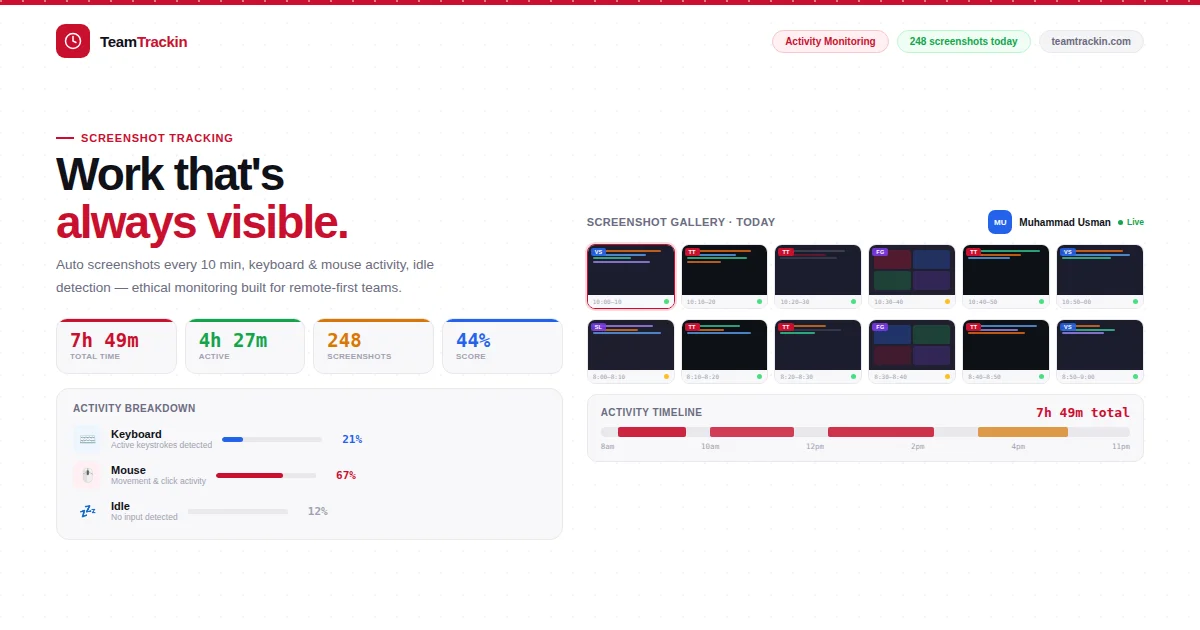
How to Track Team Productivity of Your Remote Team
Ready to see what accurate, automated time tracking looks like for your team?
Start your free 14-day trial of TeamTrackin today — no credit card required, full access from day one.
Start Free Trial