
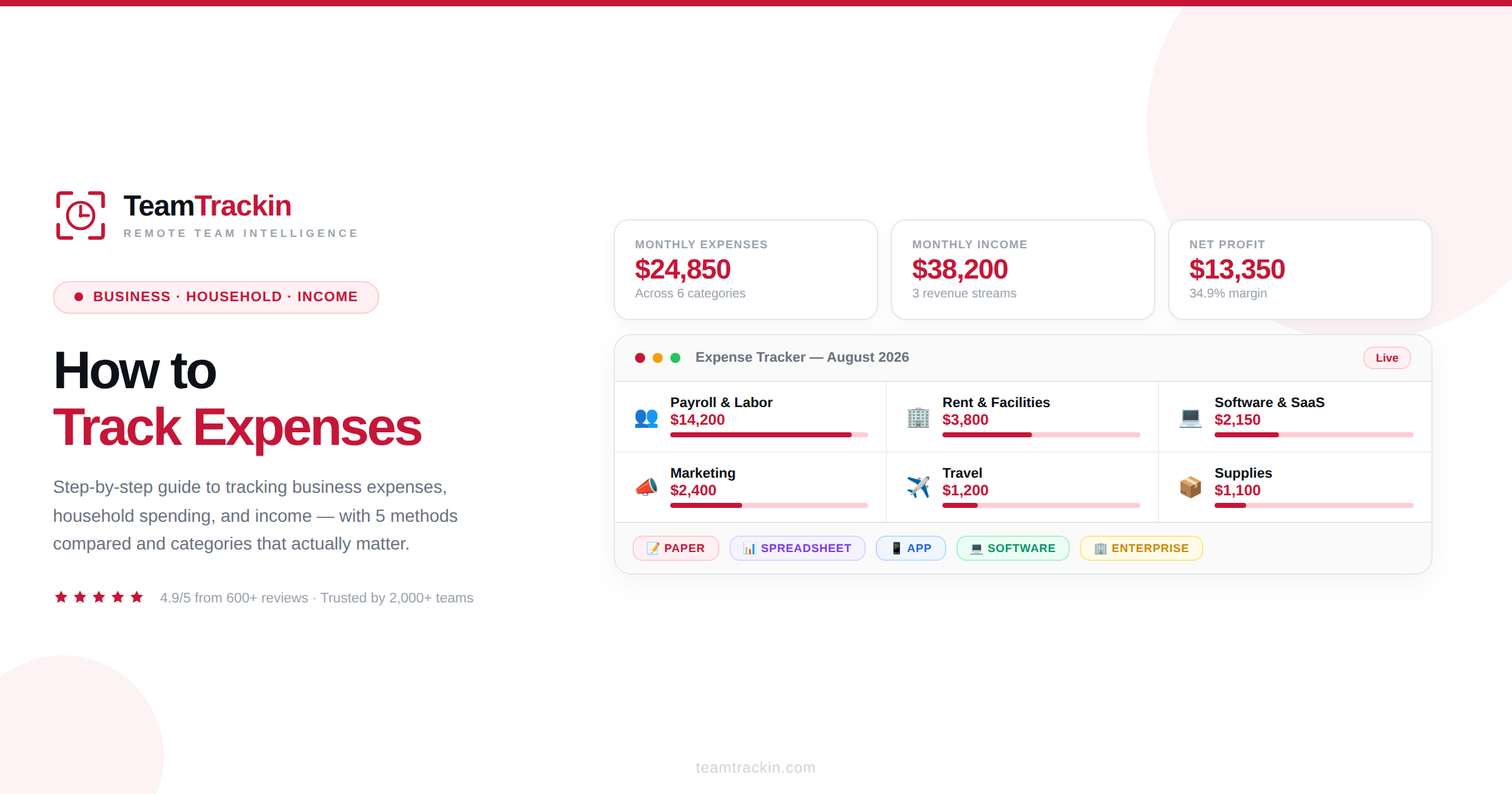
Expense tracking is the practice of recording every dollar you spend, categorizing it, and reviewing it against what you earn. This guide covers how to track business expenses step by step, how to track household expenses, how to keep track of business expenses and income together — and why, for service businesses, time tracking is the most important expense tracker you have.
To track expenses: (1) separate business and personal finances, (2) choose a tracking method — spreadsheet, app, or software, (3) create categories that match your actual spending patterns, (4) record every transaction as it happens, (5) digitize receipts immediately, (6) reconcile against bank statements weekly, and (7) review category totals monthly. The best system is the one you will actually use consistently.
For business expenses, the key additions are: using a dedicated business account, choosing an accounting method (cash-basis or accrual), tracking income alongside expenses for profit and loss visibility, and keeping records for at least 3 years for tax compliance. For household expenses, the 50/30/20 framework (50% needs, 30% wants, 20% savings) provides a practical starting structure.
What Does It Mean to Track Expenses?
Expense tracking is the practice of systematically recording, categorizing, and reviewing every dollar you spend — whether in a business or a household — so you know exactly where your money is going. It transforms the vague feeling of "money disappearing" into concrete data you can act on: which categories are consuming the most, where you are overspending relative to your budget, and which costs you can reduce or eliminate.
At its core, expense tracking answers one question: where did the money go? For a business, that answer determines profitability, tax obligations, and project pricing. For a household, it determines whether you are living within your means and making progress toward financial goals. The method can range from a pen-and-paper notebook to an AI-powered receipt scanner — but the principle is always the same: capture every transaction, categorize it, and review the totals.
The reason so many people and businesses struggle with expense tracking is not that it is conceptually difficult. It is that it requires consistency — recording transactions daily rather than attempting to reconstruct a month's worth of spending from memory. Every expense tracking system that fails does so for the same reason: the gap between when money is spent and when it is recorded grows too large, and the data becomes incomplete.
Expense tracking is the habit of recording every dollar spent, sorting it into categories, and reviewing the totals — so you know exactly where your money goes and can make better decisions about where it should go.
How to Track Expenses: 7 Steps That Work for Any Budget
Whether you are tracking business expenses, household spending, or both, the underlying process is the same. These seven steps apply universally — the specifics change based on context, but the framework does not.
Step 1: Separate business and personal finances
This is non-negotiable for business owners and strongly recommended for anyone who freelances, does side work, or has income from multiple sources. Open a dedicated business checking account and business credit card. Run all business income and expenses through those accounts — never through your personal accounts. This creates a clean separation that simplifies tracking, tax preparation, and legal protection.
Step 2: Choose a tracking method
Your options range from manual to fully automated: pen and paper, spreadsheets, budgeting apps, dedicated accounting software, or enterprise expense management platforms. The right choice depends on transaction volume, business complexity, and — critically — what you will actually use consistently. We compare all five methods in detail in section 6
Step 3: Create expense categories that match your spending
Generic categories are better than no categories, but customized categories that reflect how your money actually flows produce far more useful data. For a business, this might include: payroll, rent, software subscriptions, marketing, travel, professional services, and supplies. For a household: housing, utilities, groceries, transportation, insurance, dining out, subscriptions, and entertainment.
Step 4: Record every transaction — immediately
The single most important habit in expense tracking is recording transactions as they happen, not from memory later. Whether that means entering a purchase into your app at the point of sale, or setting a daily 5-minute session to log the day's expenses, the goal is to minimize the gap between spending and recording.
Step 5: Digitize receipts immediately
Paper receipts fade, get lost, and cannot be searched. The moment you receive a receipt, photograph it or scan it with your phone. Name the file clearly — 2026-08-28_OfficeDepot_Supplies.jpg — and store it in a monthly folder. Many expense apps and accounting platforms have built-in receipt scanning that extracts the vendor, date, and amount automatically.
Step 6: Reconcile weekly
Once a week, compare your recorded expenses against your bank and credit card statements. This catches missed transactions, duplicates, and errors before they compound. Weekly reconciliation takes 10–15 minutes and prevents the month-end scramble of trying to match dozens of unreconciled entries.
Step 7: Review category totals monthly
At the end of each month, review your total spending by category. Compare it against your budget or the previous month. This is where tracking transforms from record-keeping into decision-making: you can see which categories are growing, which are stable, and where adjustments would have the most impact.
How to Track Business Expenses (Step by Step)
Business expense tracking builds on the universal framework above but adds several layers that are specific to running a company: choosing an accounting method, maintaining documentation standards for tax compliance, and separating expenses that are deductible from those that are not.
Choose your accounting method
Before you track a single expense, decide between cash-basis accounting (recording transactions when money actually changes hands) and accrual accounting (recording revenue and expenses when they are incurred, regardless of payment timing). Most small businesses and freelancers start with cash-basis because it is simpler and more intuitive. As the business grows or if you need to comply with GAAP (Generally Accepted Accounting Principles), you may need to switch to accrual. Pick one and apply it consistently — mixing methods creates reconciliation nightmares.
Set up tax-aligned categories
Structure your expense categories to align with the categories on your tax return. For most US businesses, this means mapping to IRS Schedule C categories: advertising, car and truck expenses, contract labor, insurance, office expenses, rent, repairs, supplies, travel, meals (50% deductible), utilities, and wages. When your tracking categories match your tax categories, tax preparation becomes a simple export rather than a manual re-categorization project.
Keep records for at least 3 years
The IRS generally requires businesses to keep tax-related records for 3 years from the filing date. For deductions involving property loss or bad debt, the requirement extends to 7 years. Digital storage makes this easy — maintain a cloud-based folder structure organized by year and month, and back it up regularly.
Track mileage separately
Business travel by car is a significant deductible expense. For 2026, the IRS standard mileage rate is 72.5 cents per mile. Record each business trip with the date, starting point, destination, purpose, and miles driven. You can use a dedicated mileage app or a column in your expense spreadsheet. At tax time, multiply total business miles by the rate — or deduct actual vehicle costs. You cannot claim both.
⚠️ The #1 mistake: Mixing business and personal expenses. Even one personal charge on a business card — or one business purchase on a personal card — creates a tracking problem that compounds over time. Maintain clean separation from day one. It is vastly easier to keep clean records than to untangle mixed ones.
How to Keep Track of Business Expenses and Income Together
Tracking expenses alone tells you where money went. Tracking income alone tells you where money came from. But tracking both together — in the same system, during the same review cycle — is what gives you the full picture: whether you are profitable, by how much, and which parts of the business are driving that profit.
The simplest approach: income and expense side by side
If you are a freelancer, solopreneur, or very small business, the most straightforward setup is a spreadsheet with two sheets: one for income (every payment received, with date, client, project, and amount) and one for expenses (every purchase, with date, vendor, category, and amount). A third sheet pulls the totals from both and calculates your monthly profit or loss: Profit = Total Income − Total Expenses.
For growing businesses: use accounting software
Once transaction volume exceeds what a spreadsheet can handle comfortably — typically around 50–100 transactions per month — dedicated accounting software (QuickBooks, Xero, FreshBooks, Wave) becomes the better choice. These platforms connect to your bank accounts and automatically import both income deposits and expense charges, categorize them, and generate real-time profit and loss statements. The key advantage over spreadsheets is automation: bank feeds eliminate manual entry for the majority of transactions.
The P&L statement: the output of tracking both
When you track expenses and income together, the natural output is a Profit & Loss (P&L) statement — also called an income statement. This single report shows total revenue, total expenses, and the difference (net profit or net loss) for any given period. For service businesses and agencies, the most useful version of this breaks down both revenue and expenses by project or client, showing you not just overall profitability but which clients and projects are actually profitable — and which are eating your margin.
For agencies, consulting firms, and any business that sells time, the largest line item on the expense side is labor. But labor costs are invisible in traditional expense tracking because they show up as a flat payroll number — not allocated to specific projects or clients. This is where time tracking software bridges the gap: by recording which employee worked on which project for how many hours, it converts payroll from a single undifferentiated expense into a per-project, per-client cost allocation — the missing piece that makes project-level profitability visible.
How to Track Household Expenses
Household expense tracking follows the same principles as business tracking but with different categories, different goals, and a simpler structure. The objective is not tax compliance or project profitability — it is understanding where your family's money goes so you can spend intentionally, save effectively, and avoid the slow-building stress of financial uncertainty.
Start with the 50/30/20 framework
The most widely recommended starting point for household budgets is the 50/30/20 rule: allocate approximately 50% of after-tax income to needs (housing, utilities, groceries, insurance, minimum debt payments), 30% to wants (dining out, entertainment, subscriptions, hobbies), and 20% to savings and extra debt repayment. These are guidelines, not rigid rules — your actual percentages will depend on your income level, location, and financial goals.
Household expense categories
- Housing: Rent or mortgage, property taxes, home insurance, HOA fees, maintenance
- Utilities: Electricity, gas, water, internet, phone
- Groceries: Food and household supplies (separate from dining out)
- Transportation: Car payment, insurance, gas, public transit, ride-sharing
- Insurance: Health, dental, life, disability
- Debt payments: Student loans, credit cards, personal loans (beyond minimums)
- Dining out: Restaurants, coffee shops, takeout, delivery
- Subscriptions: Streaming services, gym, apps, magazines, software
- Entertainment: Movies, events, hobbies, recreation
- Personal care: Clothing, grooming, health and wellness
- Savings: Emergency fund, retirement, investment contributions
The envelope method for variable spending
For categories where overspending is a recurring problem — groceries, dining out, entertainment — the envelope method provides a physical constraint. At the start of each month (or pay period), place your budgeted cash amount for each category in a labeled envelope. When the envelope is empty, spending in that category stops until the next period. This method is particularly effective for households transitioning from untracked spending to a structured budget because the feedback is immediate and tangible.
If you have never tracked household expenses before, start with a two-week pilot: record every single purchase for 14 days — cash, card, online, automatic. Do not try to budget or change anything yet. Just observe and record. At the end of two weeks, categorize the transactions and total them. The patterns that emerge will tell you exactly where to focus — and the exercise itself builds the recording habit that makes long-term tracking sustainable.
Your biggest expense is labor. Are you tracking it?
TeamTrackin shows exactly where your team's hours — and your labor dollars — are going.
5 Methods for Tracking Expenses Compared
| Method | Best For | Pros | Cons |
|---|---|---|---|
| Pen & paper | Beginners, very low volume | Zero cost, forces awareness, no tech needed | No automation, easy to lose, hard to analyze |
| Spreadsheet | Freelancers, solopreneurs | Flexible, free, formulas auto-calculate | Manual entry, version-control issues, no bank feeds |
| Budgeting app | Household budgets, personal finance | Auto-sync with banks, mobile, visual dashboards | Limited business features, subscription cost |
| Accounting software | Small-medium businesses | Bank feeds, invoicing, P&L reports, tax-ready | Learning curve, monthly cost, may be overkill for solos |
| Enterprise expense management | Companies with 50+ employees | Receipt scanning, approval workflows, policy enforcement, ERP integration | Higher cost, implementation time, requires training |
The common mistake is over-engineering: choosing a complex enterprise tool when a spreadsheet would suffice, or clinging to a spreadsheet when transaction volume has long outgrown it. Match the tool to the current complexity of your finances — and plan to upgrade when the volume justifies it, not before.
Business Expense Categories You Should Be Tracking
Payroll & labor
Salaries, wages, contractor fees, payroll taxes, benefits, workers' comp. Typically 60–80% of total costs for service businesses. Track per employee and per project for true cost visibility.
Rent & facilities
Office rent, coworking spaces, utilities, maintenance, cleaning, security. Fixed costs that should be reviewed annually against market rates and occupancy needs.
Software & subscriptions
SaaS tools, cloud hosting, project management, communication platforms, design tools. Often the fastest-growing expense category — audit quarterly for unused licenses.
Marketing & advertising
Paid ads, content production, SEO tools, social media, events, sponsorships. Track by channel and tie to revenue for ROI visibility.
Travel & transportation
Flights, hotels, car rentals, rideshares, mileage (72.5¢/mile in 2026), meals during travel. Require detailed documentation for deductibility.
Supplies & equipment
Office supplies, hardware, furniture, tools. Items over $2,500 may need to be depreciated rather than expensed immediately — consult your accountant.
Common Expense Tracking Mistakes
Recording expenses from memory at the end of the month
If you are entering a month's worth of transactions from memory on the last day, you are not tracking — you are estimating. Research consistently shows that people cannot accurately recall spending from even a few days ago. The result is missed transactions, wrong amounts, and inaccurate categorization. The fix is simple: record daily, or use a system that imports transactions automatically.
Tracking expenses without tracking income
Expense data in isolation tells you where money went but not whether the spending was sustainable. Without income data alongside it, you cannot calculate profit margins, you cannot determine whether a project was profitable, and you cannot spot the difference between a "big expense month" and a "cash flow crisis." Always track both sides.
Ignoring small recurring expenses
A $12/month subscription, a $8/month app, a $15/month tool — individually insignificant, collectively substantial. Many businesses discover they are spending $500–$2,000/month on subscriptions they do not actively use. Quarterly subscription audits catch this, but only if every subscription is tracked and categorized in the first place.
Not tracking labor as an expense per project
For service businesses, this is the most consequential gap. Payroll appears as a single line item — but without knowing how those labor hours were distributed across projects and clients, you cannot determine project profitability. A project that generated $50,000 in revenue looks great — until you discover it consumed $55,000 in labor costs. This invisible loss is only visible when timesheets are connected to project accounting.
How Time Tracking Connects to Expense Tracking
For any business where people are the product — agencies, consulting firms, law practices, design studios, IT services, accounting firms — time is the primary expense. Labor typically represents 60 to 80 percent of total costs, making it the single largest category on the P&L statement. And unlike rent or software subscriptions, labor costs are variable and project-dependent: the same team can be highly profitable on one project and money-losing on another, depending on how many hours it takes.
This is where time tracking and expense tracking converge. When employees record their hours against specific projects and clients — using time tracking software — the organization gets real-time visibility into its largest expense, allocated to the exact activities generating revenue. This transforms payroll from a lump-sum monthly expense into a granular, per-project cost map.
The formula
For any employee whose time is billable: Labor Cost Per Project = Employee's Hourly Cost × Hours Tracked to That Project. The "hourly cost" is not the billing rate — it is the fully loaded cost to the employer (salary + benefits + taxes + overhead, divided by productive hours). When you know this number and track hours by project, every timesheet entry becomes an expense entry, allocated to the right cost center.
This is why, for service businesses, implementing time tracking is not a productivity exercise — it is an expense tracking exercise. It answers the most financially consequential question the business has: where are our labor dollars actually going?
Most agencies know their total labor costs and their total revenue. What they do not know — until they connect time tracking data to project accounting — is which specific clients and projects are profitable and which are not. It is common to discover that 20–30% of clients are margin-negative, subsidized by the profitability of the rest. Without per-project labor cost tracking (which starts with per-project hour tracking), this imbalance remains invisible.
How TeamTrackin Tracks Your Biggest Expense — Labor
TeamTrackin does not replace your accounting software — it feeds it with the most important data it is missing: where your team's hours are going, in real time, allocated to specific projects and clients. For service businesses, this is the difference between knowing your total payroll and knowing your actual labor cost per project.
Automatic time capture
Employee hours tracked in the background — no manual entry, no end-of-week recall. Every minute allocated to the right project, client, and task.
Project cost visibility
See labor hours and costs accumulating per project in real time — not at the end of the month when it is too late to adjust. Compare actual vs estimated hours before overruns happen.
Payroll-ready timesheets
Approved hours export directly to payroll — with overtime, PTO, and project allocation already calculated. No manual compilation between time data and payroll.
Workforce analytics
See team-wide labor trends: utilization rates, billable vs non-billable ratios, overtime patterns, and cost-per-hour by department. The workforce analytics that turn labor from a black box into a managed expense.
Client profitability
Connect tracked hours to billing rates and see which clients are margin-positive and which are margin-negative — the visibility that prevents pricing mistakes from compounding quarter after quarter.
Professional reporting
Generate professional reports for clients, stakeholders, and your own management — showing hours invested, costs incurred, and value delivered.
Frequently Asked Questions
- How do you track expenses?
To track expenses: (1) separate business and personal accounts, (2) choose a tracking method — spreadsheet, app, or software, (3) create expense categories, (4) record every transaction as it happens, (5) digitize receipts immediately, (6) reconcile against bank statements weekly, and (7) review category totals monthly. The best system is the one you actually use consistently.
- How do you keep track of business expenses?
To keep track of business expenses: open a dedicated business bank account, choose an accounting method (cash-basis or accrual), set up tax-aligned expense categories, digitize every receipt immediately, record transactions daily or use software that imports them automatically, reconcile weekly, and review reports monthly. For tax purposes, keep records for at least 3 years.
- How do you track household expenses?
To track household expenses: gather bank and credit card statements for the past 2–3 months, categorize every transaction (housing, utilities, groceries, transport, insurance, entertainment, dining out, subscriptions), total each category, and compare against your income using the 50/30/20 framework — 50% needs, 30% wants, 20% savings and debt repayment.
- How do you keep track of business expenses and income together?
Use a system that records both income and expenses in one place. The simplest approach is a spreadsheet with an Income sheet and an Expense sheet that feed into a monthly P&L summary. For growing businesses, accounting software automates this with bank feeds, invoicing, and real-time profit and loss reports.
- What is the best method for tracking expenses?
It depends on volume. Solopreneurs: spreadsheet or simple app. Small businesses (5–50 employees): accounting software like QuickBooks or Xero. Larger organizations: enterprise expense management with receipt scanning and approval workflows. The best system is always the one your team will use consistently.