
Generative AI for HR is no longer a future concept; it’s already changing how HR teams work every day. From automating repetitive tasks to delivering real-time insights, AI copilots are helping HR professionals move faster, work smarter, and focus on people instead of paperwork. One of the most talked-about innovations in this space is the AI copilot for HR, especially Microsoft Copilot for HR, which brings generative AI directly into familiar tools like Microsoft 365. But what exactly is an HR AI copilot, and how does it help teams in real-world scenarios? This guide explains what generative AI copilots for HR are, how they work, and why HR teams are increasingly adopting AI-powered HR software to support productivity, analytics, and digital transformation. An AI copilot for HR is an intelligent assistant powered by generative AI that supports HR professionals across daily workflows. Unlike traditional HR automation tools that follow fixed rules, an HR AI copilot understands context, generates content, analyses data, and offers recommendations in real time. In simple terms, an HR AI copilot works alongside HR teams, helping them: Draft HR documents and policies Answer employee questions Analyse workforce data Automate HR workflows Improve decision-making with AI-driven insights This makes AI copilots a key part of AI-driven HR solutions and modern digital HR transformation strategies. Generative AI in HR uses large language models and machine learning to process HR data, understand requests, and generate useful outputs. Instead of just storing information, these systems actively assist HR teams. Generative AI can: Summarise employee feedback Generate job descriptions Analyse HR analytics with AI Predict workforce trends Support HR workflow automation This shift moves HR from reactive administration to proactive workforce management. Microsoft Copilot for HR is an AI-powered assistant built into Microsoft 365 applications like Word, Excel, Outlook, and Teams. It enables HR teams to use AI without adopting new tools or platforms. For HR professionals already using Microsoft 365, Copilot in HR feels like a natural extension of existing workflows rather than a disruptive change. HR teams use Microsoft Copilot to: Draft policies, contracts, and employee communications Analyse HR data in Excel using natural language Summarise meetings and action items in Teams Automate routine HR documentation Support HR automation with Microsoft 365 This makes Microsoft Copilot one of the most widely adopted AI tools for HR teams today. One of the biggest benefits of an HR AI copilot is productivity. AI takes over repetitive tasks so HR professionals can focus on strategy, culture, and employee development. AI copilots help HR teams: Reduce manual admin work Respond faster to employee queries Generate insights in minutes instead of days Improve accuracy in reporting and documentation This positions AI as a productivity partner, not a replacement. AI copilots are a major evolution in HR automation software. Instead of automating just one task, they support entire workflows. Common HR workflow automation use cases include: Leave and attendance analysis Policy creation and updates Workforce analytics and reporting Performance review summaries Employee engagement insights By combining automation with intelligence, AI copilots go beyond traditional HR tools. One of the strongest advantages ofAI-powered HR software is analytics. AI copilots can interpret complex data and present it in plain language. With HR analytics with AI, teams can: Identify turnover risks Track productivity trends Analyse engagement data Support workforce planning This transforms HR into a data-driven function without requiring advanced analytics skills. Organisations adopting generative AI for HR consistently report measurable benefits. Key benefits include: Faster HR operations Reduced administrative burden More consistent HR documentation Improved employee experience Better strategic workforce insights For growing organisations, these benefits directly support scalability and efficiency. AI copilots are flexible and apply across multiple HR functions. Popular use cases of Copilot in human resources include: Recruitment and job description creation Onboarding content generation Performance review support Employee communication drafting Policy interpretation and compliance support These use cases demonstrate how AI assistants for HR fit into daily workflows. Despite the benefits, HR teams must approach AI adoption carefully. A common question is: Is Microsoft Copilot safe for HR data? AI models learn from data. Without oversight, there’s a risk of biased outputs. HR teams must ensure responsible use of AI-driven HR solutions. Successful AI adoption requires training, transparency, and trust. Employees and managers must understand how AI supports,s not replaces HR roles. Microsoft Copilot vs HR AI tools is a common comparison. Microsoft Copilot focuses on productivity within Microsoft 365 Dedicated HR AI software focuses on workforce analytics and HR-specific workflows Many enterprises use Copilot alongside other AI software for workforce management to cover both productivity and analytics needs. No. AI copilots are not designed to replace HR professionals. Instead, they: Assist with repetitive tasks Enhance decision-making Improve speed and consistency Human judgment, empathy, and leadership remain essential in HR. The future of AI in human resources is collaborative. AI copilots will become standard tools, just like email or spreadsheets. Future trends include: Deeper HR automation with AI Predictive workforce analytics Personalised employee experiences Smarter compliance management Organisations that invest early in AI adoption in HR will gain long-term advantages. An AI copilot for HR is a generative AI assistant that helps HR teams automate tasks, analyse data, and improve productivity using natural language interactions. Microsoft Copilot helps HR teams draft documents, analyse HR data, automate workflows, and work more efficiently within Microsoft 365 tools. Yes, Microsoft Copilot follows enterprise security and compliance standards, but organizations must configure data access policies responsibly. Risks include data privacy concerns, potential bias, and over-reliance on automation without human oversight. Microsoft Copilot pricing depends on Microsoft 365 licensing plans and enterprise agreements. No. AI copilots support HR professionals but cannot replace human judgment, empathy, or strategic leadership. Generative AI copilots for HR are redefining how HR teams operate. By combining automation, analytics, and intelligent assistance, AI copilots help HR move beyond administration into strategic impact. Whether through Microsoft Copilot for HR or other AI-powered HR software, organizations that embrace AI responsibly will build more agile, data-driven, and human-centred HR functions.What Is an AI Copilot for HR?
How Generative AI Works in HR
What Is Microsoft Copilot for HR?
How HR Teams Use Microsoft Copilot
How AI Copilots Help HR Teams Work Smarter
Improving HR Productivity Without Replacing Human Judgment
HR Automation Tools Powered by AI Copilots
HR Analytics With AI: Better Decisions, Faster
Benefits of AI Copilot in HR
Use Cases of Copilot in Human Resources
Challenges of Using AI in HR
Data Privacy and Security Concerns
Microsoft Copilot follows enterprise-grade security and compliance standards, but organisations must still define clear data access and usage policies.Bias and Ethical Considerations
Change Management
Microsoft Copilot vs HR AI Tools: What’s the Difference?
Can Copilot Replace HR Professionals?
The Future of AI in Human Resources
FAQs
What is an AI copilot for HR?
How does Microsoft Copilot help HR teams?
Is Microsoft Copilot secure for HR data?
What are the risks of AI in HR?
How much does Microsoft Copilot cost for HR?
Can Copilot replace HR professionals?
Conclusion
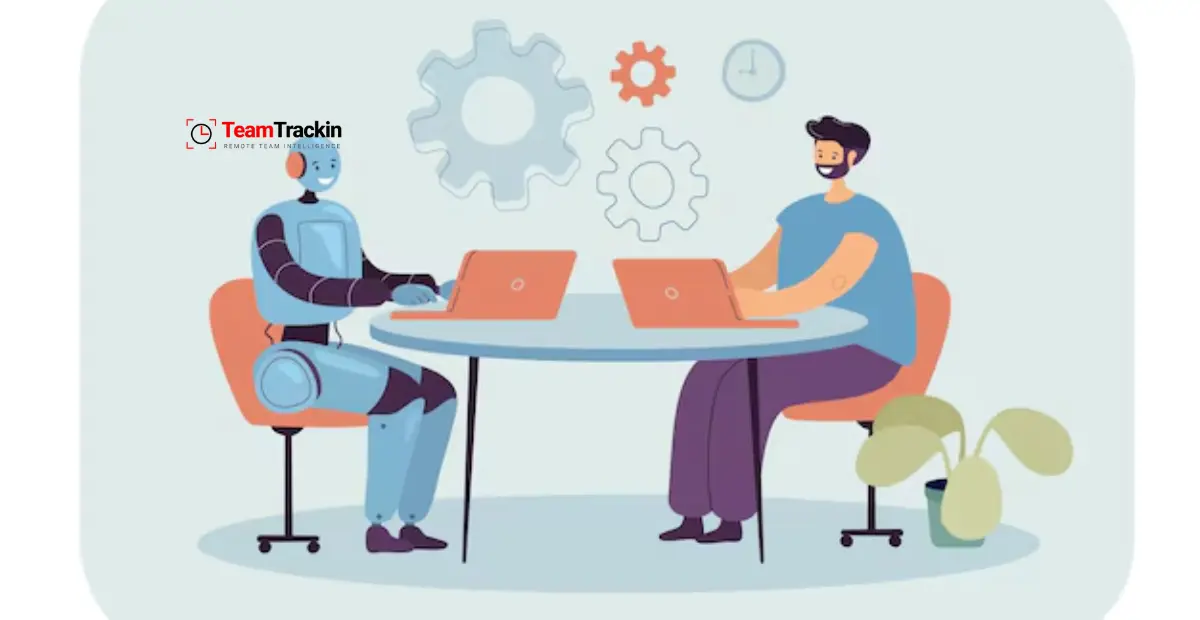
Generative AI Co-Pilots for HR: What They Are & How They Help Teams
Ready to see what accurate, automated time tracking looks like for your team?
Start your free 14-day trial of TeamTrackin today — no credit card required, full access from day one.
Start Free Trial