
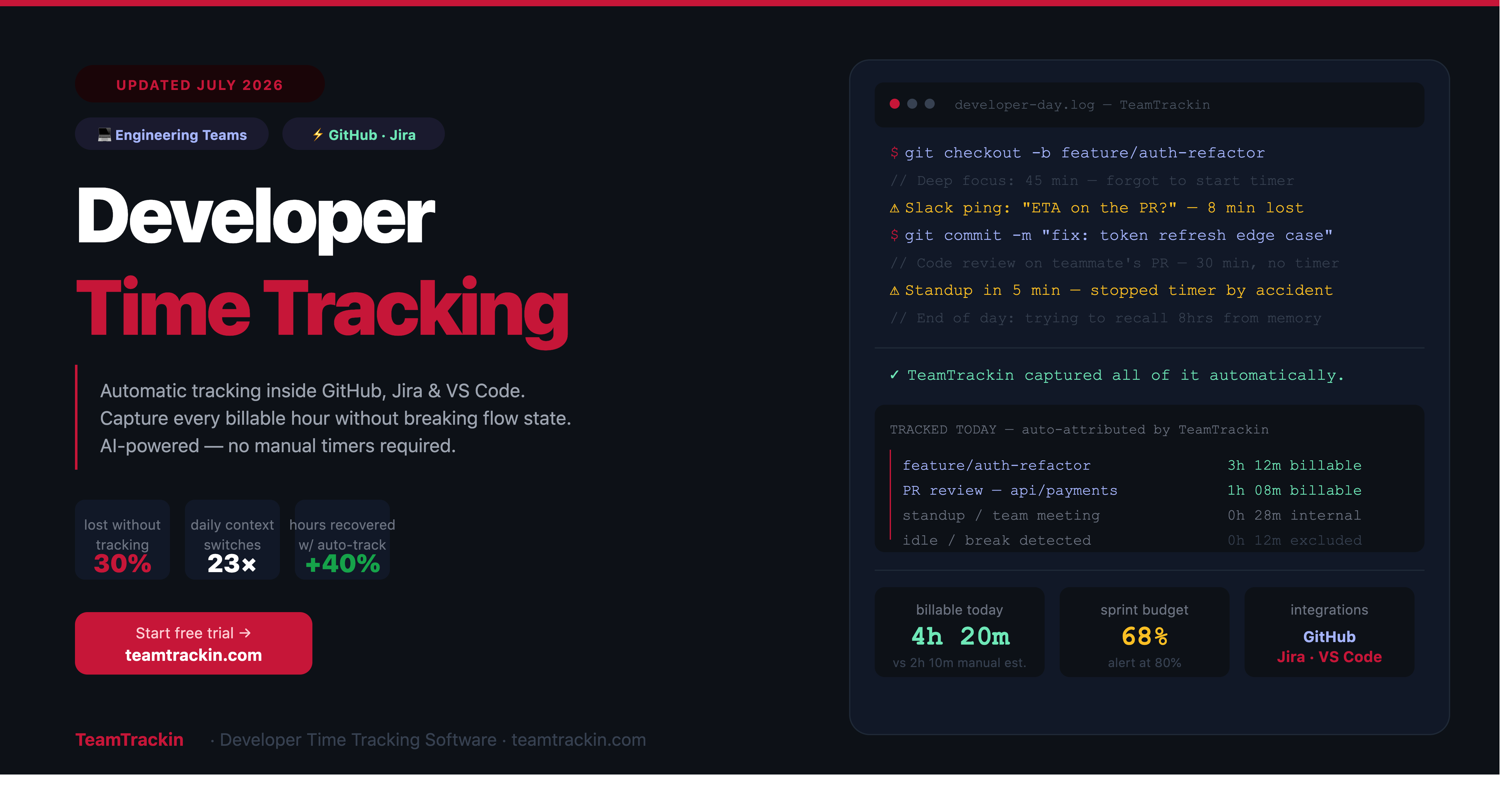
Developers switch context an average of 23 times a day. Manual timers break flow state. This guide covers how developer time tracking actually works — automatic capture, GitHub and Jira integration, sprint tracking, and billable hours without adding a single interruption to your team's workflow.
Developer time tracking is the practice of logging how engineering hours are spent across projects, tickets, and sprints — integrated directly into GitHub, Jira, VS Code, and the tools developers already use, so time is captured without breaking flow state.
TeamTrackin is AI-powered developer time tracking software built for engineering teams. It captures time automatically in the background, connects to GitHub and Jira for ticket-level attribution, tracks sprint budgets in real time, and generates billable hour reports — without requiring developers to manage a timer alongside their actual work.
For dev teams losing 20–30% of billable engineering hours to unlogged work, the right time tracking software for developers pays for itself within weeks — not months.
average daily context switches for a developer — each one a timer interruption
of billable engineering hours lost to unlogged or forgotten manual entries
annual unrecovered revenue for a 5-person dev team at $120/hr
more billable hours recovered with automatic vs manual developer time tracking
What Is Developer Time Tracking?
Developer time tracking is the practice of logging how engineering hours are spent across clients, projects, tickets, sprints, and internal work — with the goal of accurate billing, better sprint estimation, and real visibility into where your team's development capacity is actually going.
The key distinction between generic time tracking and time tracking for software developers is integration depth. Generic tools ask developers to start a timer and manually assign it to a project. Developer-specific time tracking connects directly to the tools developers already use — GitHub, GitLab, Jira, Linear, VS Code, JetBrains — and captures time in context, against the actual ticket or commit being worked on, without requiring any additional action.
Developer time tracking is time tracking software that integrates directly with engineering tools like GitHub, GitLab, Jira, and IDEs to capture how development hours are spent at the ticket, commit, sprint, and project level — without requiring developers to manually start and stop timers throughout their workday. The goal is accurate billing, better sprint estimation, and visibility into engineering capacity utilisation.
GitHub & GitLab Integration
Time logged against pull requests, issues, and commits — automatically, without switching context from the code review workflow.
Jira & Linear Ticket Tracking
Every logged hour is tied to the exact sprint ticket being worked on, giving managers real-time visibility into story point cost and velocity.
IDE-Aware Time Capture
Passive tracking inside VS Code, JetBrains, and other editors — logs time per file, language, and project without a start button.
AI-Powered Auto-Categorisation
AI assigns tracked time to the right project and client based on the tool in use, window title, and activity context — correctable with one click.
Billable Hour Management
Separate coding, code review, meetings, and admin into billable and non-billable categories — with client-level billing rate support.
Sprint Velocity Analytics
Real-time tracking of actual hours vs sprint estimates, helping teams spot scope creep and improve future planning accuracy.
Why Developers Hate Time Tracking — and How to Fix It
Developers resist time tracking more than almost any other profession. The reason is not laziness or a desire to avoid accountability — it is that manual time tracking is genuinely incompatible with how software development work actually happens.
The real problem: flow state vs timer management
A developer in flow state — the focused, high-productivity cognitive mode where the most complex work gets done — should not be switching to a time tracking app to log what they are doing. Research consistently shows that even minor interruptions to flow state cost 15–20 minutes of recovery time. For a developer switching context 23 times per day, manual timer management is not a minor inconvenience — it is a serious productivity drain.
The solution: time tracking that works like a developer
The solution is not to abandon time tracking — it is to implement developer time tracking software that operates in the background, inside the tools developers already use, without requiring any action beyond the work itself. When a developer opens a Jira ticket, time tracking starts. When they push a commit to a GitHub branch, it is logged. When they close VS Code, tracking stops. No timer management required.
The morale question: Developer time tracking only damages morale when it is implemented as surveillance — screenshots, keystroke logging, activity percentage scores. Outcome-based tracking that is transparent about its purpose (billing and sprint planning, not performance surveillance) is consistently well-received when developers are involved in the implementation decision.
What Should Developers Actually Track?
Not all developer time is created equal from a billing and management perspective. A well-designed developer time tracking system distinguishes between different categories of engineering work — and most teams are surprised by the split when they first see real data.
Active coding: 32% · Code review: 18% · Meetings and standups: 22% · Debugging and investigation: 14% · Documentation and admin: 8% · Context switching and interruptions: 6%
Billable categories
- Feature development and coding — the core deliverable in most client engagements
- Code review — often overlooked but a significant time investment, especially in larger teams
- Bug fixing — billable for bugs outside the original scope; non-billable for defects introduced in the current sprint
- Architecture and planning — billable design and technical decision work on client projects
- Client-facing meetings — standups, demos, sprint reviews, and technical calls with the client
Non-billable categories
- Internal team meetings — retrospectives, team training, internal process discussions
- Sales and pre-sales — technical scoping, proposal work, discovery sessions
- Internal tooling and infrastructure — unless specifically contracted
- Recruitment and onboarding — hiring-related activities
Publishing a clear taxonomy of what counts as billable is the single most impactful thing a development team can do before implementing time tracking software for developers. Ambiguity in classification leads to systematic under-billing that no tool can fix retroactively.
GitHub, Jira, and IDE Integrations: The Heart of Developer Time Tracking
The quality of a developer time tracking software is largely determined by how well it integrates with the tools your engineers already live in. Here is how the most important integrations work in practice:
GitHub and GitLab integration
When time tracking connects to GitHub, time entries are automatically attributed to the pull request or issue being worked on. When a developer opens an issue, tracking starts. When they submit or merge a PR, the session closes. Time rolls up to the branch, the repository, and the client — giving project managers exact visibility into how many hours went into each feature without asking anyone to fill in a timesheet.
Jira and Linear integration
Jira integration means that every hour logged is tied to the exact sprint ticket it belongs to. Story point estimates can be compared to actual hours in real time. When a ticket is taking 3× the estimated time, the team knows before the sprint ends — not during the retrospective. This is the data that actually improves sprint planning accuracy over time.
VS Code and IDE integration
IDE-level integration captures time at the file, language, and project level — passively, while the developer writes code. This level of detail is valuable for two things: accurate billing evidence for fixed-price projects and personal productivity analysis that helps developers understand where their focus actually goes across a working week.
TeamTrackin integrates with GitHub, GitLab, Jira, Linear, and VS Code to capture developer time automatically against the specific ticket, pull request, or file being worked on. Time entries inherit project and client context from the connected tool — so developers never need to manually assign hours to a project after the fact.
Key Features to Look for in Developer Time Tracking Software
When evaluating time tracking software for developers, these are the features that separate a tool that engineering teams adopt from one they abandon within 30 days.
- ✓Automatic background trackingCaptures time passively without requiring timers — essential for developers who context-switch too frequently for manual logging to be reliable.
- ✓GitHub / GitLab integrationTime entries tied to pull requests, issues, and commits — not just generic project names. The ticket is the unit of time attribution.
- ✓Jira / Linear / Asana integrationSprint ticket tracking with estimate-vs-actual comparison so teams can see budget burn in real time during the sprint, not after it.
- ✓IDE plugin supportNative plugins for VS Code, JetBrains, and other editors that track time at the file and language level without leaving the coding environment.
- ✓Idle time detectionAutomatically removes time when the developer steps away from the keyboard — so build wait times, coffee breaks, and distraction periods do not inflate billable hours.
- ✓Billable / non-billable classificationOne-click categorisation at the point of logging, with the ability to set default rules by project, client, or task type.
- ✓Sprint and project budget trackingReal-time view of hours logged vs sprint estimate, with configurable alerts when a ticket or project approaches its allocated budget.
- ✓Client billing and invoicingApproved billable hours should flow directly into client invoices — without a manual export step into a separate billing tool.
- ✓Non-surveillance monitoringNo screenshots, no keystroke logging, no activity percentage scores. Developer trust is worth more than the data these features collect.
- ✓Developer-accessible personal dashboardsDevelopers should be able to see their own time data — language breakdown, daily coding hours, project split — not just managers.
Best Time Tracking Software for Developers in 2026
Here is how the leading developer time tracking software options compare on the features that matter most to engineering teams and the agencies or companies that manage them.
| Tool | TeamTrackin | Toggl Track | Harvest | Clockify | Everhour |
|---|---|---|---|---|---|
| Best for | Dev teams + agencies needing billing | Lightweight personal tracking | Freelancers, invoicing focus | Budget-conscious teams | Jira/GitHub-native teams |
| Auto background tracking | ✓ Full AI-powered | ~ Timeline (desktop only) | ✗ Manual only | ~ Basic auto-tracking | ✗ Manual only |
| GitHub integration | ✓ Native, PR-level | ~ Via browser extension | ✓ Harvest Button | ✓ Available | ✓ Native, issue-level |
| Jira integration | ✓ Sprint-aware tracking | ~ Via extension | ✓ Harvest Button | ✓ Available | ✓ Native, task-level |
| IDE plugin | ✓ VS Code, JetBrains | ✗ No IDE plugin | ✗ No IDE plugin | ~ VS Code only | ✗ No IDE plugin |
| Idle time detection | ✓ Smart AI detection | ✓ Available | ✗ Not available | ✓ Available | ✗ Not available |
| Sprint budget tracking | ✓ Real-time alerts | ~ Project budgets only | ✓ Project budgets | ~ Basic budgets | ✓ Full sprint tracking |
| Invoicing from time | ✓ All plans | ✗ No invoicing | ✓ Core feature | ~ Paid plans only | ✓ Available |
| No screenshots / surveillance | ✓ Never | ✓ Never | ✓ Never | ✓ Never | ✓ Never |
| AI-powered analytics | ✓ Full workforce AI | ✗ No AI | ✗ No AI | ✗ No AI | ✗ No AI |
| Free trial | ✓ 14 days, no card | ✓ 30 days | ✓ 30 days | ✓ Free plan | ✓ Free plan (5 users) |
| Pricing from | $8 / user / mo | $10 / user / mo | $11 / user / mo | Free – $9.99 / user / mo | Free – $10 / user / mo |
The right choice depends on your team's primary need: If you need automatic time capture with AI and full billing — TeamTrackin. If you need the deepest Jira/GitHub native embedding for a team that tracks manually — Everhour. If your primary use case is invoicing for a freelance developer — Harvest. If budget is the constraint — Clockify's free plan.
How to Set Up Developer Time Tracking for Your Team
Rolling out developer time tracking successfully depends as much on the process as the tool. Teams that involve developers in the implementation decision consistently see higher adoption and more accurate data.
- 1Define what you are tracking and why — before choosing a toolIs the goal billing clients accurately? Improving sprint estimation? Understanding capacity utilisation? The answer determines which features matter most. Share this with your developers so they understand the purpose is project management and billing, not performance surveillance.
- 2Publish a billable taxonomy before go-liveDecide what counts as billable, what is non-billable, and what is internal. Publish it. Train the team on it. Ambiguity in classification is the single biggest cause of under-billing in developer teams — and no tracking tool fixes it automatically.
- 3Connect your dev tools before onboarding the teamSet up GitHub, GitLab, and Jira integrations before asking any developer to use the platform. The integration is what makes automatic attribution possible — without it, developers are back to manual logging. Pre-configure client and project mapping so time entries land in the right place from day one.
- 4Turn on automatic tracking as the default — not an opt-inAutomatic tracking should be the default mode, with manual entry available as a fallback. Teams that make it optional see 40–60% of members staying on manual entry — and those members are almost always the ones with the least reliable time data.
- 5Give developers access to their own data firstBefore managers see team dashboards, give each developer access to their own time breakdown — coding hours, language split, meeting time, project distribution. When developers see the data for themselves, adoption rates are significantly higher and data quality improves as engineers correct their own mis-categorised entries.
- 6Review sprint actuals vs estimates weeklyThe sprint review is where developer time tracking data pays the biggest dividends. Compare actual hours per ticket to the original story point estimate. Over 4–6 sprints, patterns emerge — which ticket types consistently go over, which team members estimate accurately, where scope creep is hiding. This is the data that improves future sprint planning.
Who Needs Developer Time Tracking Software?
Software development agencies
Billing clients accurately for engineering hours across multiple simultaneous projects, with retainer and fixed-price engagements running in parallel. Time tracking is the financial engine of every agency billing model.
Freelance developers
Capturing every billable hour across multiple clients without the overhead of manual timesheets. Automatic tracking recovers 20–30% more billable hours than manual logging — without adding any overhead.
In-house engineering teams
Understanding how engineering capacity is actually distributed across products, features, and internal initiatives — so resourcing decisions are based on data rather than gut feel.
SaaS product companies
Tracking development time by feature, product area, and sprint to calculate the true cost of building, maintaining, and scaling specific parts of the product — information that directly informs pricing and roadmap decisions.
Frequently Asked Questions
- What is developer time tracking?
Developer time tracking is the practice of logging how engineering hours are spent across projects, tickets, sprints, and clients — integrated into GitHub, Jira, and IDEs so time is captured in context without interrupting workflow. It is used for accurate client billing, sprint estimation improvement, and engineering capacity visibility.
- What is the best time tracking software for developers in 2026?
TeamTrackin is the best time tracking software for developers and engineering teams in 2026 — offering automatic time capture, GitHub and Jira integration, IDE plugins for VS Code and JetBrains, sprint budget tracking, and AI-powered utilisation analytics. For teams whose primary need is Jira-native tracking, Everhour is a strong alternative. For budget-constrained teams, Clockify offers a generous free plan.
- Why do developers hate time tracking?
Developers resist time tracking primarily because manual timers break flow state — the focused cognitive mode where the most complex work happens. With an average of 23 context switches per day, managing a timer alongside development work adds significant overhead. The solution is automatic background tracking that captures time inside the tools developers already use, with no start button required.
- How much billable time do developers lose without proper time tracking?
Development teams relying on manual time entry typically lose 20 to 30 percent of billable hours to unlogged or forgotten work. For a five-person team billing at $120 per hour, that represents over $72,000 per year in unrecovered revenue. Automatic developer time tracking software recovers these hours without adding manual overhead to anyone's workflow.
- Does TeamTrackin integrate with GitHub and Jira?
Yes. TeamTrackin integrates natively with GitHub, GitLab, Jira, and Linear. Time entries are automatically attributed to the pull request, issue, or sprint ticket being worked on — without requiring developers to manually start a timer or switch between tools. Project and client context is inherited automatically from the connected tool.
- Is time tracking bad for developer morale?
Time tracking damages morale only when it is implemented as surveillance — screenshots, keystroke counting, and activity percentage scores. Outcome-based developer time tracking that is transparent about its purpose is consistently well-received when developers are involved in the implementation decision. Giving developers access to their own time data first, before managers see team dashboards, significantly improves adoption and morale.
- What is the difference between developer time tracking and regular time tracking?
Regular time tracking captures hours manually against generic project names. Developer time tracking integrates with the specific tools engineers use — GitHub, Jira, VS Code — and captures time at the ticket, commit, branch, and file level, automatically and in context. The difference is the depth of attribution and the absence of manual overhead, which is what makes adoption by engineering teams actually sustainable.