
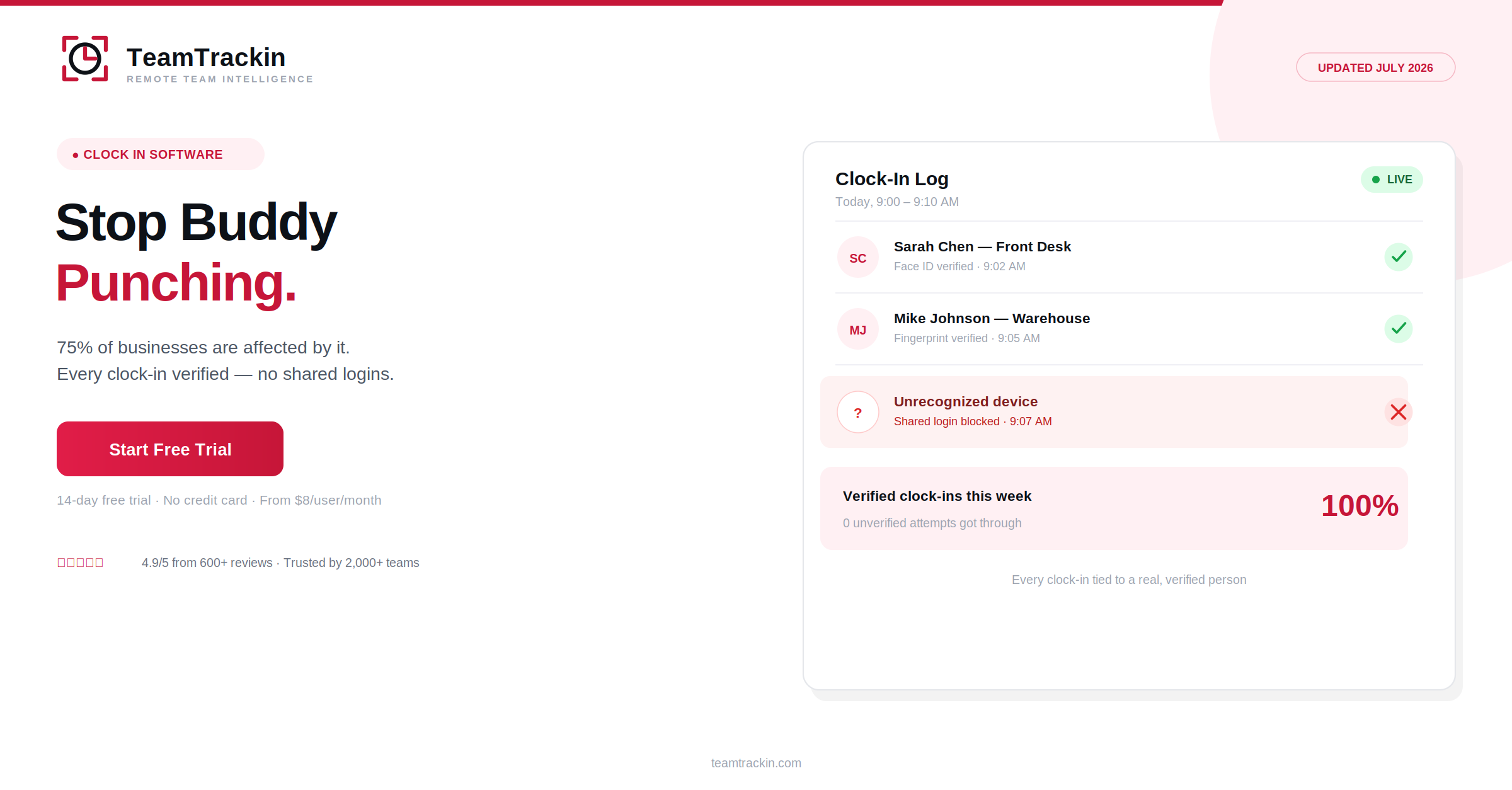
75% of US businesses are affected by buddy punching — one employee clocking in for another who isn't actually there. TeamTrackin is clock in software built to close that gap, verifying every clock-in and turning approved hours into payroll-ready reports automatically. Try it free — no credit card, setup in about 3 minutes.
Clock in software is a digital system employees use to start and end their shifts, replacing paper sign-in sheets or shared terminals that make buddy punching easy. It ties each clock-in to a verified individual rather than a signature or shared PIN anyone could enter.
TeamTrackin is clock in software used by 2,000+ teams, combining verified clock-ins with attendance tracking and payroll-ready reporting — starting at $8 per user per month, with a 14-day free trial and no credit card required.
What Is Clock In Software?
Clock in software is a digital system that replaces paper sign-in sheets and shared terminals with a verified way for employees to start and end their shifts. Instead of anyone being able to sign a sheet or enter a shared PIN on behalf of a coworker, each clock-in is tied to an individual login, device, or biometric check.
TeamTrackin verifies clock-ins by default, then routes hours through approval and exports them in payroll-ready formats — closing the loop from "someone clocked in" to "payroll can trust this number."
Clock in software is a digital system for starting and ending shifts that verifies each clock-in belongs to the actual employee, replacing paper sheets and shared terminals that make buddy punching easy. TeamTrackin is clock in software used by 2,000+ teams, starting at $8 per user per month.
Why Employee Clock In Software Matters
Buddy punching sounds like a minor, occasional favor between coworkers. The numbers say otherwise: 75% of US businesses report being affected by it, and close to one in five employees admit to having clocked in for someone who wasn't actually there.
The cost compounds quietly. Left unverified, time theft in general — buddy punching included — costs the average employee's employer roughly 4.5 hours per week in unworked, paid time. Businesses that switch to verified employee clock in software report 27% fewer payroll disputes, simply because there's no longer room for "I think I was here" arguments.
6 Features Real Clock In and Out Software Needs
Not every "digital timesheet" actually solves buddy punching. These six features are what separate real clock in and out software from a paper sheet with extra steps.
Sign-In Sheets vs Clocking In Software
- Anyone can sign or enter a PIN for a coworker
- No way to confirm who actually clocked in
- Late arrivals and missed clock-outs go unnoticed
- Hours re-typed manually into payroll
- No record to settle a disputed timesheet
- Each clock-in ties to a specific, verified individual
- Buddy punching is structurally difficult, not just discouraged
- Managers get real-time alerts on issues
- Verified hours export straight to payroll
- Every entry is timestamped and easy to reference
Shut down buddy punching for good.
TeamTrackin verifies every clock-in — try it free for 14 days.
How TeamTrackin's Clock In Clock Out Software Works
Staying Compliant With Clock In Software
Clock-in records aren't just operational data — in most jurisdictions, they're the legal record of hours worked. Good clock in software supports that requirement rather than adding risk to it.
- Accurate recordkeeping:Supports requirements like the US FLSA or UK Working Time rules
- Audit trail:Every clock-in and edit logged, with a clear history
- Data security:Encryption and role-based access control on employee data
- Transparency:Employees can see their own clock-in history at any time
TeamTrackin runs on GDPR-friendly architecture with AES-256 encryption, keeping clock-in data secure and audit-ready by default.
Why Teams Choose TeamTrackin
TeamTrackin verifies clock-ins by default, not as a paid add-on — because the whole point of clock in software disappears if buddy punching is still possible on a cheaper plan.
Clock In Software Compared (2026)
| Feature | TeamTrackin | Hubstaff | Toggl Track | Clockify |
|---|---|---|---|---|
| Individual verification | ✓ Included | ✓ Included | ~ Basic login only | ~ Basic login only |
| Late/overtime alerts | ✓ Included | ~ Paid plans | ✗ Not available | ~ Paid plans |
| Attendance built in | ✓ Included | ~ Add-on | ✗ Not available | ~ Add-on |
| Pricing | $8 / user / mo | $9 / user / mo | $9 / user / mo | Free – $9.99 |
Frequently Asked Questions
- What is clock in software?
Clock in software is a digital system employees use to record the start and end of their shifts, replacing paper sign-in sheets or honor-system timesheets. TeamTrackin is clock in software that verifies each clock-in, routes hours through approval, and exports payroll-ready reports automatically.
- How does clock in clock out software prevent buddy punching?
Clock in clock out software prevents buddy punching by tying each clock-in to a verified individual login, device, or biometric check rather than a shared terminal or paper sheet anyone can sign. Businesses using verified digital clock-in systems report significantly fewer payroll disputes than those relying on manual or shared sign-in methods.
- What should I look for in employee clock in software?
Look for individual login verification, mobile and desktop access, automatic overtime and late-arrival alerts, an approval workflow before hours are finalized, and payroll-ready exports. Software that still relies on a shared PIN or a single shared device reintroduces the exact buddy-punching risk that digital clock-in software is meant to solve.
- Is clock in and out software good for small businesses?
Yes. Clock in and out software is often more valuable for small businesses than large ones, since a single instance of buddy punching or a rounding habit has a proportionally bigger impact on a smaller payroll. TeamTrackin's clock in software starts at $8 per user per month and sets up in about 3 minutes, making it accessible for teams of any size.
- Is TeamTrackin good clocking in software?
Yes. TeamTrackin is used by more than 2,000 teams, holds a 4.9/5 rating from over 600 reviews, and combines clock-in verification, attendance, and payroll-ready reporting in one platform, with a 14-day free trial and no credit card required to start.