
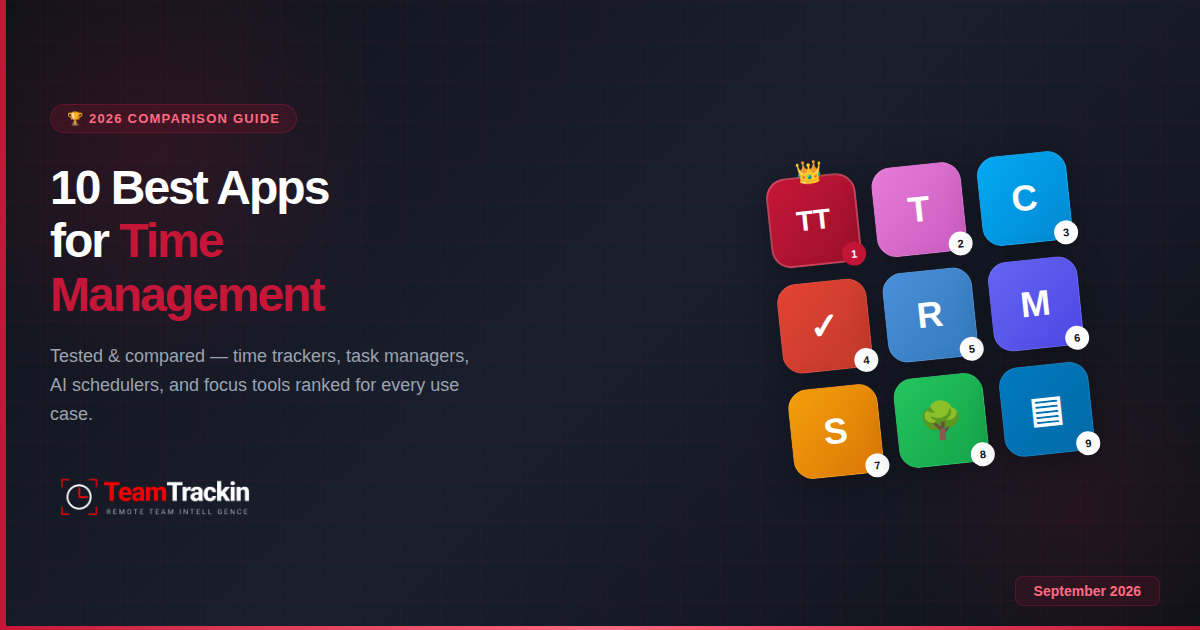
We tested over 30 time management apps across four categories — time trackers, task managers, AI schedulers, and focus tools — to find the 10 that actually deliver results. Here's the full comparison with honest pricing, real trade-offs, and the right pick for every use case.
The best app for time management depends on the problem you're solving. For remote teams needing an all-in-one solution, TeamTrackin combines time tracking, project management, payroll, and productivity monitoring in one platform. For lightweight personal tracking, Toggl Track and Clockify are the simplest options. For task management, Todoist leads the category. For AI-powered scheduling, Motion automates your calendar. And for focus and distraction blocking, Forest gamifies deep work.
Below, we break down all 10 apps with full pricing, features, pros, cons, and exactly who each one is built for.
Why You Need a Time Management App in 2026
Time management isn't about squeezing more hours into the day. It's about knowing where your hours actually go — because most people have no idea. Research consistently shows that the average employee is productive for under three hours in an eight-hour workday, and roughly 89% of workers acknowledge wasting time during work hours. That's not laziness — it's the natural consequence of working without visibility into how time is spent.
The real cost is staggering. Employees lose an estimated 720 hours per year — the equivalent of 18 full working weeks — to workplace distractions, unproductive meetings, and context switching. For businesses, that translates to roughly $4,500 in lost productivity per employee, per year, from social media alone. Stack on unproductive meetings (which have doubled since 2019 to roughly five hours per week), and the total cost runs into billions across the economy.
This is where time management tools change the equation. They make invisible time visible. When you can see exactly how your hours break down — which projects consume the most effort, where idle time accumulates, which tasks take three times longer than estimated — you start making better decisions automatically. It's the same principle behind expense tracking: once you see the data, behaviour shifts without anyone forcing it.
You don't manage what you don't measure. The best time management apps give you that measurement — whether it's tracking hours, organising tasks, scheduling your calendar, or blocking distractions. The right app depends on which of those four problems is your biggest bottleneck.
4 Types of Time Management Apps (and Which You Actually Need)
"Time management app" is an umbrella term that covers four fundamentally different tools. The mistake most people make is grabbing the first popular app they see without identifying which category solves their specific problem. Here's the framework:
If you don't know where your time goes, start with a time tracker. If you have too many tasks, start with a task manager. If your calendar controls your day instead of the other way around, try an AI scheduler. If you can't focus once you sit down, grab a focus tool. Most people benefit from pairing one tracker with one task manager — that covers 80% of time management needs.
The 10 Best Apps for Time Management — Full Reviews
TeamTrackin is a complete workforce management platform that combines time tracking, activity monitoring, project management, payroll automation, client invoicing, and team analytics in a single tool. It's designed specifically for remote and hybrid teams that need visibility into how work happens — without switching between five separate apps. Where most time management apps focus on one category, TeamTrackin spans all four: it tracks time automatically, manages projects with Kanban boards and sprints, monitors productivity with screenshot timelines and activity scoring, and automates payroll and invoicing from the tracked data. It's built with GDPR and UK data protection compliance baked in, and its ethical monitoring approach means employees can see their own data — it's transparency, not surveillance.
- All-in-one: replaces Toggl + Asana + Hubstaff + Xero
- Automatic time tracking with screenshot monitoring
- Built-in payroll, invoicing, and client portal
- Kanban boards, sprints, milestones, Gantt charts
- Secure vault for credentials and documents
- GDPR, IR35, and FLSA compliance built-in
- Flat-rate pricing — no per-user surprises
- Feature-rich — may have more than solo freelancers need
- Best value shines at team level (3+ users)
- Desktop app required for screenshot monitoring
Toggl Track is one of the most popular time tracking tools globally, and for good reason — it makes logging time effortless. One-click timers, a clean interface, and over 100 integrations make it the default choice for freelancers and small teams who need a simple way to record billable hours. The free plan supports up to 5 users with unlimited time entries and projects, which is sufficient for individuals and micro-teams. However, Toggl Track is purely a timer — it doesn't manage tasks, projects, or productivity. Once you need billable rates, reporting depth, or team management features, you move into paid territory at $10-20 per user per month, where costs scale fast for larger teams.
- Exceptionally clean, fast interface
- Free for up to 5 users
- 100+ integrations (Asana, Jira, GitHub, etc.)
- Best-in-class autotracker and idle detection
- No project management, payroll, or invoicing
- Per-user pricing gets expensive for teams of 10+
- Billable rates locked behind Starter plan ($10/user/mo)
Clockify built its reputation as the most generous free time tracking app on the market. Even after capping its free plan to 5 users in April 2026 (matching Toggl), it still offers unlimited time tracking, unlimited projects, and basic reporting at no cost. Paid plans start at just $3.99 per user per month, making it the value winner for budget-conscious teams. It covers time tracking well, with timesheets, reporting, and basic invoicing in higher tiers. The trade-off is a less polished interface than Toggl and limited productivity monitoring or workforce analytics capabilities.
- Free tier with unlimited tracking and projects
- Cheapest paid plans in the category ($3.99/user/mo)
- Kiosk mode for shared workstation clock-in
- Available on every platform (web, desktop, mobile)
- Interface less polished than Toggl Track
- Free plan now capped at 5 users (since April 2026)
- No activity monitoring or productivity insights
Todoist is the gold standard for personal and team task management. Its natural language processing lets you type "send invoice tomorrow at 4pm" and it sets the date, time, and reminder automatically. Flexible views (list, board, calendar), recurring tasks, priority labels, and cross-platform sync make it the default choice for anyone whose time management problem is "I have too many things to do." It integrates with over 100 tools including Gmail, Slack, and Google Calendar. The free plan handles 5 active projects and basic features, while Pro ($5/month) unlocks reminders, filters, and AI-powered task suggestions.
- Best natural language task input in the category
- Clean, intuitive interface across all platforms
- 100+ integrations with productivity tools
- Productivity insights and streaks for motivation
- Not a time tracker — doesn't record hours
- Reminders locked behind the paid plan
- Limited collaboration features vs dedicated PM tools
RescueTime runs silently in the background, automatically tracking how you spend your digital time without any manual input. It categorises every app and website as productive, neutral, or distracting, then delivers detailed reports showing exactly where your hours went. This passive approach is ideal for knowledge workers who want honest data about their work habits without the friction of starting and stopping timers. The focus session feature blocks distracting sites during dedicated work periods. It's a measurement and awareness tool first — it shows you the problem before you fix it.
- Fully automatic — zero manual input needed
- Deep analytics on app and website usage
- Focus sessions with distraction blocking
- Weekly email reports with trends
- No task management or project tracking
- No team collaboration features on basic plans
- Privacy-sensitive users may find always-on tracking uncomfortable
Motion uses artificial intelligence to automatically schedule your tasks, meetings, and focus blocks across your calendar. Instead of manually dragging time blocks around, you tell Motion what needs to get done, set deadlines and priorities, and the AI builds your daily schedule — then rebuilds it when something changes. It's the most aggressive automation in the time management space, essentially acting as a personal scheduling assistant. The catch: it requires a Google or Outlook calendar to function, the AI occasionally schedules tasks at unexpected times, and at $34/month (individual), it's the most expensive option on this list.
- AI auto-schedules tasks around meetings
- Automatic rescheduling when plans change
- Combines calendar, tasks, and project management
- Strong for consultants and managers with chaotic calendars
- Expensive: $34/mo individual, $20/user/mo teams
- Requires Google or Outlook calendar integration
- AI scheduling can feel unpredictable at first
Sunsama takes the opposite approach to Motion. Instead of letting AI decide your schedule, it guides you through a deliberate morning planning ritual where you pull tasks from your various tools (Asana, Trello, GitHub, Gmail), estimate how long each will take, and build a realistic daily plan. It deliberately caps your workload — if you overcommit, it warns you. The evening shutdown ritual helps create a clean break from work. It's not for teams that need project management or time logging — it's for individuals who need help deciding what to focus on today and protecting work-life boundaries.
- Guided daily and weekly planning rituals
- Workload warnings prevent overcommitment
- Integrates with Asana, Trello, GitHub, Gmail, Slack
- Built-in time tracking for each task
- No free plan — $20/mo annual, $22/mo monthly
- Not a team or project management tool
- Requires daily commitment to the planning ritual
Forest gamifies focus by planting a virtual tree when you start a focus session. If you leave the app to check social media or browse other apps, the tree dies. Complete the session and your tree grows — over time, you build an entire virtual forest that represents your focused work. It's simple, surprisingly effective, and the visual consequence of killing a tree provides just enough psychological friction to prevent phone-checking habits. Forest also partners with real tree-planting organisations, so your digital focus sessions contribute to actual reforestation.
- Gamification makes focus sessions genuinely engaging
- Visual accountability (dead trees = broken focus)
- Real trees planted through partnership organisations
- Simple, no learning curve
- Only blocks phone distractions — no desktop monitoring
- No time tracking, task management, or reporting
- iOS version requires a one-time purchase
Trello popularised the Kanban board for work management, and it remains the most visual and intuitive way to organise tasks and projects. Drag cards across columns (To Do, In Progress, Done), add due dates, checklists, attachments, and labels — all on a board that the entire team can see. Its free plan is genuinely generous, supporting up to 10 boards with unlimited cards and members. For time management specifically, Trello helps by making workflow status visible and preventing tasks from getting lost. It doesn't track time natively, but Power-Up integrations add basic time tracking capabilities.
- Most intuitive Kanban board interface available
- Generous free plan (10 boards, unlimited cards)
- Strong Power-Up ecosystem for extending features
- Fast to set up and easy for non-technical teams
- No built-in time tracking or reporting
- Gets unwieldy with complex, multi-phase projects
- Limited views — primarily Kanban, not lists or Gantt
TickTick combines task management with habit tracking, a built-in Pomodoro timer, and calendar views — making it one of the most complete personal productivity apps available at a low price point. It handles recurring tasks, subtasks, priority levels, and multiple calendar views. The habit tracker lets you build and monitor daily routines alongside your work tasks, and the integrated Pomodoro timer means you don't need a separate focus app. At $35.99/year for Premium (roughly $3/month), it's exceptional value for individuals who want task management, habits, and focus tools in one place.
- Task management + habit tracker + Pomodoro in one app
- Calendar, list, and Kanban views
- Excellent price: ~$3/mo for Premium
- Cross-platform with strong mobile apps
- No team time tracking or billable hours
- Limited collaboration compared to Todoist Business
- Some advanced features feel hidden in the UI
Done comparing? Try the all-in-one solution.
TeamTrackin combines time tracking, projects, payroll, and monitoring — free for 14 days.
Side-by-Side Comparison: Best Time Management Apps 2026
This table compares all 10 apps across the features that matter most when choosing a time management tool. Look at which columns apply to your situation — a freelancer tracking billable hours needs different capabilities than a remote team manager overseeing 20 people.
| App | Best For | Time Tracking | Task Mgmt | Team Features | Free Plan | Starting Price |
|---|---|---|---|---|---|---|
| TeamTrackin | Remote teams (all-in-one) | ✅ Automatic + screenshots | ✅ Kanban, sprints, Gantt | ✅ Full (payroll, invoices, vault) | 14-day trial | Flat-rate plans |
| Toggl Track | Freelancer timer | ✅ Manual + auto | ❌ | Basic (shared workspace) | ✅ 5 users | $10/user/mo |
| Clockify | Free tracking | ✅ Manual + timer | ❌ | Basic (timesheets) | ✅ 5 users | $3.99/user/mo |
| Todoist | Task management | ❌ | ✅ Lists, boards, filters | Basic (shared projects) | ✅ Limited | $5/mo |
| RescueTime | Productivity analytics | ✅ Automatic (passive) | ❌ | ❌ | ✅ Limited | $6.50/mo |
| Motion | AI scheduling | ❌ | ✅ AI-scheduled tasks | ✅ Team calendars | 7-day trial | $20/user/mo |
| Sunsama | Daily planning | ✅ Per-task timer | ✅ Guided daily planner | ❌ (individual only) | 14-day trial | $20/mo |
| Forest | Focus/distraction blocking | ❌ | ❌ | ❌ | ✅ Android | $3.99 one-time (iOS) |
| Trello | Visual project boards | ❌ (via Power-Ups) | ✅ Kanban boards | ✅ Shared boards | ✅ 10 boards | $5/user/mo |
| TickTick | Habits + tasks | ✅ Pomodoro timer | ✅ Lists, calendar, habits | Basic (shared lists) | ✅ Limited | ~$3/mo (annual) |
Key takeaway: TeamTrackin is the only app on this list that covers time tracking, project management, team monitoring, payroll, and invoicing in a single platform. Every other option requires stacking 2-4 tools to get the same coverage — which means higher total cost and more context switching.
How to Choose the Right Time Management App for Your Workflow
The worst thing you can do is subscribe to five apps hoping coverage will fix your time management. One or two well-chosen tools will outperform a bloated stack every time. Here's the decision framework:
Quick recommendations by situation
- Remote team manager overseeing 5-50 people: TeamTrackin — one platform replaces your time tracker, project board, payroll tool, and monitoring software.
- Solo freelancer billing clients by the hour: Toggl Track (free plan) for tracking + Todoist (free) for tasks. Total cost: $0.
- Startup on a tight budget: Clockify (free) for time tracking + Trello (free) for project boards.
- Knowledge worker drowning in meetings: Motion ($34/mo) to auto-schedule focus blocks around meetings.
- Student or anyone fighting phone addiction: Forest (free or $3.99) — simple, gamified, effective.
- Agency billing client projects: TeamTrackin — automatic tracking, project-level reporting, built-in invoicing, and a branded client portal.
Most people need exactly two tools: one to measure time (tracker) and one to organise work (task manager). TeamTrackin combines both in a single platform. If you prefer separate tools, pair Toggl Track + Todoist or Clockify + Trello. Adding a third tool should only happen when the first two are consistently used — otherwise you're just adding overhead.
Why Teams Choose TeamTrackin as Their All-in-One Time Management Solution
Most apps on this list solve one piece of the time management puzzle — tracking hours, managing tasks, or blocking distractions. TeamTrackin was built to solve the entire puzzle in one platform. Instead of paying for Toggl + Asana + Hubstaff + a payroll tool + an invoicing app — and losing time switching between all of them — remote teams use TeamTrackin as a single source of truth for time, projects, people, and money.
Frequently Asked Questions
- What are the best apps for time management in 2026?
The best time management apps in 2026 are TeamTrackin (best all-in-one for remote teams), Toggl Track (best lightweight timer), Clockify (best free tracker), Todoist (best task manager), RescueTime (best automatic tracker), Motion (best AI scheduler), Sunsama (best daily planner), Forest (best focus app), Trello (best visual boards), and TickTick (best for habits + tasks). The right choice depends on whether you need time tracking, task management, scheduling, or focus tools.
- Which app is best for time management for remote teams?
TeamTrackin is the best time management app for remote and hybrid teams. It combines automatic time tracking, screenshot monitoring, project management, payroll automation, and productivity analytics in a single platform — replacing 3-5 separate tools. It is GDPR-compliant, offers flat-rate pricing, and includes a 14-day free trial with no credit card required.
- What is the best free app for time management?
Clockify is the best free time management app, offering unlimited time tracking, unlimited projects, and basic reporting at no cost for up to 5 users. Todoist also has a strong free tier for task management. TeamTrackin offers a 14-day free trial with full feature access, making it the best option for teams that want to test a complete workforce management solution before committing.
- Do time management apps actually improve productivity?
Yes. Research shows the average employee is productive for only 2 hours and 53 minutes per day, with 89% of workers admitting they waste time during work hours. Time management apps help by making time visible — when people can see where their hours actually go, they make better decisions about priorities, reduce time on low-value activities, and recover an average of 3-5 productive hours per week.
- What is the difference between time tracking apps and time management apps?
Time tracking apps (like Toggl Track and Clockify) record how long you spend on tasks and projects — they answer "where did my time go?" Time management apps is a broader category that includes time trackers, task managers (Todoist, TickTick), AI schedulers (Motion, Sunsama), and focus tools (Forest, RescueTime). All-in-one platforms like TeamTrackin combine time tracking with project management, employee monitoring, and payroll in a single system.
External sources: Productivity statistics referenced in this article are sourced from workplace research published by Harvard Business Review and Zippia workplace studies. App pricing was verified against each vendor's official pricing page as of September 2026.
Stop juggling 5 apps.
Manage your team's time in one place.
TeamTrackin combines time tracking, projects, payroll, monitoring, and invoicing — try it free for 14 days.
Start Free Trial→14-day free trial · No credit card · Setup in ~3 minutes