
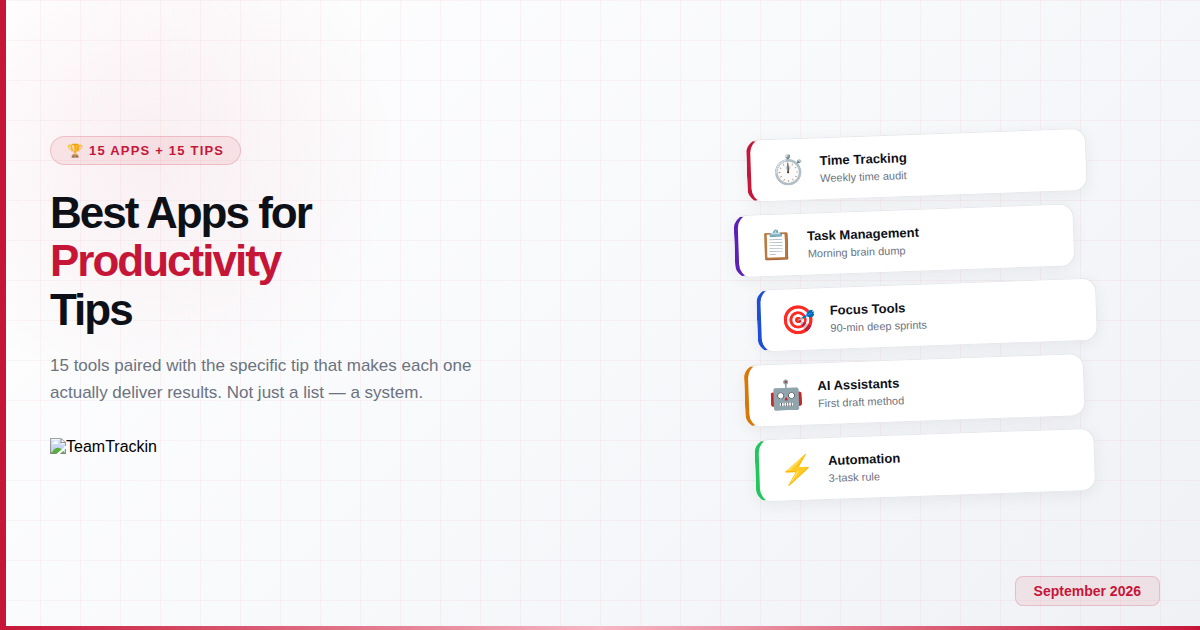
Most productivity app lists tell you what to download. This one tells you what to do with it. We've paired 15 of the best productivity apps with the specific tip, habit, or technique that makes each one actually deliver results — because a tool without a system is just another notification on your phone.
The best productivity apps in 2026 depend on the problem you're solving. For team time tracking and workforce management, TeamTrackin is the most complete all-in-one solution. For personal task management, Todoist leads. For lightweight time tracking, Toggl Track. For focus and distraction blocking, Forest. For AI assistance, ChatGPT. For notes and knowledge, Notion.
But here's what most lists miss: the app doesn't matter as much as the system around it. Below, every app recommendation comes with a specific productivity tip that transforms it from a downloaded app into an actual productivity gain.
Why Productivity Apps Fail — and What Makes Them Actually Work
Here's the uncomfortable truth about productivity tools: most people download them, use them for a week, and abandon them. The app graveyard on your phone — half-configured task managers, forgotten Pomodoro timers, empty habit trackers — isn't a failure of the tools. It's a failure of the approach.
Productivity apps fail for three predictable reasons. First, people collect tools instead of building systems — adding a new app for every problem instead of getting more from the tools they already have. Second, people choose apps based on features rather than fit — the most powerful tool in the world is useless if it doesn't match how you actually work. Third, and most importantly, people expect the app to do the work — but an app is a vehicle, not a destination. Without a matching habit, routine, or technique, even the best productivity app is just another icon on your home screen.
This is why every app recommendation in this guide comes paired with a specific productivity tip. The app gives you the capability. The tip gives you the system to use it. Together, they create a productivity gain that neither delivers alone.
Research shows that the average knowledge worker uses 9.4 different applications per day and switches between them roughly 1,200 times. Context switching alone consumes an estimated 42% of the workday. Paradoxically, adding more productivity tools can make you less productive by increasing the very switching cost they're supposed to reduce. The solution isn't more apps — it's fewer, better-chosen apps with clear systems around them.
The 4-Slot Productivity Framework: What You Actually Need
Before choosing apps, understand what a functional productivity system requires. Every effective setup fills four slots — and most people only need one tool per slot:
Slot 1: Time awareness
A tool that shows you where your hours go. Without this data, every other productivity decision is based on guesswork. Examples: TeamTrackin, Toggl Track, RescueTime.
Slot 2: Task capture
A single place to collect, organise, and prioritise everything you need to do. The system only works if everything goes here — no mental backlog allowed. Examples: Todoist, TickTick, Notion.
Slot 3: Focus support
A tool that helps you actually do the work once you've decided what to work on. Distraction blockers, Pomodoro timers, or focus modes. Examples: Forest, Freedom, Sunsama.
Slot 4: Communication
A channel for coordinating with others without it consuming your entire day. The goal is async-first — real-time only when necessary. Examples: Slack, Loom, Notion.
Fill each slot with one tool. If you have two task managers, you have zero task managers — because you'll never be sure which one has the complete picture. The most productive people use 3-5 core apps, not 12. For teams, an all-in-one platform like TeamTrackin can fill slots 1, 2, and part of 4 in a single system — reducing the total tool count to 2-3.
15 Best Productivity Apps — Each Paired With the Tip That Makes It Work
TeamTrackin combines time tracking, activity monitoring, project management (Kanban, sprints, Gantt), payroll automation, client invoicing, and workforce analytics in one platform. For remote and hybrid teams, it replaces the need for Toggl + Asana + Hubstaff + a payroll tool — eliminating the context switching that separate tools create. Hours are tracked automatically with screenshot verification, projects are managed visually, and payroll is calculated from the tracked data without spreadsheets.
Every Friday, spend 10 minutes reviewing your TeamTrackin dashboard. Look at where your team's hours actually went versus where you planned them to go. The gap between planned and actual is your single biggest productivity insight — and it only becomes visible when you have the data.

TeamTrackin's admin dashboard — hours tracked, productivity scores, team activity, and pending requests in a single view
Todoist balances power with simplicity better than any other task manager. Natural language input ("review Q3 report tomorrow at 2pm"), flexible views (list, board, calendar), priority labels, and cross-platform sync make it the default choice for capturing and organising everything you need to do. The free plan handles 5 projects; Pro ($5/month) unlocks reminders, filters, and AI task suggestions.
Every morning, spend 3 minutes dumping every task, idea, and worry from your brain into Todoist — no organising, no prioritising, just capturing. Then go through the list and assign dates, priorities, and projects. This two-step process (capture, then organise) prevents the "I have too many things in my head" paralysis that kills productivity before the day starts.
Toggl Track makes logging time effortless with one-click timers, 100+ integrations, and a clean interface. The free plan supports 5 users with unlimited time entries. It doesn't manage projects or productivity — it's purely a timer — which is its strength for freelancers and small teams who want simple billable hour tracking without the overhead of a full workforce platform.
Before trying to improve your productivity, spend one full week tracking every activity. Don't optimise — just observe. At the end of the week, the Toggl report will show you exactly where your hours went. Most people discover 10-15 hours per week on activities they'd have guessed took 3-5 hours. That awareness alone changes behaviour.
Notion combines notes, wikis, databases, project boards, and documents in a single platform. Its flexibility is both its greatest strength and its biggest challenge — you can build almost anything, but the blank page can be paralysing for new users. For teams, it's a powerful knowledge base. For individuals, it's a second brain for capturing and organising everything you think, read, and learn.
Structure your Notion workspace with four top-level categories: Projects (active work with deadlines), Areas (ongoing responsibilities), Resources (reference material), and Archive (completed items). This structure, created by productivity expert Tiago Forte, prevents the "where did I put that?" problem that makes knowledge management tools feel overwhelming.
RescueTime runs silently in the background, automatically categorising every app and website you use as productive, neutral, or distracting. You get detailed weekly reports showing exactly how your digital time was spent — without lifting a finger. It's pure measurement: no manual timers, no input needed.
After two weeks of RescueTime data, identify your top three time-wasting activities. They'll likely account for 80% of your distracted time. Block just those three — not everything — during your focus hours. Targeted blocking is more sustainable than wholesale internet restriction, and RescueTime's data tells you exactly what to target.
Forest gamifies focus by planting a virtual tree that grows while you work and dies if you leave the app. Over time, you build an entire forest representing your focused sessions. Simple, surprisingly effective, and the visual consequence of a dead tree creates just enough friction to stop habitual phone-checking.
Instead of Pomodoro's 25-minute blocks, try 90-minute focus sprints (aligned with your body's natural ultradian rhythm). Plant a 90-minute Forest tree, then take a 20-minute break. Two to three of these sprints per day produces more deep work than an entire day of scattered effort.
One platform. All the productivity tools your team needs.
TeamTrackin combines time tracking, projects, payroll & monitoring — free for 14 days.
Sunsama guides you through a morning planning ritual — pull tasks from connected tools, estimate durations, and build a realistic daily plan. It caps your workload if you overcommit and includes an evening shutdown ritual for work-life separation.
During your Sunsama morning ritual, identify 3 Most Important Tasks (MITs). Everything else is secondary. If you complete only those three, the day is a success. This prevents the "busy but unproductive" trap of completing 20 small tasks while ignoring the 3 that actually matter.
Free, universally accessible, and deeply integrated with the tools most people already use. Google Calendar's strength is its reliability and simplicity — everyone knows how to use it, and it works on everything.
Every Sunday evening, block 2-3 hours of "Focus Work" on your Google Calendar for each weekday — before anything else fills the space. Treat these blocks as non-negotiable meetings with yourself. When colleagues try to schedule over them, they see you're "busy." This one habit protects 10-15 hours of deep work per week.
The most versatile AI assistant available — draft emails, summarise documents, brainstorm ideas, debug code, analyse data, and automate repetitive text-based work. The desktop app (Alt+Space / Option+Space) puts AI a keystroke away from any task.
The biggest productivity gain from ChatGPT isn't having it write your work — it's having it write the first 80% so you can focus your energy on the 20% that requires human judgment. Starting from a draft is always faster than starting from a blank page. Use AI to eliminate the "blank page problem" across emails, reports, and documentation.
The default communication platform for modern teams. Channels, threads, integrations, and huddles replace the constant email back-and-forth that kills team productivity. The key is using Slack intentionally rather than reactively.
Instead of reacting to every notification in real time, check Slack at fixed intervals — every 60 or 90 minutes. Turn off desktop notifications between checks. This recovers 2-3 hours of fragmented time per day without missing anything urgent (urgent items should come via phone call, not chat).
The most intuitive Kanban board available — drag cards across columns to visualise workflow. Generous free plan (10 boards, unlimited cards) and fast setup make it ideal for visual thinkers and non-technical teams.
Limit your "In Progress" column to 3 cards maximum. When you hit 3, you must finish something before starting anything new. This single constraint prevents the productivity-killing pattern of having 12 things "in progress" while completing none of them.
Combines task management with habit tracking and a built-in Pomodoro timer. Calendar, list, and Kanban views. At ~$3/month for Premium, it's exceptional value for individuals who want tasks, habits, and focus tools without juggling three separate apps.
Use TickTick's habit tracker to build one new productivity habit at a time by "stacking" it onto something you already do. Example: "After I pour my morning coffee (existing habit), I will review my TickTick tasks for the day (new habit)." Habit stacking has a significantly higher success rate than standalone habit goals.
Record your screen and camera in one click, share with a link. Replaces meetings that could have been emails with 3-minute videos that recipients watch at 2x speed. AI-powered transcription, chapters, and filler-word removal included.
Before scheduling a status update meeting, record a 3-minute Loom instead. Viewers watch at 2x speed (90 seconds), respond async when convenient, and nobody's calendar gets blocked. Teams that replace 50% of status meetings with async video recover 3-5 hours per person per week.
Stores and auto-fills passwords across every device. One master password protects everything. It sounds like a security tool, not a productivity tool — but the average person spends 12 minutes per day on password-related activities, which adds up to over 50 hours per year.
Once all your passwords are in 1Password, sort by "last used." Delete accounts you haven't accessed in 12+ months. Fewer accounts = fewer notifications, fewer data breach risks, and a cleaner digital life. Most people discover they have 100+ accounts but actively use fewer than 20.
Connects 9,000+ apps and automates workflows between them — no coding required. If you find yourself repeatedly copying data from one app to another, Zapier can do it automatically. It's the productivity meta-tool: it makes all your other tools work together.
Identify the three things you do every single day that involve moving information between apps — saving email attachments, updating spreadsheets from forms, posting to multiple channels. Automate those three first. Even saving 10 minutes per day compounds to 43 hours per year — more than a full work week recovered.
Side-by-Side: Best Productivity Apps Compared (2026)
| App | Category | Free Plan | Paid From | Best For |
|---|---|---|---|---|
| TeamTrackin | All-in-one (time + projects + payroll) | 14-day trial | Flat-rate | Remote teams, agencies |
| Todoist | Task management | ✅ 5 projects | $5/mo | Individuals |
| Toggl Track | Time tracking | ✅ 5 users | $10/user/mo | Freelancers |
| Notion | Notes + knowledge base | ✅ Individual | $10/user/mo | Knowledge workers |
| RescueTime | Automatic tracking | ✅ Limited | $6.50/mo | Self-awareness |
| Forest | Focus / distraction blocking | ✅ Android | $3.99 (iOS) | Students, focus seekers |
| Sunsama | Daily planning | 14-day trial | $20/mo | Overwhelmed professionals |
| Google Calendar | Calendar / scheduling | ✅ Full | Free | Everyone |
| ChatGPT | AI assistant | ✅ Limited | $20/mo | Knowledge workers |
| Slack | Team communication | ✅ Limited | $8.75/user/mo | Teams |
| Trello | Visual project boards | ✅ 10 boards | $5/user/mo | Visual thinkers |
| TickTick | Tasks + habits + focus | ✅ Limited | ~$3/mo | Individuals |
| Loom | Async video | ✅ 25 videos | $18/user/mo | Remote teams |
| 1Password | Password management | ❌ | $2.99/mo | Everyone |
| Zapier | Automation | ✅ 2-step zaps | $19.99/mo | Power users |
How to Build Your Ideal Productivity Stack
Rather than recommending a single "best" stack, here are three proven combinations based on your situation:
Solo freelancer ($0/mo)
Toggl Track (free) for time tracking + Todoist (free) for tasks + Google Calendar for scheduling + Forest (free on Android) for focus. Total: 4 tools, $0/month.
Remote team manager
TeamTrackin for time + projects + payroll + monitoring (replaces 3-4 tools) + Slack for communication + Loom for async video. Total: 3 tools, one all-in-one platform.
Knowledge worker
Todoist for tasks + Notion for notes + Sunsama for daily planning + ChatGPT for AI drafting. Total: 4 tools, focused on individual deep work.
The golden rule: start with one tool, build the habit, then add the next. Don't set up five apps on a Sunday evening and expect a productivity transformation by Monday. Each tool needs 2-3 weeks to become habitual before you layer on the next one. Build incrementally and you'll build permanently.
Frequently Asked Questions
- What are the best apps for productivity in 2026?
The best productivity apps in 2026 are TeamTrackin (all-in-one for teams), Todoist (task management), Toggl Track (time tracking), Notion (notes + wiki), Google Calendar (scheduling), RescueTime (automatic tracking), Forest (focus), Sunsama (daily planning), ChatGPT (AI assistant), Slack (communication), 1Password (passwords), Trello (visual boards), TickTick (habits + tasks), Loom (async video), and Zapier (automation). The right combination depends on your specific workflow.
- What is the single best productivity tip?
Make your time visible. The average worker is productive for only 2 hours and 53 minutes in an 8-hour day, but most people have no idea where the other 5 hours go. Using a time tracking tool to see where your hours actually go is the foundation that all other productivity improvements build on.
- How many productivity apps should I use?
3 to 5 core apps: one for time awareness, one for task management, one for communication, one for notes, and optionally one for focus or automation. More than 5-6 creates app-switching overhead that cancels out the gains.
- What are the best free productivity apps?
Google Calendar (free), Todoist free tier, Notion free tier, Trello free tier, Forest free on Android, and Toggl Track free for 5 users. TeamTrackin offers a 14-day free trial with full feature access for teams.
- Do productivity apps actually make you more productive?
Yes — but only with the right system. Research shows 18% higher productivity in engaged teams. However, apps fail when people collect tools instead of systems. An app without a matching habit or workflow is just another notification. Every app in this guide is paired with a tip because the combination of tool + technique delivers results.
- What is the best productivity app for remote teams?
TeamTrackin is the best for remote teams because it combines time tracking, activity monitoring, project management, payroll, and client invoicing in one platform — replacing 4-5 separate tools and giving managers complete visibility into distributed work.
External source: Productivity statistics referenced in this article are sourced from Gallup's workplace research. App pricing verified against official websites as of September 2026.
Your team deserves better tools.
And better tips to use them.
TeamTrackin combines time tracking, projects, payroll, and productivity monitoring — everything your team needs in one platform.
Start Free Trial→14-day free trial · No credit card · Setup in ~3 minutes