
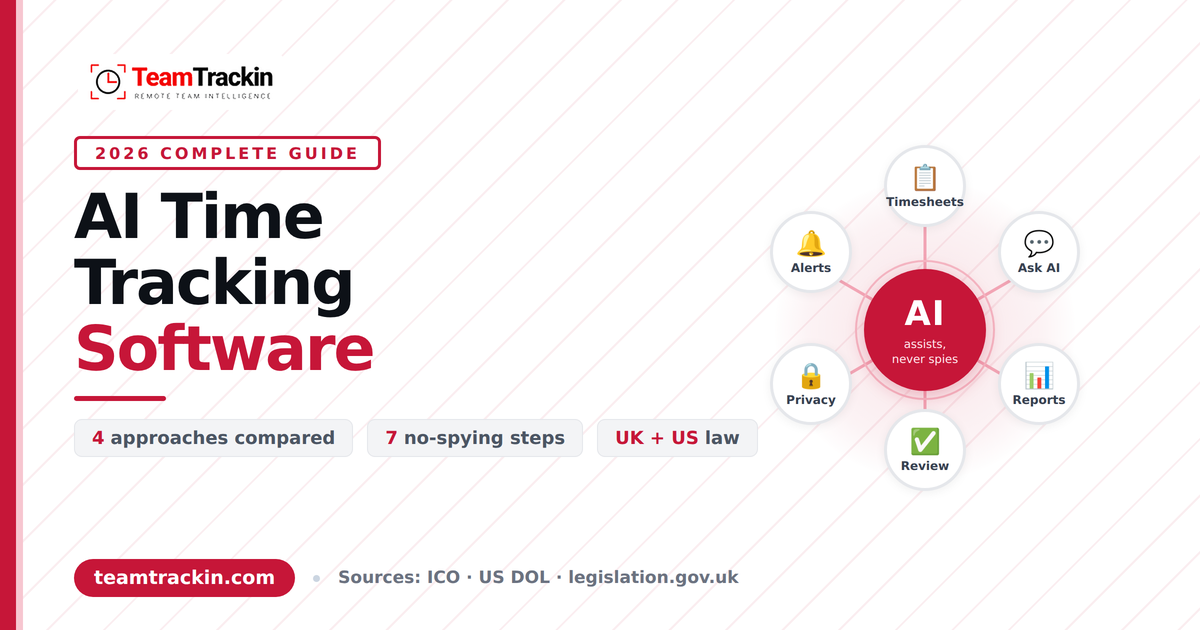
AI time tracking software promises to record, categorise and summarise working time with less effort from everyone involved. It also raises a fair question: where does helpful end and spying begin? This guide explains what AI time tracking software is, how it differs from automation and employee monitoring, what the law expects in the UK and US, and how to use it in a way your team can trust.
of UK adults surveyed would find it intrusive to be monitored by an employer in any way
ICO / Survation, 2023
find monitoring of timekeeping and clocking in and out intrusive, the lowest of any practice surveyed
ICO / Survation, 2023
find taking screenshots or webcam footage intrusive
ICO / Survation, 2023
the date the UK's reformed rules on automated decision-making took effect
Data (Use and Access) Act 2025
AI time tracking software is time tracking software that uses artificial intelligence to automate or interpret parts of the job people normally do by hand, such as drafting timesheets, categorising tracked time by project, answering questions about hours in plain English, summarising work and flagging unusual patterns. The time itself can be captured by timers, clock-ins or an automatic desktop agent; the AI is the layer that helps people understand it.
It is not the same as employee monitoring. Used responsibly, it collects only the data needed for a stated purpose, tells employees what is recorded, lets them see their own data and keeps a human in charge of any decision about pay, performance or discipline.
In the UK, the Information Commissioner's Office expects monitoring to be necessary, proportionate and transparent. In the US, a handful of states require advance notice of electronic monitoring, and federal wage law requires accurate hours records for non-exempt staff. Check the rules that apply to your own situation.
What Is AI Time Tracking Software?
Most "AI time tracking" sits in three layers. Knowing which layer a product actually offers is the quickest way to cut through the marketing.
- Capture. How time gets recorded: a timer, a clock-in or a background app. This layer is often automation rather than AI.
- Interpretation. Software that sorts tracked time into projects or categories, spots patterns and flags unusual hours.
- Assistance. A conversational or generative layer. You ask "how many hours did we spend on this client last month?", or have a stand-up or weekly report drafted from tracked time.
The terminology is blurry. Some vendors argue that what is sold as AI time tracking is mostly automated time entries, and say so openly. That is a useful starting point: ask any vendor which part of its product uses AI, and what that part does that a simple rule or timer could not.
For this guide, AI time tracking software means any time tracking product where AI interprets or assists with the data, not just one that records it.
How Does AI Time Tracking Work?
Whatever the vendor, the flow is broadly the same.
Time is recorded
By a timer, a mobile clock-in or a desktop agent. Some tools also record activity levels, app use or, optionally, screenshots.
The software structures it
Entries attach to a person, project and task. Idle time is flagged, and weekly timesheets build from the entries.
AI reads the structured data
It summarises, answers questions, drafts reports or highlights unusual patterns. In a well-designed product it only sees what the person asking is already allowed to see.
A person reviews and decides
They approve timesheets, correct entries and decide what to do about a flag.
The last step is not optional. AI output is a draft or a suggestion. Treat it like a junior analyst's first pass: fast, useful and in need of checking.
AI Time Tracking vs Automatic Tracking vs Employee Monitoring
These terms are often used as if they were interchangeable. They answer different questions and carry different privacy weight.
| Approach | What it does | Typical data | Question it answers | Privacy weight |
|---|---|---|---|---|
| Manual time tracking | People enter hours or start and stop timers | Start and stop times, project, notes | "How long did you say it took?" | Low |
| Automatic time tracking | Records time in the background without start and stop | Time, idle time, sometimes activity levels | "When did the work happen?" | Low to medium |
| AI time tracking | Interprets or assists with tracked data | The same data, plus summaries and patterns | "What does this data mean?" | Depends on what feeds it |
| Employee monitoring | Observes activity and behaviour | Screenshots, apps, URLs, keyboard and mouse activity, location | "What was this person doing?" | Medium to high |
The overlap is the point. One product can offer all four, so what matters is which settings are switched on, for whom and why.
The ICO-commissioned poll of 1,012 UK adults suggests people draw the same line. Only 47% found monitoring of timekeeping and clocking in and out intrusive, compared with 77% for screenshots or webcam footage. Recording hours is widely accepted; watching people is not.
What Are the Benefits of AI Time Tracking Software?
Done well, AI makes the data you already collect easier to use. The most realistic gains are practical rather than dramatic.
- Less admin. Imagine a 12-person agency that chases timesheets every Friday. When tracked time feeds a weekly summary, the owner reviews exceptions instead of rebuilding the week.
- Cleaner billing and project tracking. Hours by client and project feed invoices, so billable hours are not lost to forgotten entries, and project costs are visible while you can still act on them.
- Earlier warning on workload. A regular summary that flags long days and weekend work lets a manager check in with a remote team member before the problem becomes resignation.
- Faster answers. A plain-English question about hours, overtime or leave replaces a trip through three reports.
- More reliable timesheets and attendance. Hours recorded as work happens are more accurate than hours remembered later, which helps payroll and workforce management.
The scenarios above are illustrative examples, not customer case studies.
What Are the Limits and Risks?
Every benefit above has a flip side. These are the risks worth planning for.
- AI can be wrong. A category guess may be off and a generated summary can miss context or state something confidently that is not true. Check important outputs against the underlying records.
- Activity is not performance. Hours online, time in an app or mouse movement show where time went. They say nothing about quality, thinking time, meetings or the phone call that saved a client. Productivity indicators are prompts for a conversation, not proof of how well someone is doing.
- Data creep. Once data exists, it is tempting to use it for new purposes. The ICO expects employers to keep only information relevant to the purpose they stated.
- Trust. In the same ICO poll, 57% of people said they would feel uncomfortable taking a job if they knew their employer would monitor them. Heavy-handed monitoring can cost you candidates and staff.
- Unfair scores. A score that assumes one "normal" working pattern can disadvantage people who work differently, such as part-time staff or those working across time zones.
Is AI Time Tracking Spying? How to Use It Without Spying
It is spying when it is secret, disproportionate or used against people. It is a business tool when it is open, limited to a clear purpose and used to support fair pay and manageable workloads. Seven practices keep you on the right side of that line.
Write down the purpose first
"Pay people accurately, bill clients correctly and spot overload" is a purpose. "See what everyone is doing" is not. Collect only what serves the purpose you wrote.
Start with the least intrusive setup
Begin with hours and timesheets. Add activity data or screenshots only if you can explain why you need them and nothing gentler would do.
Tell people before you switch anything on
Say what is recorded, why, who can see it and how long it is kept. In plain language, not buried in a policy.
Let people see their own data
Staff should be able to see what managers see about them. In the UK, monitoring data can also be requested through a subject access request.
Keep a human in charge
AI can flag and summarise. People decide about pay, performance and discipline, and can explain the decision without pointing at a score.
Set retention limits
Delete screenshots and detailed activity data once they have served their purpose. Keep records you are legally required to keep, such as pay and hours.
Review it with your team
After a few months, ask what is useful and what feels intrusive. Switch off anything you are not using.
Example. A 40-person remote team receives a fortnightly workload summary that flags ten-hour days and weekend work. The manager's written policy: a flag triggers a friendly check-in about workload, never a performance review. Staff know the rule, so the summary is read as support rather than surveillance. (An illustrative scenario.)
See AI time tracking with the privacy controls visible.
Try TeamTrackin free for 14 days. No card required.
Is AI Time Tracking Legal in the UK and US?
Tracking working time is normal and, for many employers, required. The rules bite on how you track and what you do with AI output. This is general information, not legal advice, and the position can change.
United Kingdom
- Monitoring. The ICO says data protection law does not prevent monitoring, but it must be necessary, proportionate and respect workers' rights. Employers must tell workers the nature, extent and reasons for monitoring, have a lawful basis, use the least intrusive means and keep only relevant information. A data protection impact assessment is needed for monitoring likely to be high risk (ICO guidance announcement).
- Automated decisions. From 5 February 2026, the Data (Use and Access) Act 2025 replaced Article 22 of the UK GDPR with a regime for "significant decisions" taken solely by automated means, with safeguards such as informing people, letting them make representations, human intervention and a right to contest (commencement regulations). Basing a decision about pay, discipline or dismissal solely on an AI output is the kind of use these safeguards are aimed at.
- Records. You still need reliable records of hours and pay. HMRC's manual says National Minimum Wage records must be kept for at least six years.
United States
- Notice laws. New York (Civil Rights Law § 52-c, in force since 7 May 2022), Connecticut (Gen. Stat. § 31-48d) and Delaware (19 Del. C. § 705) require employers that monitor electronically to give employees notice in advance. New York also requires a written acknowledgement and a conspicuous posting. Scope differs by state, so check how each statute defines monitoring.
- Wage records. Under the FLSA, covered employers must keep hours and pay records for non-exempt workers. The Department of Labor says payroll records should be kept for at least three years and time cards for at least two (Fact Sheet #21).
- State variation. Other states add their own rules. Check the states where your employees work, not just where you are based.
Operating elsewhere, including the EU, adds further rules on data protection and AI. Take local advice before you roll out. None of these regimes bans time tracking. They ask for openness, proportion and human accountability, which are the same things that make the practice trustworthy.
How Do You Choose AI Time Tracking Software?
Start with the problem, not the badge. If you only need a timer, you may not need AI at all. If you manage timesheets, attendance, overtime, projects and billable hours across a remote or hybrid team, these checks separate useful AI from decoration.
| What to check | Why it matters | Question to ask a vendor |
|---|---|---|
| Which parts use AI | Separates function from marketing | "What does the AI do that a rule or timer could not?" |
| Per-person tracking controls | Keeps collection proportionate | "Can we switch screenshots, apps, URLs and activity off per person?" |
| Permission-aware AI | AI should not reveal what a user cannot already see | "Does the AI follow roles and permissions?" |
| Data handling | Privacy and confidentiality | "Is our data used to train models? Are prompts stored?" |
| Human review | Accuracy and legal safeguards | "Does anything change without a person approving it?" |
| Retention and data rights | UK and EU GDPR duties | "Can admins set retention? Can staff export or erase their data?" |
| Pricing model | AI costs can be hidden | "Is AI included, or metered by credits or usage?" |
| Fit with your workflow | Fewer tools, fewer re-keyed hours | "Does it connect to payroll, accounting and project tools we already use?" |
How Does TeamTrackin Fit?
TeamTrackin combines time tracking, employee monitoring, project management, HR and payroll in one platform. Its built-in AI assistant is included on every plan and works with the hours, tickets, documents, leave and shifts already in TeamTrackin.
To be clear about what that means: the tracking itself comes from automatic desktop tracking, timers and mobile clock-in. The AI is an assistant layered over that data, not a replacement for it.
- Ask TeamTrackin: plain-English questions about hours, overdue tickets, who is off, overtime and invoices
- Stand-ups and weekly reports written from your own tracked time and tickets
- Team summary and burnout alerts: a fortnightly read of workload, including long days and weekend work, with suggested check-ins
- Summaries and writing help for tickets, chats and documents
- AI rota suggestions that respect availability and rest rules in Shift Management
The controls that support a no-spying approach
- Per-person tracking settings. Admins choose, for each team member, whether the desktop tracker captures screenshots, URLs, app usage and keyboard and mouse activity. Each can be switched off, and screenshots are off by default.
- Activity levels, not keystroke content. TeamTrackin's time tracking page states that the desktop apps record activity levels only, never keystroke content.
- Permission-aware AI. AI reads only what each person can already see. Admins can turn it on or off for the company and decide which groups can use it.
- Data handling. Your data is not used to train AI models, and TeamTrackin does not store prompts or answers, only the number of credits used.
- Human in the loop. Nothing changes until a person applies it, and every AI result is marked as AI generated.
- Retention and data rights. Admins choose how long screenshots and detailed activity data are kept, and people can export their own data and request erasure in the app.
Pricing and availability
AI is included on every plan, with monthly AI credits: Basic 50, Standard 300, Premium 1,000 and Enterprise 3,000. Most actions use one or two credits, and extra credit packs, from £5 for 500 credits, do not expire. Plans start from $3.99 per user per month, with a 10% saving when billed yearly. Overtime, leave and payroll records start on the Standard plan. Every plan can be tried free for 14 days with no card.
Field teams can clock in from the TeamTrackin mobile app (see the Mobile App Guide), and the employee time tracking software page covers timesheets, approvals and reporting in detail.
One caveat applies to every tool in this category, TeamTrackin included: software can offer the controls, but fair use depends on your configuration and your policy.
The Bottom Line
AI time tracking software is useful when it makes accurate time data easier to understand, and harmful when it becomes a way to watch people. The difference is rarely the technology. It is whether you collect only what you need, tell people plainly, keep humans in charge of decisions and review what you are doing.
Start with hours and timesheets, add AI where it saves real effort, and switch off whatever your team does not need. That approach is easier to defend to regulators, to staff and to yourself.
Frequently Asked Questions
- What is AI time tracking software?
AI time tracking software is time tracking software that uses artificial intelligence to automate or interpret parts of the process, such as drafting timesheets, categorising tracked time, answering questions about hours, summarising work and flagging unusual patterns. The time can be captured by timers, clock-ins or an automatic desktop agent. The AI is the layer that helps people make sense of that data.
- Is AI time tracking spying on employees?
It can be, if it is secret, collects more than it needs or is used against people. Used responsibly, it has a stated purpose, collects the least data needed, tells employees what is recorded, lets them see their own data and keeps a human in charge of decisions about pay, performance and discipline. Recording hours is generally seen as far less intrusive than screenshots: in an ICO-commissioned poll, 47% found timekeeping monitoring intrusive against 77% for screenshots or webcam footage.
- Is AI time tracking legal in the UK and US?
Time tracking is lawful in both, but the rules cover how you do it. In the UK, the ICO expects monitoring to be necessary, proportionate and transparent, and reformed automated decision-making rules have applied since 5 February 2026. In the US, New York, Connecticut and Delaware require advance notice of electronic monitoring, and the FLSA requires accurate hours records for non-exempt staff. This is general information, not legal advice.
- Is AI time tracking accurate?
Recorded timestamps are usually more reliable than hours remembered later, but AI outputs such as categorisation, summaries and answers can contain mistakes. Treat them as drafts, check important figures against the underlying records, and keep a person responsible for approving timesheets and acting on flags.
- What should I look for when choosing AI time tracking software?
Check which parts genuinely use AI, whether you can control tracking per person, whether the AI respects permissions, how your data is handled and whether it is used for training, how retention and data rights work, and how AI is priced. Also confirm the tool covers the workflow you need, such as timesheets, attendance, overtime and payroll integrations.