
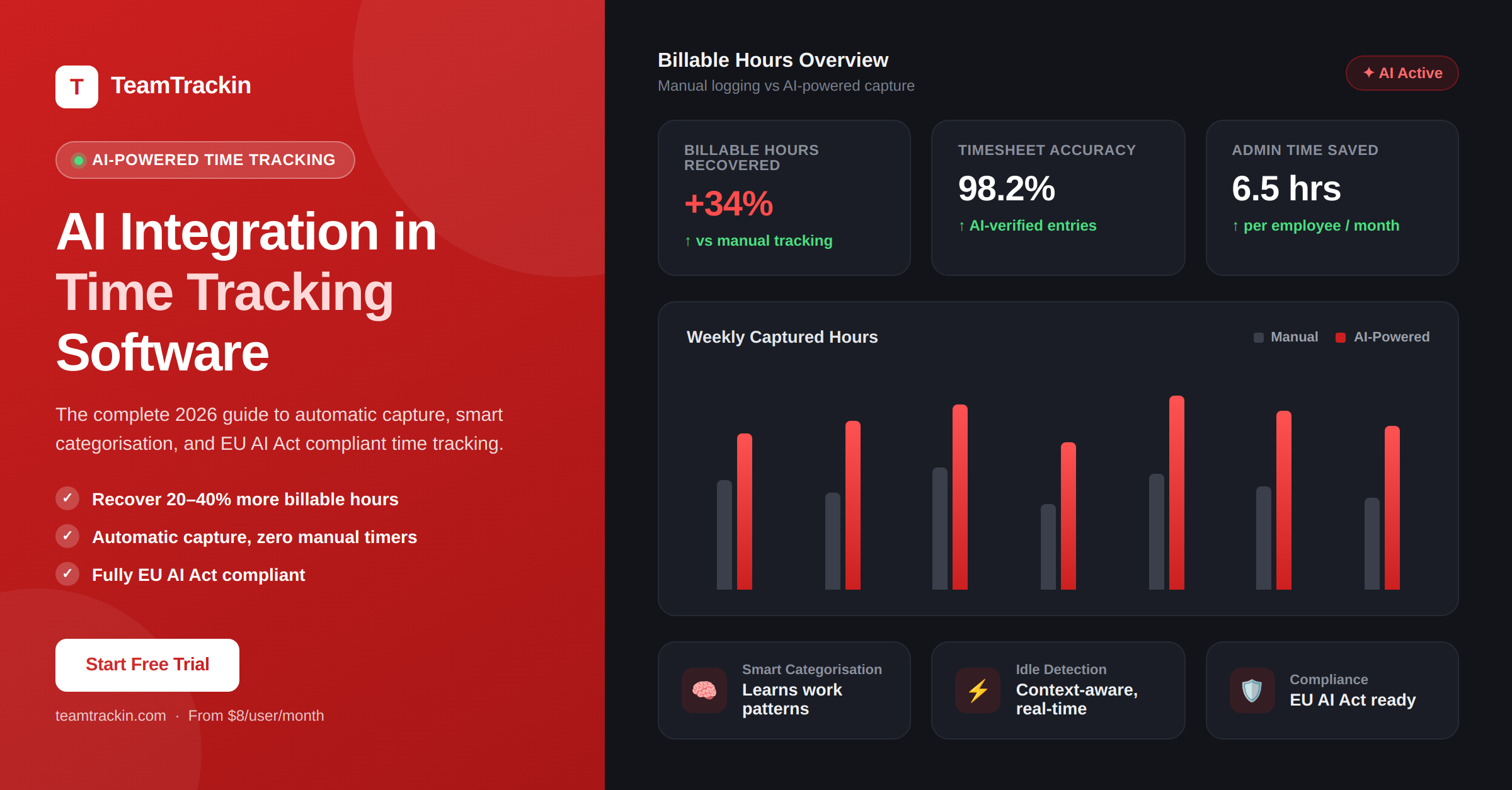
Manual time tracking is over. AI-powered time tracking captures every billable hour automatically, categorises work intelligently, detects idle time without penalising thinking, and surfaces the insights that help teams work smarter. McKinsey research shows data-driven project management improves productivity by up to 25%. Here is exactly how AI integration makes that happen — and how TeamTrackin puts it to work for your team.
productivity improvement from data-driven project management
McKinsey, 2026
more billable hours recovered switching from manual to AI time tracking
TeamTrackin user data
EU AI Act Annex III enforcement date for AI systems monitoring workers
EU AI Act
of employee work time goes to communication — AI tracking captures it all
Microsoft Work Trend Index
AI integration in time tracking software means using artificial intelligence to automate how work hours are captured, categorised, and analysed — replacing the manual start-stop timer process with a system that observes work as it happens and generates timesheets automatically for human review and approval.
The six core AI capabilities that define modern time tracking are: automatic background capture (detecting active applications and tabs), context-aware idle detection (removing inactivity without penalising thinking time), smart project categorisation (learning work patterns to improve attribution accuracy), predictive analytics (forecasting workloads and identifying burnout risk), natural language timesheet editing, and explainable AI (showing employees and managers why each entry was categorised as it was).
TeamTrackin uses all six — making it the most complete AI time tracking platform for startups, agencies, and hybrid teams in 2026.
What Is AI Integration in Time Tracking?
AI integration in time tracking software means connecting artificial intelligence to the time logging process so that work hours are captured, categorised, and analysed automatically — rather than relying on employees to start timers, remember sessions, and manually tag each entry to the correct project.
Traditional time tracking software is a digital version of a paper timesheet. AI-integrated time tracking is something fundamentally different: it observes work as it happens, across every application and tool the employee uses, and builds an accurate record without requiring any deliberate action from the person being tracked.
The practical difference is enormous. Manual timesheets consistently undercount actual hours worked by 30–50% because of forgotten sessions, rounding errors, and the cognitive overhead of switching from work to administration. AI-integrated time tracking eliminates all three sources of undercount simultaneously.
AI integration in time tracking software means using artificial intelligence to automatically detect, capture, and categorise work hours without requiring employees to manually start timers or log sessions. The AI observes which applications, browser tabs, and tools are active, assigns each session to the correct project and client based on learned patterns, removes idle time intelligently, and generates a draft timesheet for employee review and manager approval. The result is 20 to 40 percent more billable hours captured compared to manual tracking, with significantly less administrative overhead.
Manual Time Tracking vs AI Time Tracking — The Real Difference
The contrast between manual and AI-integrated time tracking is not just about convenience. It is about the quality and completeness of the data — which determines every downstream decision from client billing to hiring to sprint planning.
- Developer forgets to start the timer when beginning a task
- Slack notification arrives — timer keeps running on wrong project
- Context switch to code review — forgot to stop and restart timer
- End of day: trying to reconstruct 8 hours from memory
- Friday afternoon: logging the whole week from calendar and guesses
- Result: 30–50% of actual hours never make it onto a timesheet
- Invoice is sent based on incomplete data — revenue permanently lost
- AI detects GitHub issue open in browser — timer starts automatically
- Slack notification arrives — AI logs the Slack session separately
- Context switch to code review — AI switches attribution automatically
- End of day: complete timesheet generated, ready for 5-min review
- Friday: approve the week with corrections in under 15 minutes
- Result: 95%+ of actual hours captured automatically and accurately
- Invoice generated directly from approved AI-captured data — complete
According to McKinsey, data-driven project management improves team productivity by up to 25%. The primary reason is not that data-driven teams work harder — it is that they have accurate data to work from. Manual timesheets, by contrast, systematically undercount hours by 30 to 50 percent, producing a data foundation that makes every downstream decision — pricing, staffing, billing, sprint planning — less accurate than it should be.
AI-integrated time tracking closes this gap by removing the human memory bottleneck entirely. When capture is automatic and categorisation is intelligent, the data quality that enables McKinsey's 25% productivity improvement becomes achievable for teams of any size.
The 6 Core AI Capabilities in Modern Time Tracking Software
Not all "AI time tracking" is equally intelligent. These six capabilities define what genuine AI integration looks like — and separate tools that use AI as a marketing term from those that use it to solve real problems.
How AI Time Tracking Works — Step by Step
Understanding exactly how the AI pipeline works helps teams implement it correctly and helps managers explain it clearly to their employees — which is increasingly a legal requirement under the EU AI Act.
Why human review is essential — not optional
AI categorisation is highly accurate — typically 90%+ for experienced users after the first few weeks — but it is not perfect. The human review step is not a fallback for AI failures. It is a core part of the workflow that serves three purposes: correcting the small percentage of mis-attributed entries, providing feedback that improves the AI's future accuracy, and creating the human-approved record that makes time data defensible for billing disputes, payroll audits, and EU AI Act compliance.
The 10-minute rule: Teams using TeamTrackin consistently report that weekly timesheet review takes 10 to 15 minutes per person when the AI has been running for more than three weeks. This compares to 45–90 minutes per person per week for teams using manual time logging — a saving of 30–75 minutes of administrative time per employee per week, returned directly to productive work.
See AI time tracking in action.
TeamTrackin starts capturing time automatically from day one — no manual timers, no setup overhead.
EU AI Act: What It Means for Your Time Tracking Tool
From August 2, 2026, the EU AI Act's high-risk AI provisions are fully enforceable. This directly affects any organisation in the EU — or serving EU employees — that uses AI-powered time tracking, productivity monitoring, or workforce analytics tools.
Annex III classification: AI systems used to monitor, evaluate, or manage employee work performance are classified as high-risk under the EU AI Act. This includes AI-powered time tracking tools that automatically categorise, log, or analyse employee work activity.
What high-risk classification requires:
- Transparency:Employees must be informed that AI is being used to monitor their work, what data is collected, and how decisions are made
- Human oversight:All AI-generated work records must go through human review and approval before being used for payroll, billing, or performance evaluation
- Explainability:The AI must be able to explain why it categorised a session the way it did — "black box" scoring is not compliant
- Data governance:Clear documentation of what data is collected, how long it is retained, and who can access it
- Right to contest:Employees must be able to challenge and correct AI-generated time entries
- EU data residency:Personal work activity data must be stored within the EU or under adequate protection frameworks
TeamTrackin is fully compliant with all EU AI Act high-risk requirements: transparent AI explanations on every entry, mandatory human review before any data is used for billing or payroll, natural language correction for employees, EU data residency, and a signed Data Processing Agreement on all paid plans.
How TeamTrackin Uses AI — Specific Features
AI Time Tracking Tools Compared (2026)
| AI Feature | TeamTrackin | Timely | DeskTime | Hubstaff | Clockify |
|---|---|---|---|---|---|
| Automatic background capture | ✓ Full AI | ✓ Full AI | ✓ App tracking | ~ Activity monitoring | ✗ Manual only |
| GitHub / Jira issue-level attribution | ✓ Automatic | ✗ Project only | ✗ Not available | ✗ Not available | ✗ Not available |
| Context-aware idle detection | ✓ Smart detection | ✓ Available | ✓ Available | ~ Basic | ✓ Basic |
| Predictive analytics and insights | ✓ Full AI insights | ~ Memory reports | ~ Basic summaries | ✗ No AI | ✗ No AI |
| Natural language timesheet editing | ✓ Available | ✗ Not available | ✗ Not available | ✗ Not available | ✗ Not available |
| Explainable AI (EU AI Act) | ✓ Full transparency | ~ Partial | ✗ Not available | ✗ Not available | ✗ Not available |
| EU AI Act compliant | ✓ Full compliance | ~ Partial | ✗ Not confirmed | ✗ Not confirmed | ✗ No AI to comply |
| Client invoicing from AI data | ✓ Direct invoicing | ✗ No invoicing | ✗ No invoicing | ~ Add-on required | ~ Paid plans |
| Burnout and wellbeing signals | ✓ AI-powered alerts | ✗ Not available | ~ Basic | ✗ Not available | ✗ Not available |
| Pricing | $8 / user / mo | $9 / user / mo | $6.42 / user / mo | $4.99 base + add-ons | Free – $9.99 |
Frequently Asked Questions
- What is AI integration in time tracking software?
AI integration in time tracking software means using artificial intelligence to automatically capture, categorise, and analyse work hours — replacing manual timer management with a system that observes work as it happens. The AI detects which application, browser tab, or project is active, logs time continuously, identifies idle periods intelligently, and generates a draft timesheet for employee review and manager approval. The result is 20 to 40 percent more billable hours captured with significantly less administrative overhead.
- How does AI improve time tracking accuracy?
AI improves time tracking accuracy in four ways: automatic capture eliminates the 30 to 50 percent underreporting that occurs with memory-based manual logging; context-aware idle detection removes breaks without penalising thinking time; smart categorisation assigns each session to the correct project and client based on learned patterns; and anomaly detection flags unusual entries before they create billing errors. Together, these four improvements typically produce a 20 to 40 percent increase in captured billable hours compared to manual tracking.
- What is the EU AI Act and how does it affect AI time tracking?
The EU AI Act classifies AI systems used to monitor or evaluate workers as Annex III high-risk, with full enforcement from August 2, 2026. For AI time tracking, this means: employees must be told the AI is monitoring their work and how it categorises sessions; all AI-generated time entries must go through human review before use in payroll or billing; the AI must explain its decisions; employees must be able to correct AI entries; and data must be governed with clear retention and access policies. TeamTrackin is fully compliant with all these requirements.
- How much more billable time does AI time tracking recover?
Teams switching from manual to AI time tracking typically recover 20 to 40 percent more billable hours in the first month. This recovery comes from three sources: sessions that would have been forgotten when logging from memory; context switch time that manual logging cannot capture; and Slack and communication time that employees never think to log manually. McKinsey research shows that data-driven project management improves productivity by up to 25 percent, consistent with the billable hour recovery figures TeamTrackin users report.
- What AI features does TeamTrackin use?
TeamTrackin uses six core AI capabilities: automatic background capture across all applications and browser tabs; context-aware idle detection that preserves thinking time while removing breaks; smart project and client categorisation that improves with use; predictive burnout alerts from after-hours pattern analysis; AI-powered utilisation and profitability dashboards; and natural language timesheet editing that lets employees correct entries by describing what they actually worked on. All six capabilities are included at the flat $8 per user per month rate.